Description
CS-Cart ZATCA E-Invoice add-on helps you follow ZATCA rules. It creates invoices quickly and reduces manual work. As a result, you save time and avoid errors.
Admins and vendors can manage VAT details in one place. For example, you can set the VAT number and status. You can also add exemption details. This ensures that each invoice has correct data.
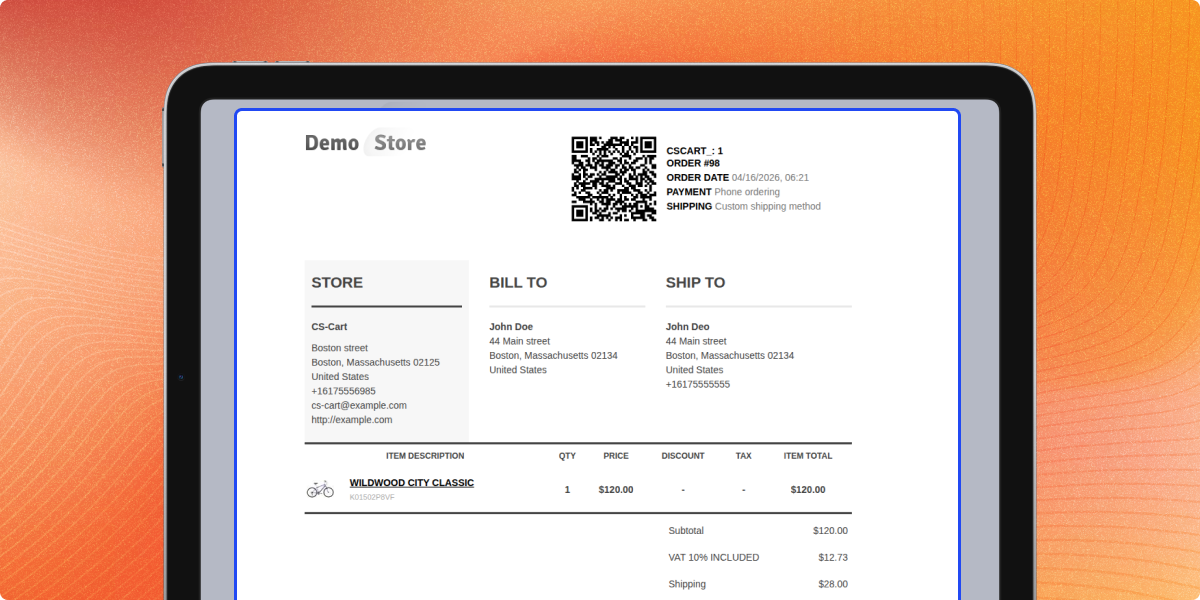
The system creates invoices from the order page. It also adds QR codes to each invoice. So, your store stays compliant with ZATCA rules.
Each vendor gets a proper invoice number. This makes tracking simple. You can also set custom prefixes as needed.
The add-on manages the full invoice process. It creates or cancels invoices based on order status. For instance, it cancels invoices for failed orders.
Before creating an invoice, the system checks all fields. This step avoids mistakes. It also supports both VAT and non-VAT cases.
Admins can manage everything from the backend. So, the setup stays simple and easy.
Additionally, you can use CS-Cart Minimum Order Limit for Payment Method add-on to control payment options.
Highlight Features of CS-Cart ZATCA E-Invoice
ZATCA Invoice Generation
Create invoices that follow ZATCA rules.
VAT Details
Add correct VAT data to every invoice.
QR Code Support
Include QR codes for compliance.
Vendor Management
Manage vendor VAT details easily.
Use Cases
These use cases show how the system helps simplify invoicing, ensure compliance, and reduce manual work.
Auto Invoice Creation
Create invoices without manual work.
VAT Management
Manage VAT details from one place.
Saudi Compliance
Follow ZATCA rules with ease.
Invoice Tracking
Track invoices with proper numbers.
Why Do You Need CS-Cart ZATCA E-Invoice?
CS-Cart ZATCA E-Invoice add-on helps you meet legal rules in Saudi Arabia. It creates invoices with VAT and QR codes. This improves accuracy and saves time.
The system checks data before creating invoices. So, it reduces errors. It also manages invoice creation and cancellation.
In addition, it supports different VAT cases. Overall, it makes store operations simple and smooth.
Additionally, you can use CS-Cart Seller Invoice add-on to create vendor invoices.
CS-Cart VAT Invoice Add-on Configuration
Set up the add-on to manage invoice rules. Configure all required settings from a single place to ensure accurate VAT invoice generation.
- Manage all settings from one place
- Set the VAT registration number
- Define the invoice prefix
- Set the VAT status
CS-Cart Add Currency (SAR)
Add SAR currency to your store to meet ZATCA compliance requirements. Configure currency settings properly to ensure accurate invoice generation and compatibility.
- Add SAR as a store currency
- Set SAR as the default currency
- Ensure invoice compatibility
- Manage currency settings easily
CS-Cart Invoice
Customers can view invoices easily. The system shows clear invoice details with VAT information and compliance features.
- View invoices from the account page
- See VAT details on invoices
- Check QR codes for compliance
- Download invoices anytime
Support -
For any query or issue please create a support ticket here
You may also check our other top-quality CS-Cart Add-ons.