Send Again
Close
CS-Cart Minimum Order Limit for Payment Method add-on gives you full control over payment methods. You can set a minimum order amount for each payment method.
If the order total is lower than the set amount, the add-on hides that payment method. When the order total reaches the minimum value, the payment method appears again. The process works automatically.
This add-on keeps the checkout page clean. Customers see only the payment methods they can use. This reduces confusion and failed payments.
Additionally, to make checkout faster and manage orders more easily, use CS-Cart Single Seller Checkout.
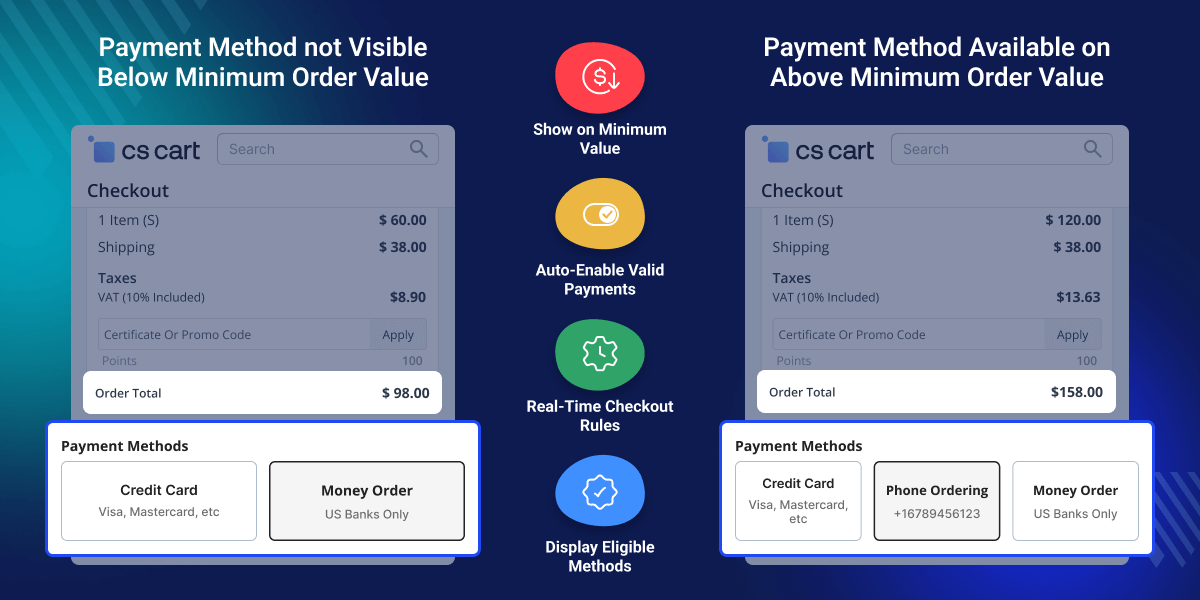
Set a minimum amount for each payment method in a few clicks.
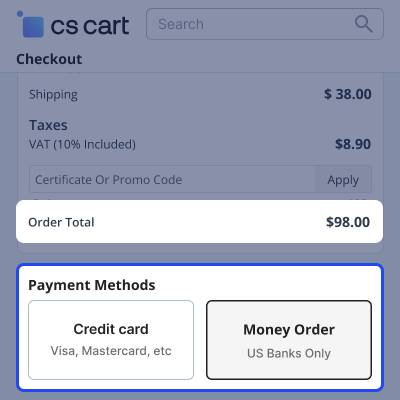
The add-on hides payment methods when the cart total is below the limit.
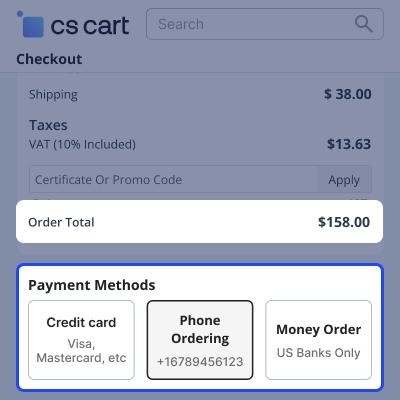
Payment methods appear automatically when the order meets the minimum amount.
Show only valid payment methods and keep checkout simple.
CS-Cart Minimum Order Limit for Payment Method helps manage payment gateways that charge high fees for small orders or do not support low-value payments.
This add-on solves that problem. It shows payment methods only when the order total meets your rules. You save on extra fees. You also avoid payment errors. Customers get a smooth checkout experience.
Apart from this, you can use CS-Cart Pre Order to allow customers to purchase upcoming or out-of-stock products.
Control when payment methods appear at checkout.
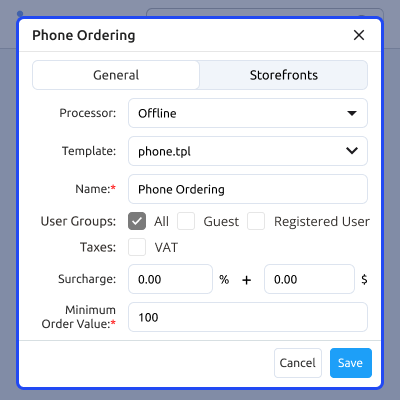
Hide payment methods that do not meet your minimum order rule.
Show payment methods automatically when the cart total meets the defined minimum value.
For any query or issue please create a support ticket here
You may also check our other top-quality CS-Cart Add-ons.
Detailed technical features and requirements to help you understand the module’s capabilities and ensure smooth integration with your system.
Detailed technical features and requirements to help you understand the module’s capabilities and ensure smooth integration with your system.
We’re partnered with top-tier, trusted providers!
Want to know more how exactly we are going to power up your eCommerce Website with Cloud to fasten up your store
* Server Configuration may vary as per application requirements.



