Send Again
Close
CS-Cart Banner Booking is an add on that lets store owners provide banner ad space by booking slots for a fixed time.
Store owners can offer ad space to users who want to advertise in the store. Users can select a banner slot, choose a duration, and display ads using text or image banners.
Admin can set pricing and manage banner slots from the admin panel. It also supports redirect URLs to help promote products or services.
Also, if you want to allow vendors to advertise their products, you can use the CS-Cart Multi Vendor Seller Ads Booking add on.
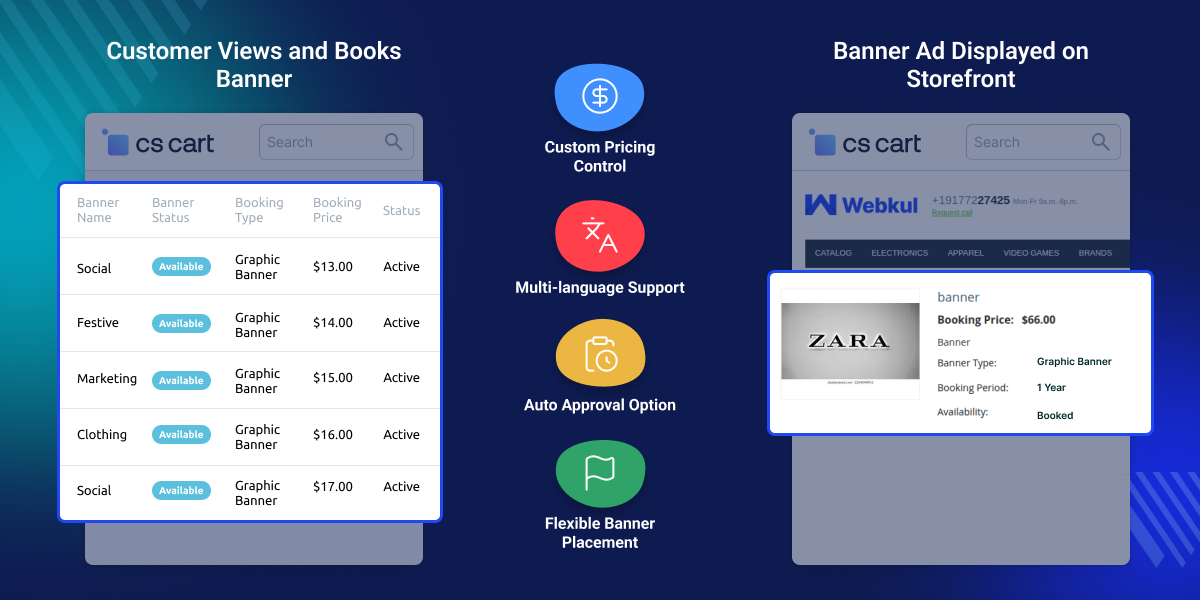
Admin can create banner spaces on store pages to control ad placement.
Users can add links to banner ads to promote products or services.
Admin can set the price and duration for each banner slot.
Admin can display banners across the storefront for better visibility.
CS-Cart Banner Booking is needed as CS-Cart does not have a built in system to sell banner ad space, which makes ad management difficult.
Without this, managing banner bookings, pricing, and duration manually can cause errors and delays.
It provides a simple way to manage banner ads, allowing users to book slots and admins to control everything from the admin panel.
It is built for real store use and helps manage ads while creating a steady source of revenue.
Also, if you want to create banner visuals easily, you can also use the CS-Cart AI Model Image Generator add on.
CS-Cart Banner Booking is useful for stores that want to sell ad space and run banner ads for a fixed time.
Store owners can sell banner ads to users and earn revenue from website traffic.
Users can book banner slots to promote products, deals, or services.
Ads can be displayed for a fixed duration based on the selected booking time.
Admin can manage banner bookings, pricing, and display from a single panel.
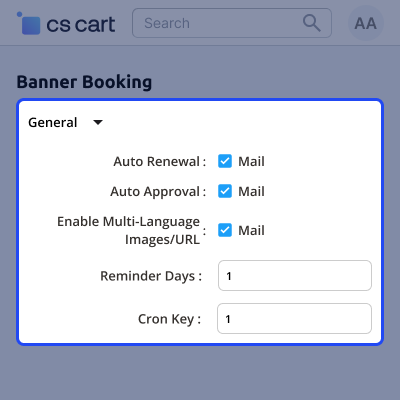
Admin can manage banner settings like auto approval, renewal, reminders, and language options. This helps automate banner management and keeps users updated before expiry.
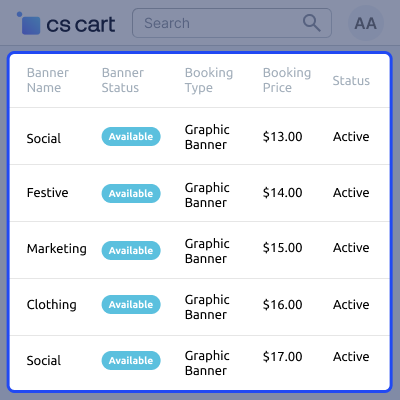
Admins can manage banner ads from the Marketing section, where bookings, pricing, and status are listed in one place. This helps track available and active banner slots and create new ads easily.
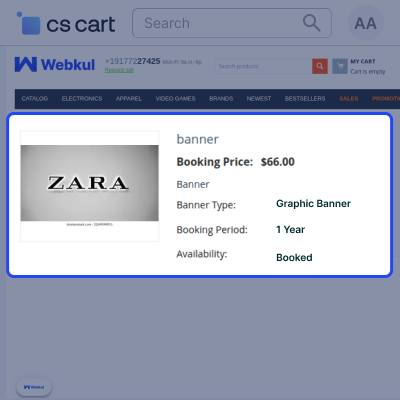
Visitors can book banner ads and promote products or services from the storefront. Admins can control ad display and placement, showing only approved banners.
For any query or issue please create a support ticket here http://webkul.uvdesk.com/
You may also check our other top-quality CS-Cart Extensions.
Detailed technical features and requirements to help you understand the module’s capabilities and ensure smooth integration with your system.
Detailed technical features and requirements to help you understand the module’s capabilities and ensure smooth integration with your system.
We’re partnered with top-tier, trusted providers!
Want to know more how exactly we are going to power up your eCommerce Website with Cloud to fasten up your store
* Server Configuration may vary as per application requirements.



