USD
  • EUR
  • INR
  • USD
Cart
Cart 0
  • You have no items in your shopping cart.
    Cart
    Cart 0
    • You have no items in your shopping cart.
    Hire a Developer
    ×
    Contact Us!
    Send Again
    Close
    Please Login to Write Your Review

    CS-Cart Booking Reservation System

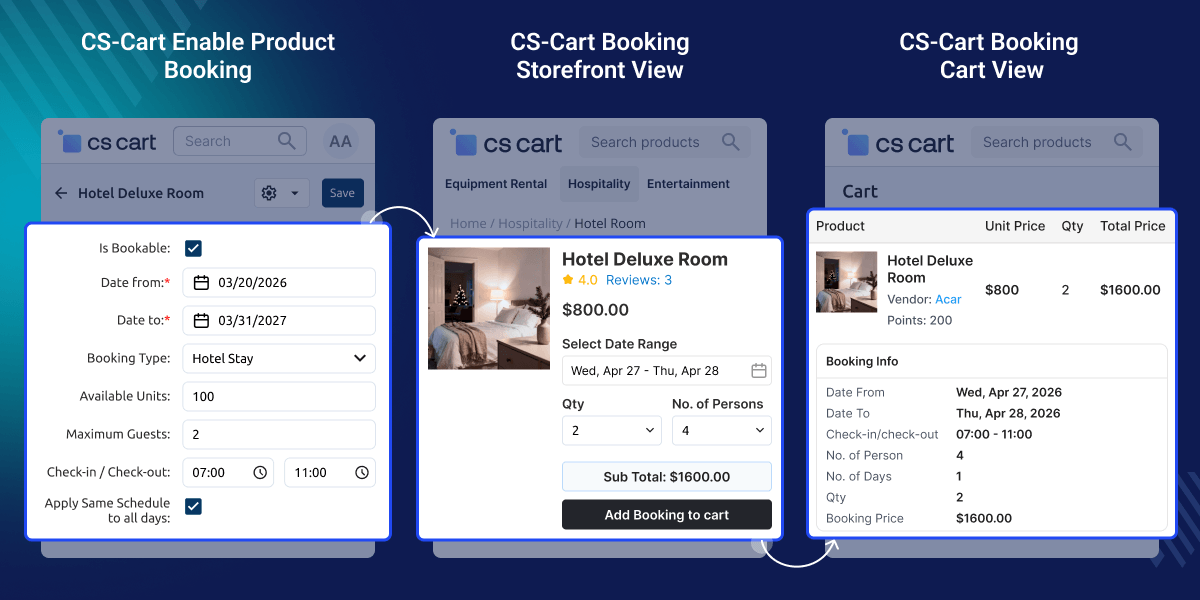
    Cs-Cart Booking and Reservation add-on is very useful to create booking types of products on your website. It allows the creation of an event-driven site (e.g. doctor's appointment, hotel booking system, etc.).


    • It provides real-time-based service.

    • It includes the creation of multiple time slots as well as the duration of the slots.

    • The add-on can generate an invoice for any product booking.

    • Admin can change status “open” or “close“ for any weekend or holiday.

    • The concept of single booking for many days, many bookings for single day, custom bookings for many days and Multiple Booking Slots in a Day with Different Quantities has been provided.

    • Users can set date and time for precise booking availability.

    • Supports real-time booking, allowing visitors to check and book available properties or services.

    • Admins can enable cancellation for already booked products.

    • Users can filter their search and orders for booking-related products.

    • Admins can block specific dates for booking directly from the backend.

    Screenshots
    $99.00

    * Required Fields

    Add To Cart
    $99.00
    Configure and Buy
    • Description
    • Reviews
    • FAQ
    • Customers ()
    • Specifications
    • Cloud Hosting
    • Changelog

    CS-Cart Booking Reservation System:CS-Cart booking add-on allows the admin to create booking types of products. Now, a customer can create a booking of the respective product.

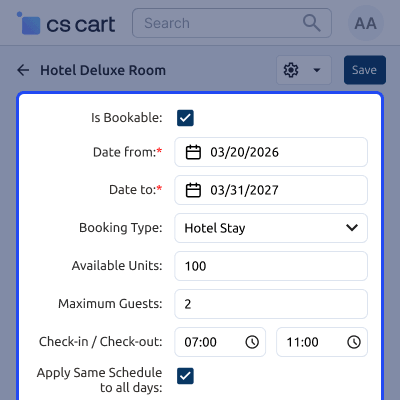
    While creating a booking product, the admin can configure it as per their business requirements like a time-based or a date-based product reservation.

    CS-Cart Booking and Reservation works with both—the CS-Cart store and CS-Cart Multi-Vendor (including CS-Cart Headless Marketplace). Further, the admin can offer specific time slots or allow customers to choose the most convenient time to book the respective service/product for them.

    CS-Cart Booking Reservation System

    Highlighted Features

     Booking Management

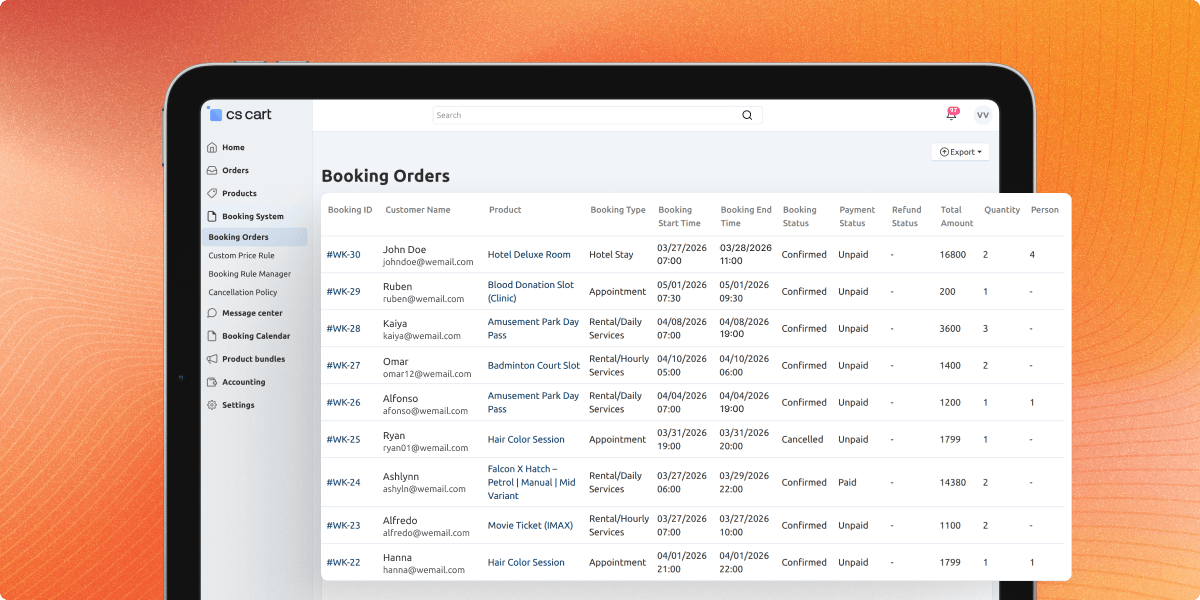
    It allows businesses to manage bookings, appointments, and reservations in real time, including viewing, editing, and canceling bookings.

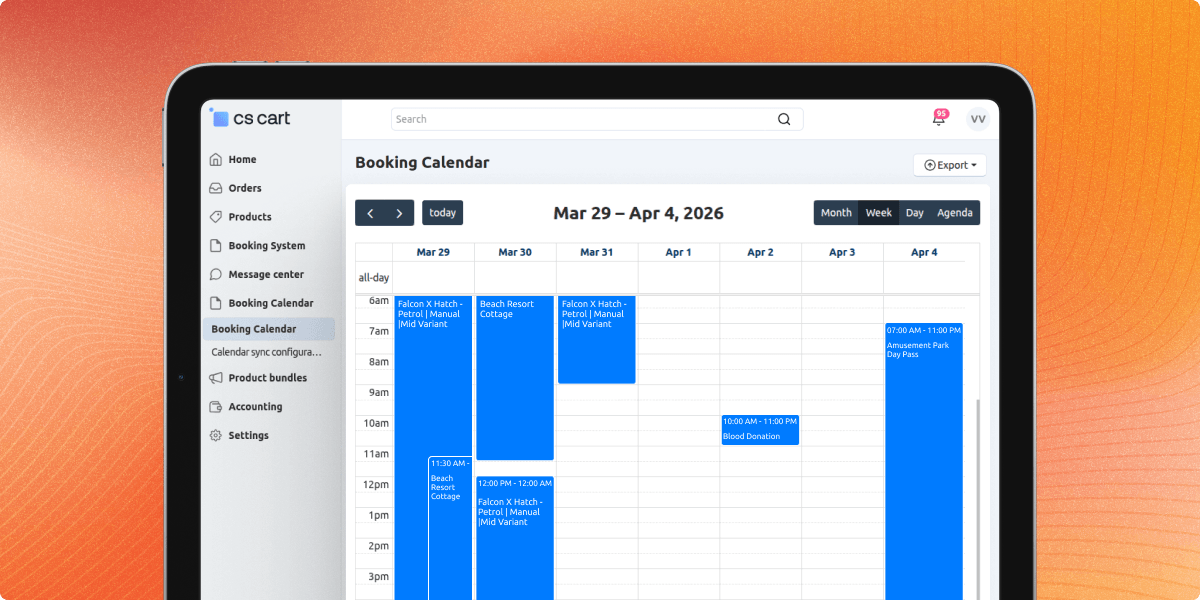
     Calendar View

    It provides a clear, easy-to-use calendar view of all bookings and reservations, making it simple to keep track of availability and manage conflicts.

     Availability Management

    It allows businesses to set specific times or dates that services or products are available, and to manage the number of bookings that can be made during each time slot.

     Customizable Forms

    It includes customizable booking forms, allowing businesses to gather customer information during the booking process.

    Why CS-Cart Booking Reservation System?

    CS-Cart Booking Reservation System is used to manage online bookings and reservations for businesses. That offer services which can be scheduled and booked in advance, such as hotel rooms, restaurant tables, rental properties, event tickets, appointments, and more.

    CS-Cart Booking and Reservation Add-On provide businesses with an easy-to-use interface to manage bookings and reservations, receive payments (such as using various CS-Cart Payment Add-Ons), and communicate with customers. And it also improves the customer experience due to time and date-based booking availability.

    Multiple Bookings in One Day

    The customer can do multiple bookings for a day by selecting different products or services. The admin can change the status to open or close, and also set the timing for open days

    For Example, Doctors have multiple appointments in one day, so customers can book multiple slots for a single day using Multiple Booking in one Day option.

    • Book time and break time slots can be added by the admin.
    • The customer can not select the days which is closed by the Admin.
    Multiple Bookings in One Day

    Single Booking for Many Days

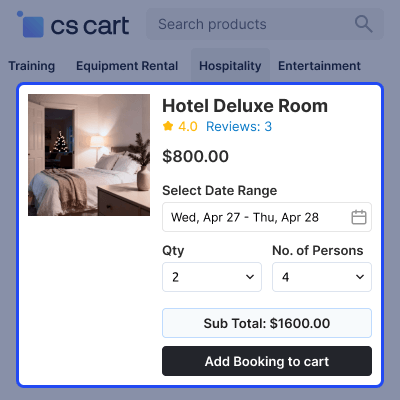
    Customers can select a product or service from different slots and the slots are added by the admin. After that, the customer will click on “Select the date range”, to select the dates and can click on “select time slot” from different slots.

    For Example, While going on holiday customers can book 1 hotel for many days.

    • Customers can select the time of booking according to the timing set by the admin.
    • Customers can choose slots according to the date set by the admin.
    Single Booking for Many Days

    Custom Booking for Many Days

    Customers can select the slots according to the days and timing set by the admin. For Example, Like for a Swimming class you need to book for a month or week but the time will be fixed i.e. 1 hour.

    • Customers can select the time of booking according to the timing set by the admin.
    • Customers can choose slots according to the dates set by the admin.
    Custom Booking for Many Days

    Multiple Booking Slots in a Day with Different Quantities

    Customers can set a date range, choose multiple time slots per day, and specify the quantity for each slot, ensuring flexibility and precise control over their bookings.

    • Customers can create multiple bookings for a single day.
    • Each slot can have a different start time, end time, and quantity.
    • Select the booking date using a calendar.
    • Define time slots and enter the required quantity per slot.
    • Confirm and finalize the booking with ease.
    Multiple Booking Slots in a Day

    Block Dates for Booking and Reservation

    The admin can block specific booking dates to prevent customer reservations and can modify them later if needed.Customers cannot book dates that have been blocked by the admin.

    • Admins can block dates as needed and edit them later.
    • For example, if a hotel is under construction, the admin can block booking dates and update them once construction is complete.
    Block Dates for Booking and Reservation

    CS-Cart Booking Reservation System-

    For any query or issue please create a support ticket here http://webkul.uvdesk.comYou may also check our other top-quality CS-Cart Extensions.

    Specifications

    Product Version3.4
    Released9 years ago
    Last UpdatedFebruary 23, 2026 (19 days ago)
    Supported VersionsCS-Cart  CS-Cart Multivendor  4.16.x  4.17.x  4.18.x  4.19.x  
    Write a review

    Frequently Asked Questions

     Does the CS-Cart Booking & Reservation System support real-time booking?
    Yes, the customer who booked first definitely that booking will reserve for them.
     
     How many types of booking products are offered by CS-Cart Reservations and Bookings?
    CS-Cart Reservations and Bookings has three types of bookable products: Multiple bookings for One day, Single booking for Many days, and Custom booking for Many days.
     
     Does Admin can excess the multistore option?
    Yes, the admin can change and update the setting for multistore individually.
     
     Does the admin can close or open any day in CS-Cart Reservations and Booking?
    Yes, in “Multiple Bookings in One Day” the Admin can open or close any day according to their availability.

    Move to Cloud Today

    AWS Free tier hosting for one year by amazon web services, for more details please visit AWS Free Tier.

    GCP Free tier hosting for one year with 300 credit points by google cloud platform, for more details please visit GCP Free Tier.

    Azure free tier hosting for one year with 25+ always free services, for more details please visit Azure Free Tier.

    In our default configuration we will provide tremendous configuration for your eCommerce Website which is fast to load and response.

    Default Configuration Details of Server

    • 1 GB RAM
    • 1 Core Processor
    • 30 GB Hard Disk
    • DB with 1 GB RAM and 1 Core Processor

    * Server Configuration may vary as per application requirements.

    Want to know more how exactly we are going to power up your eCommerce Website with Cloud to fasten up your store. Please visit the Cloudkul Services.

    Get Started with Cloud
    • + Features
    • - Bugs
    Version 3.4
    • ! Fixed layout issue occuring for dropdown menu
    Version 3.3
    • ! Fixed pricing issue for single booking and custom booking.
    Version 3.2
    • ! Fixed ui issue.
    Version 3.1
    • + Added Theme patch for uni theme.
    Version 3.0
    • ! Fixed book product on admin end issue
    • ! Fixed the booking is not shown in frontend when calendar set on "d/m/y" format
    • ! Fixed issue on order delete
    • + Added booking feature for custom and multiple booking with quantity
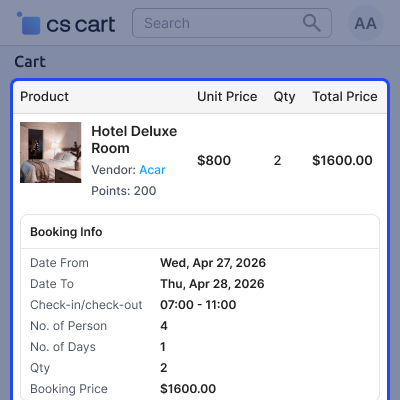
    • * Added template file for single booking on backend and worked on adding booking info for cart product
    Version 2.0
    • + Added functionality to set multiple booking slots in a day with different quantities.
    Version 1.8
    • + Added functionality to set multiple booking slots in a day with different quantities.
    Version 1.7
    • + Block specific dated functionality.
    • ! The time slot issue in the admin panel.
    Version 1.6
    • ! Updated the version in addon.xml
    • ! Compatible with CS-Cart 4.18
    Version 1.5
    • - Add a filter to find orders and product's that contain booking.
    • - Now Booking data also show when the customer print the invoice.
    • - And now booking add-on is support multistore aslo.
    • - Now booking text color can set By the admin end.
    • - Fixed order shorting issue.
    Version 1.4
    • - Fixed Git issue.
    • - Compatible with version 4.15.x.
    Version 1.3
    • - Git issues Fixed.
    • - Compatible with version 4.12.x.
    • - Added functionality of quantity selector in product detail page.
    • - Compatible with Cscart 4.14.1
    • - Change of order status to Failed when booking status gets canceled manually.
    Version 1.2
    • - Resolved view related issues.
    • - Resolved with Group Permissions.
    • - Resolved issues with adding new products to the cart.
    • - Resolved issues with comparison list.
    • - Resolves issues with vivashop view.
    • - Resolved issues with Admin Privileges. 
    • - Added the compatibility for vendor Privileges. 
    • - Added pagination and sidebar search in all manage views. 
    • - Resolved view and language related issues. 
    • - Resolved issue with quick view navigation. 
    • - Removed booking from quick view only from bright_theme & responsive theme. 
    • - Made compatible with Common product addon. 
    • - Resolved issue with calendar when region is changed from US to other. 
    • - Made the booking product shipping free 
    • - Resolved language issues. 
    • - Add option to disable shipping for booking product in addon settings.
    • - Add booking and reservation tab for products created by variation as one product.
    Version 1.1
    • - Added a new option for setting the order status which will decline booking. 
    • - Disabled editing a booked order and creating a new booked order from backend. 
    • - Made the add-on 4.7.4 compatible. 
    • - Resolved issue with calendar popup in **Multiple Booking in One Day** option. 
    • - Resolved language issues. 
    • - Made compatible with the viva shop.
    • - Resolved issues on git.
    Version 1.0
    • - Added backend vendor view for booked history - version-1.0
    • - Added custom booking for customers v-0.0.4
    • - vivashop compatibility fixed
    • - cs cart booking and reservation V-0.0.3 updated
    • - updated and fixed issues