Send Again
Close
CS-Cart PayTabs Payment Gateway helps you take online payments with PayTabs. It supports major cards and many currencies. It also works with CS-Cart and Multi-Vendor stores.
Customers can pay with Visa, Mastercard, American Express, JCB, and other cards. The add-on offers Express Checkout and PayPage checkout, so the payment process stays fast and simple.
You can accept payments in 168 currencies and sell to customers around the world. The add-on also supports many languages, which helps customers shop in their preferred language.
PayTabs helps keep payments safe with PCI DSS compliance and fraud protection. The add-on fits into CS-Cart and does not need core file changes, so setup is quick and simple.
Additionally, if you need a trusted option for secure card payments, then you can check CS-Cart Credit Europe Bank Virtual POS Payment Integration. It supports installment payments and 3D Secure checkout for a smooth payment experience.
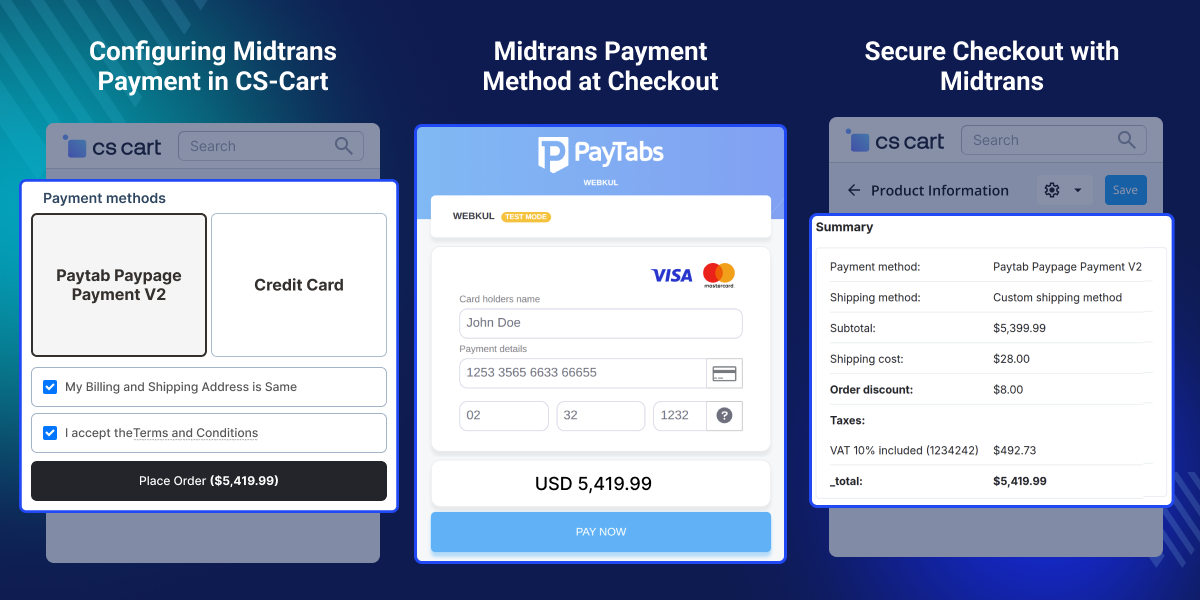
Take online payments with PayTabs. Fraud checks help keep payment data safe.
Use PayTabs with CS-Cart and Multi-Vendor stores. Setup is quick and simple.
Accept payments in 168 currencies. Sell to customers around the world.
Show the payment page in many languages. Help more customers pay online.
Offer Express Checkout and PayPage checkout. Give customers more ways to pay.
Accept Visa, Mastercard, American Express, Discover, JCB, and more.
Many online stores need a simple way to take payments from customers. This becomes more important when you sell products in different countries and need to support more payment options.
Default payment methods may not support many currencies, major card types, or flexible checkout options. This can make it harder for customers to complete their orders and may affect sales.
CS-Cart PayTabs Payment Gateway helps solve these issues by adding PayTabs to your store. It supports online payments, card payments, and two checkout options, including Express Checkout and PayPage checkout.
The add-on supports up to 168 currencies, so you can accept payments from customers around the world. It also works with CS-Cart and Multi-Vendor stores, making it a good fit for different business models.
Stores that serve customers in multiple regions often need secure payments, more payment choices, and a smooth checkout process.
PayTabs brings these features together in one payment gateway, helping merchants manage payments with ease while giving customers a better buying experience.
Apart from this, if you want to turn guest buyers into registered users, then you can check CS-Cart Auto Guest Registration addon. It links old orders and makes order tracking easy.
Accept online payments from customers around the world with support for many currencies and major payment cards.
Process marketplace payments smoothly and give buyers an easy way to complete their purchases.
Provide a fast and simple checkout experience for everyday retail customers.
Accept payments for software, downloads, and online content with a secure checkout process.
Collect payments for bookings, subscriptions, and professional services with ease.
Expand into new markets with support for multiple currencies and international online payments.
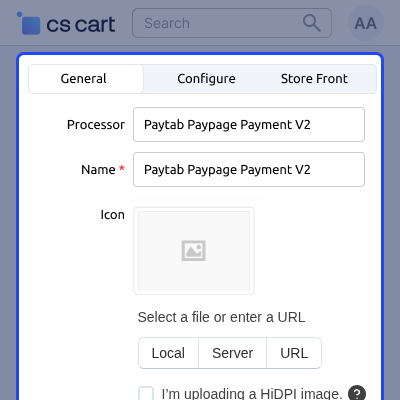
Set up the basic PayTabs payment settings from the CS-Cart admin panel. These options help you control how the payment method appears and works during checkout.
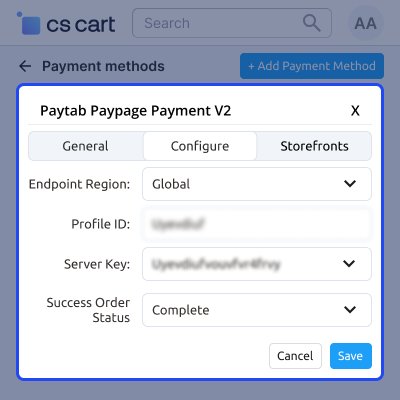
Connect your CS-Cart store with the PayTabs payment gateway using your account details. This helps you start accepting secure online payments and manage payment results with ease.
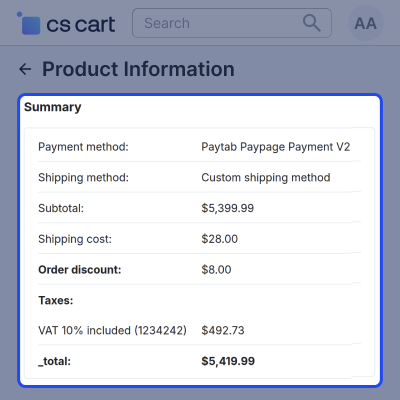
View complete order details from the CS-Cart order page. This helps admins, vendors, and customers track orders and check payment and shipping information with ease.
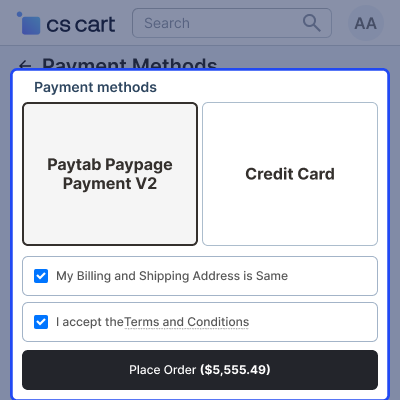
Customers can complete their purchase through the PayTabs hosted payment page. This provides a secure checkout experience while keeping the payment process simple and easy.
For any query or issue please create a support ticket here http://webkul.uvdesk.com
You may also check our other top-quality CS-Cart Modules.
Detailed technical features and requirements to help you understand the module’s capabilities and ensure smooth integration with your system.
Detailed technical features and requirements to help you understand the module’s capabilities and ensure smooth integration with your system.
We’re partnered with top-tier, trusted providers!
Want to know more how exactly we are going to power up your eCommerce Website with Cloud to fasten up your store
* Server Configuration may vary as per application requirements.



