Send Again
Close
CS-Cart Voice Search adds voice-based product search to your storefront. Customers can tap the microphone icon, speak a product name, and view matching results without typing search terms manually.
The add-on works directly with the store search bar and converts spoken words into search queries. This helps customers find products faster, especially on mobile devices where typing can be less convenient.
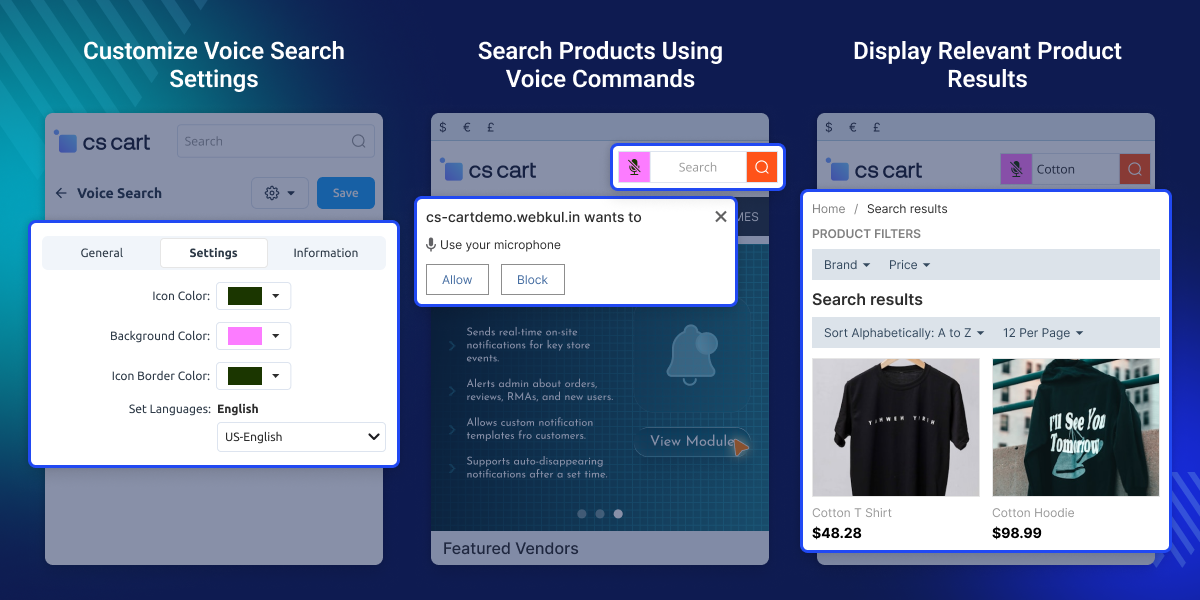
Store owners can customize the appearance of the microphone icon from the backend. The icon color, background, and border can be adjusted to match the storefront design.
The module also allows language selection for voice recognition. This makes it easier to support customers across different regions and storefront languages.
For stores with large catalogs, voice search helps reduce the effort needed to locate products. Customers can find products without manually entering search terms.
To further improve search accuracy and catalog discovery, you can also use the CS-Cart Elastic Search Extension.
Allow customers to search products by speaking directly into the search bar.
Convert spoken keywords into searchable text automatically.
Adjust the icon color, background, and border from the backend.
Configure voice search for the languages enabled on your store.
Find products using spoken keywords without manual typing.
Voice search functionality is available when customers use Google Chrome.
CS-Cart Voice Search helps customers find products by speaking directly into the search bar instead of typing search terms manually.
Many shoppers browse stores from mobile devices, where entering search terms can take more time than speaking them. A voice enabled search option gives customers another way to find products quickly.
The default CS-Cart search supports keyword based searches, but customers still need to enter those keywords manually. Voice search simplifies this step by converting spoken words into search terms automatically.
For stores with large product catalogs, this can make product discovery more convenient and help customers reach relevant products with less effort.
To provide more product discovery options for customers, you can also use CS-Cart AI Image Search add-on.
Allow shoppers to search products without typing, making product discovery faster on smartphones and tablets.
Help customers locate specific products quickly when browsing extensive inventories with thousands of items.
Configure voice recognition languages to support customers across different storefront regions and language preferences.
Offer an additional search option for customers who prefer using voice commands.
CS-Cart Voice Search allows store owners to customize the microphone icon and language settings from the backend. The icon can be styled to match the storefront design, and the language used for voice recognition can be selected based on store requirements.
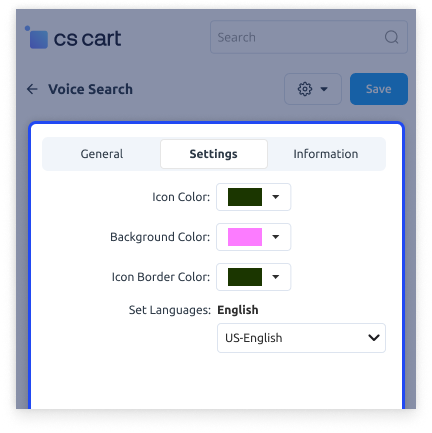
Customers can use the microphone icon in the storefront search bar to search products using voice input. After granting microphone access, they can speak product keywords instead of typing them manually. This makes product search more convenient on mobile devices and helps customers find products with less effort.
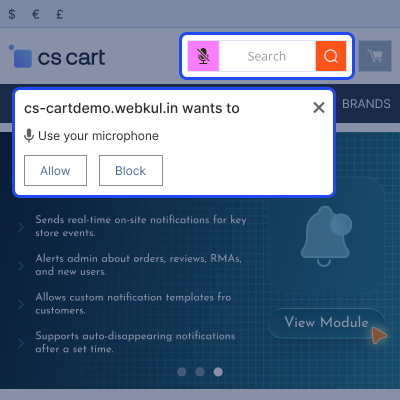
After a customer speaks a keyword, the module processes the search request and displays matching products from the catalog. Search results are displayed through the existing CS-Cart search functionality.
For any query or issue please create a support ticket here http://webkul.uvdesk.com
You may also check our other top-quality CS-Cart Modules.
Detailed technical features and requirements to help you understand the module’s capabilities and ensure smooth integration with your system.
Detailed technical features and requirements to help you understand the module’s capabilities and ensure smooth integration with your system.
We’re partnered with top-tier, trusted providers!
Want to know more how exactly we are going to power up your eCommerce Website with Cloud to fasten up your store
* Server Configuration may vary as per application requirements.



