Send Again
Close
CS-Cart Paymill Payment Gateway adds the Paymill payment gateway to your CS-Cart store. Customers can complete credit card and debit card payments through a secure checkout process.
Admins can configure payment mode, API credentials, currency, and order status from the backend. The module also saves Paymill transaction responses for future reference and transaction tracking.
The add-on supports full and partial refunds from the order page. Admins can review payment details, record refund reasons, and mark suspicious transactions as fraud when required.
It supports both CS-Cart and Multi-Vendor stores. The module simplifies payment processing, refund management, and payment administration while reducing manual work for store owners.
Additionally, if you need a safe way to take card payments, then you can explore CS-Cart HiPay Payment Gateway. It supports 3D Secure for a smooth checkout.
Accept credit and debit card payments securely through the Paymill payment gateway.
Create full or partial refunds, add refund reasons, and review refund history from the admin panel.
Mark suspicious Paymill transactions as fraudulent and maintain transaction records.
Save payment responses and review transaction details directly from the CS-Cart admin panel.
Many online stores use Paymill to accept secure credit and debit card payments. Without Paymill integration, customers cannot use this payment option, and store owners need a separate system to manage Paymill transactions.
CS-Cart Paymill Payment Gateway adds Paymill as a payment method in your store. Admins can configure the payment mode, enter API credentials, select the supported currency, and manage payment settings directly from the CS-Cart backend.
The module also supports full and partial refunds, payment response tracking, and fraud management. Admins can review transaction details and refund records without leaving the admin panel.
If you need another card payment solution, you can also explore CS-Cart WePay Payment Gateway. It provides another secure option for accepting online card payments.
Offer Paymill as a payment option and manage refunds directly from the store backend.
Handle Paymill payments and refund requests across marketplace orders.
Accept card payments and review transaction details for every customer order.
Manage high-value card payments and mark suspicious transactions as fraud.
Track payment responses and process refunds for cancelled or returned orders.
Configure payment mode, currency, and order status to match business requirements.
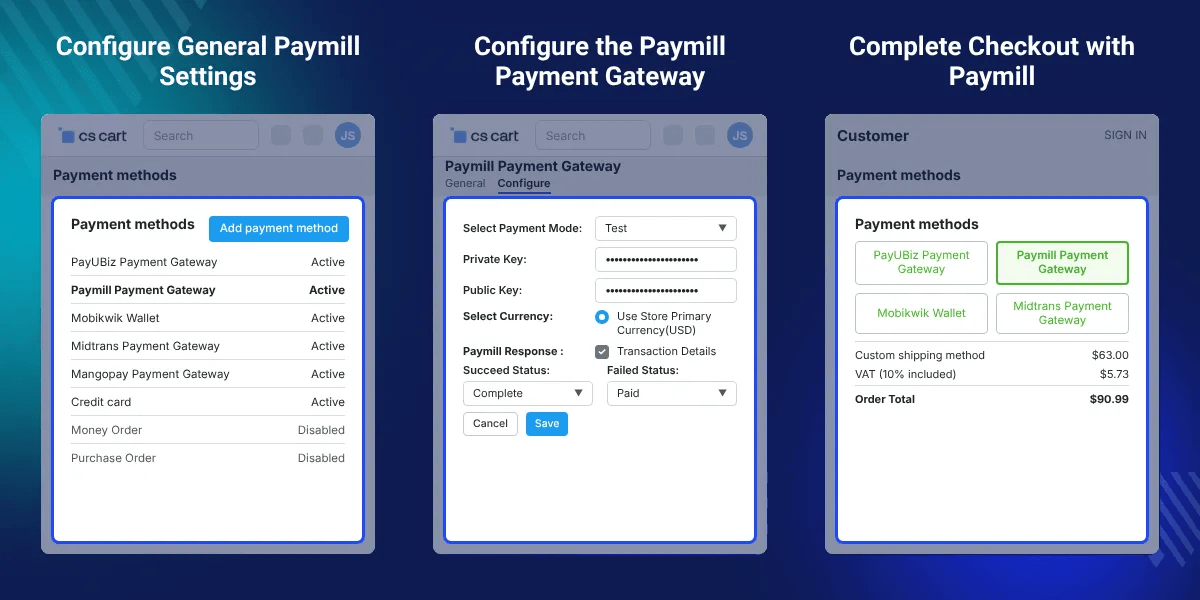
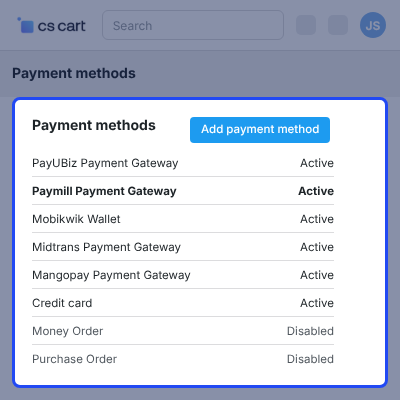
Configure the basic Paymill payment settings from the CS-Cart admin panel. These settings prepare the payment method for checkout and allow customers to pay using Paymill.
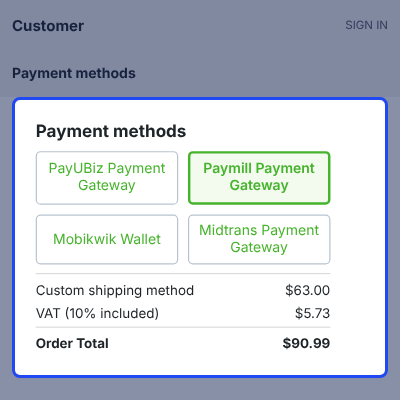
Customers can complete their purchases through the Paymill checkout page using their credit or debit cards. This offers a secure payment process and a smooth checkout experience.
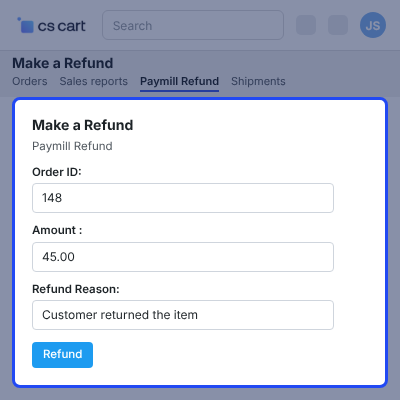
Create and manage Paymill refunds directly from the CS-Cart admin panel. Admins can process both full and partial refunds while maintaining refund records.
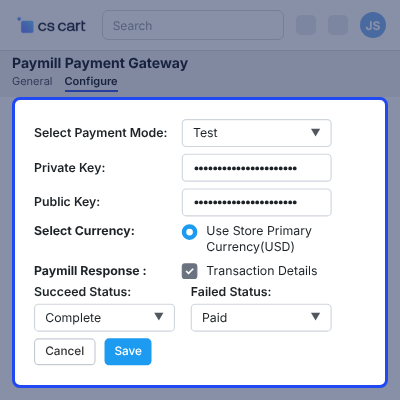
Configure the Paymill payment gateway from the CS-Cart admin panel by adding your account details, selecting the payment mode, and entering the required API credentials.
For any query or issue please create a support ticket here http://webkul.uvdesk.com
You may also check our other top-quality CS-Cart Extensions.
Detailed technical features and requirements to help you understand the module’s capabilities and ensure smooth integration with your system.
Detailed technical features and requirements to help you understand the module’s capabilities and ensure smooth integration with your system.
We’re partnered with top-tier, trusted providers!
Want to know more how exactly we are going to power up your eCommerce Website with Cloud to fasten up your store
* Server Configuration may vary as per application requirements.



