Send Again
Close
Odoo Social Commerce Snippet is an Odoo module that places an Instagram feed on the website. Admins connect one Instagram account and the posts appear on the pages they choose.
An admin opens the Website app, enables the Instagram option in Settings, and saves the access token. That snippet then becomes available in the website editor, ready to drop onto any page.
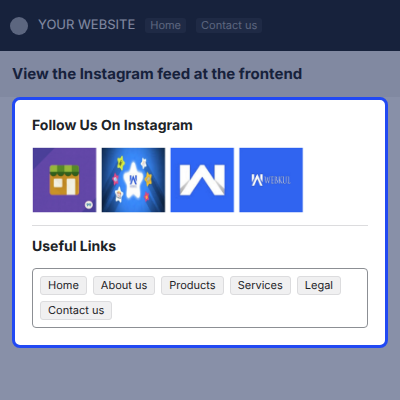
On the frontend, visitors see recent Instagram posts under a Follow Us On Instagram heading. Clicking a post opens a popup with the caption and a link to the Instagram profile.
Feed count is a setting rather than a code change, so admins decide how many posts the snippet pulls. Admins can change that number later without touching the page layout.
Additionally, if you want visitors to share products across social networks from your product pages, then check Odoo Website Social Share.
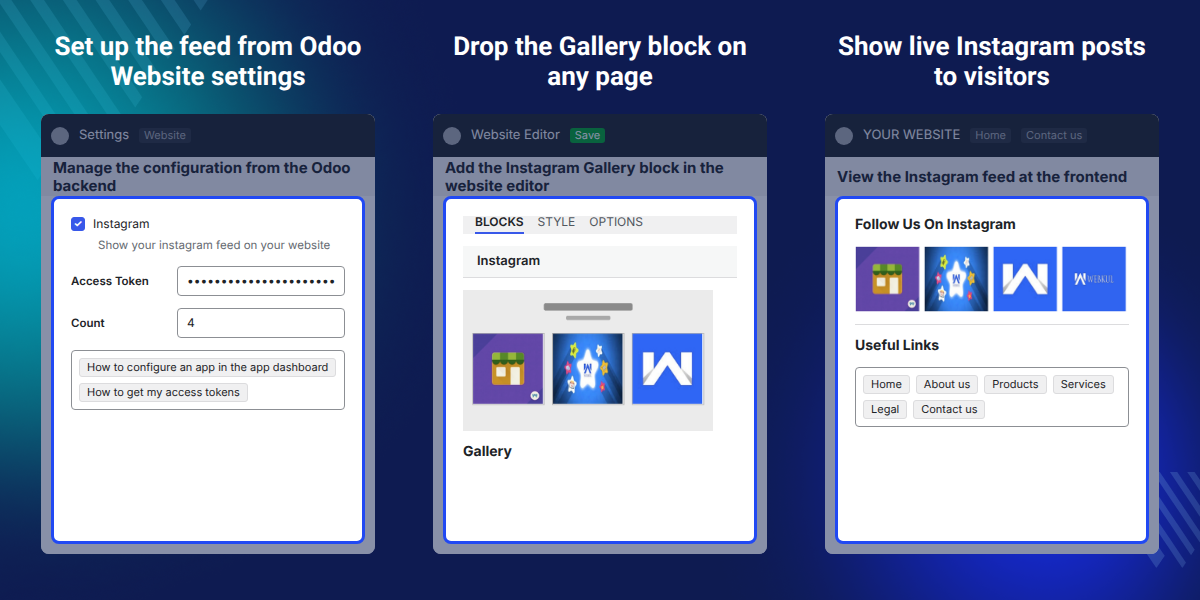
Add an Instagram feed to any Odoo website page straight from the website editor.
Save the value in the Access Token field and the snippet starts reading that account.
The Count field decides how many Instagram posts the snippet shows on the frontend.
Instagram access token refreshes before it expires, so no one has to regenerate it.
Odoo Social Commerce Snippet fills a gap in the standard website builder, which ships no block that reads posts from an Instagram account. A store posting daily on Instagram cannot show that activity on its own pages.
Teams work around this by saving images and uploading them into a gallery block. Pages go stale as soon as a new post goes up, and someone has to repeat the upload.
That loop disappears once the snippet reads the connected Instagram account directly. Pages then show current posts without anyone editing them again or re-uploading a single image.
Instagram sits in the Features group of Website app Configuration >> Settings, beside the Access Token and Count fields. The Gallery block only reaches the website editor once that option is ticked and saved.
Also, if you want the latest posts from a Twitter account on the same site, you can check our module Odoo Latest Tweet.
Apparel brands post outfit photos on Instagram, and those photos land on the shop page next to the products they show.
A cafe posting daily specials on Instagram can show the same photos on its Odoo home page, with no second upload.
During a launch or a sale, a landing page carries campaign posts as they go live on the connected account.
Craft sellers treat Instagram as a portfolio, and the snippet turns that portfolio into a live section of the Odoo website.
A studio can drop the feed on an about page, so visitors see recent work without leaving the Odoo site.
Brands running several pages can place the snippet on each one and set a different post count per page.
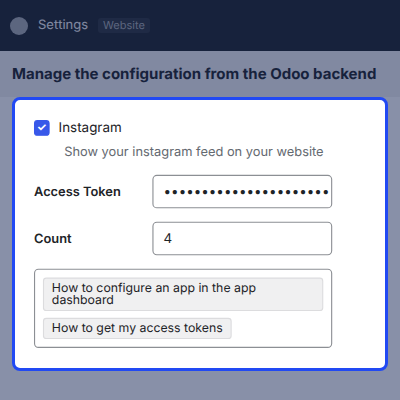
Configuration for Odoo Social Commerce Snippet sits in the Website app. Admins enable the Instagram feed there and save the access token the snippet uses to read posts.
On the frontend, the Instagram feed renders wherever the snippet was dropped. Visitors see posts from the connected account in the layout the website editor placed.
For any query or issue please create a support ticket here http://webkul.uvdesk.com
You may also check our other top-quality Odoo Apps.
Great Odoo App and this is the best customer service I had ever experienced. I am a new odoo user and I keep facing difficulties, Webul was very helpful and their responses were very fast during the last two months.
Detailed technical features and requirements to help you understand the module’s capabilities and ensure smooth integration with your system.
Detailed technical features and requirements to help you understand the module’s capabilities and ensure smooth integration with your system.
We’re partnered with top-tier, trusted providers!
Want to know more how exactly we are going to power up your eCommerce Website with Cloud to fasten up your store
* Server Configuration may vary as per application requirements.



