Send Again
Close
Odoo Marketplace Seller Locator adds map-based seller search to the marketplace website. Customers can view sellers in a list and on an interactive map. Customers can search sellers by name or location. They can also use the rating filter to narrow the results and find suitable sellers.
Admins can configure the map for each website. They can set the map center, map type, zoom level, search radius, and default center. Customers can switch between Roadmap, Satellite, Hybrid, and Terrain views. This lets them check seller locations in the map view they prefer.
The locator shows seller details and contact options. Customers can call or email a seller, or open the seller location in Google Maps. Lazy loading and pagination support larger seller lists. You can also use Odoo Marketplace Seller Slider and Odoo Marketplace Seller Story for additional seller features.
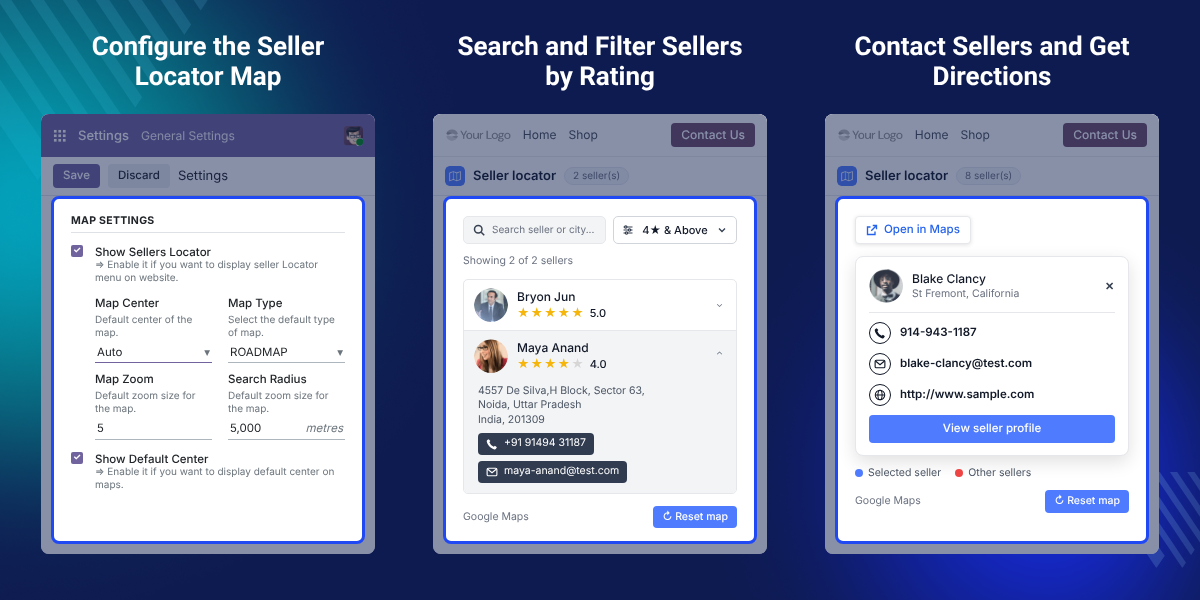
Odoo Marketplace Seller Locator gives customers one place to search sellers and view their locations on a map.
Customers can search sellers by name or location and narrow results with the rating filter.
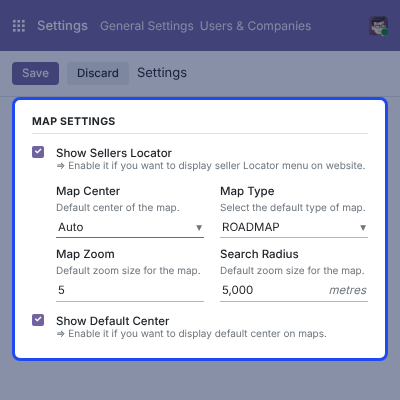
Admins can set the map center, type, zoom, search radius, and default-center option for each website.
Customers can view seller details and use Call or Email when contact information is available.
Customers can open a selected seller location in Google Maps and get directions from the website.
Customers can switch between Roadmap, Satellite, Hybrid, and Terrain views while checking seller locations.
A seller list shows available sellers, but it does not clearly show where they are located. This can make local seller search harder.
Odoo Marketplace Seller Locator adds a map to seller search. Customers can search, check ratings, and view seller locations in one place. The default seller view may not provide enough control over map display. This module adds settings for map center, type, zoom, radius, and default center.
These controls help admins set the map based on the website and its seller coverage. Customers can then search sellers in a more useful location view. This is useful when seller location can affect a customer's choice, contact, or visit. A map gives customers a clear view of nearby seller options.
Odoo Marketplace Seller Locator helps customers find sellers in a chosen area and view their locations on the map.
Marketplace owners can show sellers from different areas on one map. Customers can compare seller locations before making a choice.
Businesses serving several cities can let customers search sellers by name or location and view the matching results.
Customers can view seller details, contact sellers, and open selected seller locations in Google Maps.
Odoo Marketplace Seller Locator provides website-level controls for the seller locator map. Admins can configure the map center, type, zoom, search radius, and default center for the selected website.
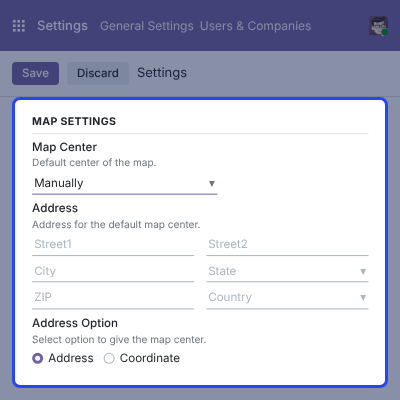
Admins can select Manual as the map center and enter the required address details. The configured address is used as the default location for the seller locator map.
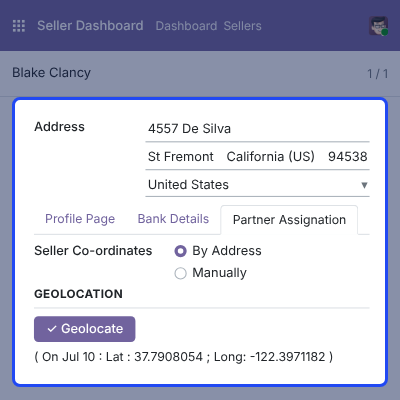
Odoo Marketplace Seller Locator uses the seller's location data to place sellers on the interactive map. Admins can review the seller address and available geolocation information from the seller profile.
Customers can search the marketplace seller list by name or location and apply the rating filter. Matching sellers are displayed in the seller list and on the interactive map.
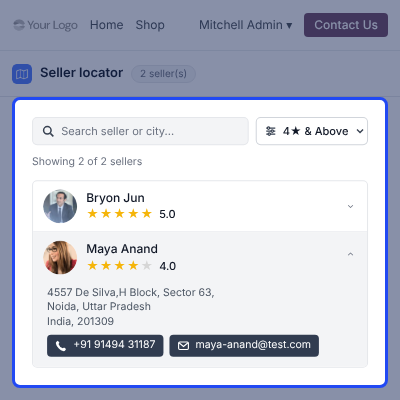
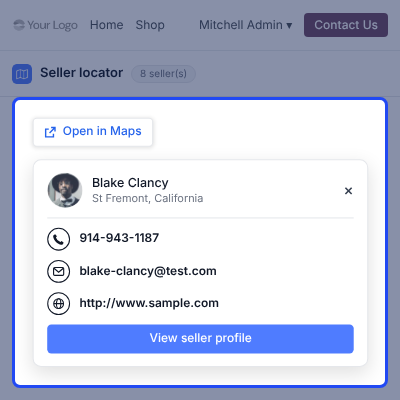
Customers can select a seller from the list or map marker to view available information and location actions. They can contact the seller or open the location in Google Maps.
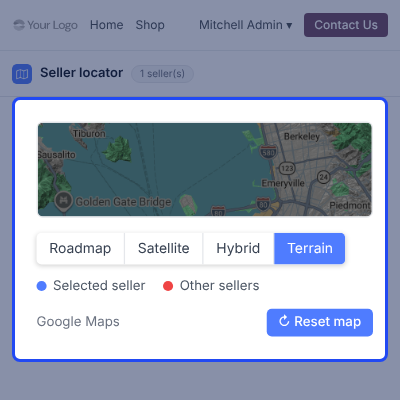
Odoo Marketplace Seller Locator allows customers to change the map format while browsing seller locations. Customers can select Roadmap, Satellite, Hybrid, or Terrain from the map controls.
For any query or issue, please create a support ticket here CREATE A TICKET HERE
You may also check our other top-quality Odoo Modules.
Detailed technical features and requirements to help you understand the module’s capabilities and ensure smooth integration with your system.
Detailed technical features and requirements to help you understand the module’s capabilities and ensure smooth integration with your system.
We’re partnered with top-tier, trusted providers!
Want to know more how exactly we are going to power up your eCommerce Website with Cloud to fasten up your store
* Server Configuration may vary as per application requirements.



