Send Again
Close
Odoo POS Box By Webkul is a compact POS hardware device that replaces a POS computer and connects peripheral devices to Odoo.
Once connected and configured with Odoo, the box powers each device in sequence and processes orders placed through the POS screen.
Admins skip a full desktop CPU and instead plug a display monitor, barcode scanner, and printer directly into the box.
Each box ships with a micro SD card that holds the configured POS Box image, a USB charger, and a power adaptor.
It is not a downloadable product. After checkout, the buyer emails Webkul the order details, and the purchase includes a setup at no extra cost.
Additionally, if you want to give your Odoo POS a dedicated screen for scanned items, check Odoo POS Barcode Screen.
NOTE: After the Purchase, you will get a free one-time setup of the POS BOX. Also, no support will be provided for the following damages:
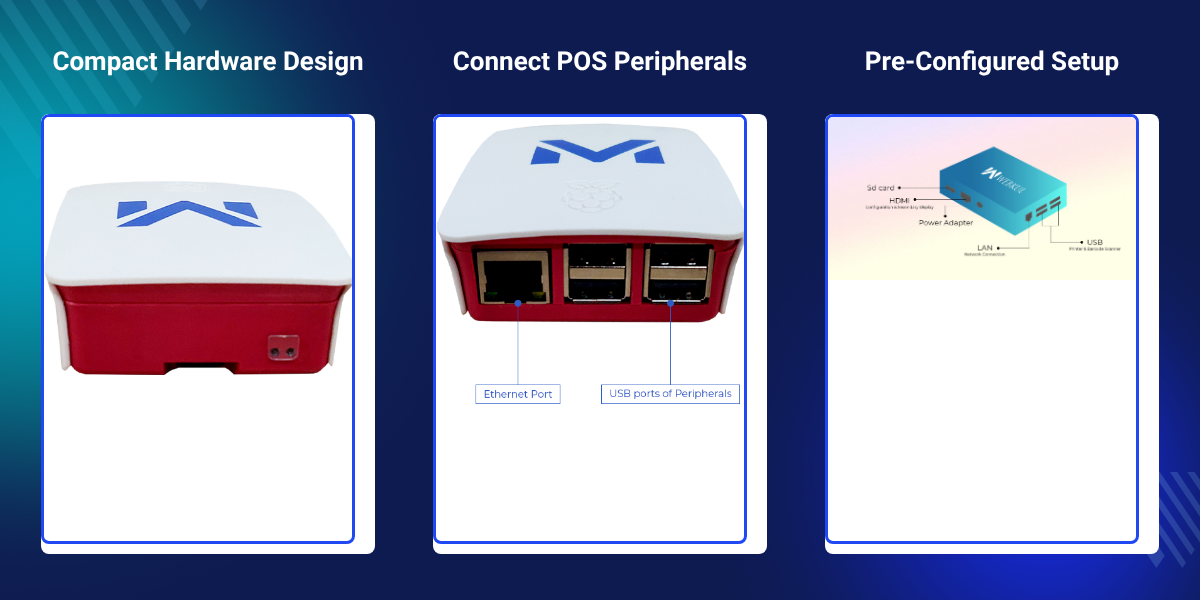
Fits on or beneath the cashier counter without the floor space a full POS CPU needs.
Connects a barcode scanner, printer, and display monitor through the same box.
Uses a wired Ethernet port for quicker POS order processing speeds.
Ships with a micro SD card that already holds the POS Box image.
Connects a display monitor or a secondary screen through the Full-Size HDMI port.
Includes a free one-time setup from Webkul once the purchase is placed.
Odoo POS Box By Webkul exists because a standard POS counter needs a full computer to run the register, scanner, and printer.
That computer takes up counter space, adds extra cabling, and gives the store one more device that can fail during checkout.
One small unit takes that computer's place, powering the connected devices in sequence for the Odoo POS system.
The box carries 4 USB ports. A barcode scanner and an ESC/P receipt printer, like the EPSON TM-T20, can both run from it at once.
Also, if you want to extend the same Odoo POS setup with marketplace selling, check our extension Odoo Marketplace POS Extension.
And if you want a customer-facing display for the monitor connected to the box, check our extension Odoo POS Customer Cart Screen.
Run a barcode scanner, receipt printer, and display monitor from one box at a retail checkout.
Keep the order queue moving with a compact unit under the counter instead of a full CPU.
Set up a POS station fast, since the box needs only power and peripheral cables.
Fit one POS Box per counter without the cabling a full computer would need.
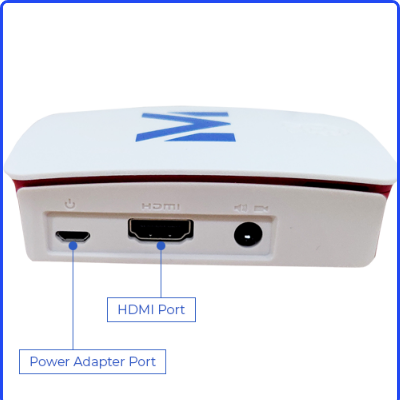
HDMI Port and Power Adapter Port sit together on the POS Box connection edge.
The Full-Size HDMI port doubles as the configuration screen and a secondary display output.
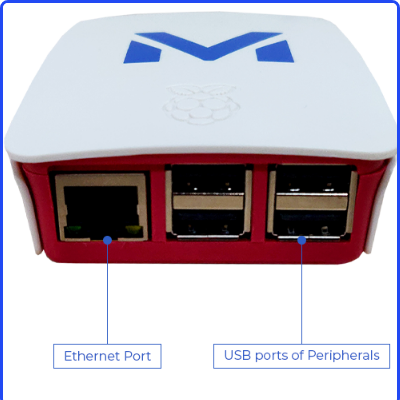
Ethernet Port and USB ports of Peripherals sit side by side on the POS Box.
Together they carry the network connection and the devices used at checkout.
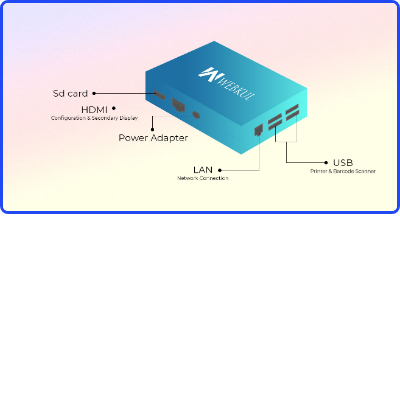
This full port layout shows where the micro SD card, HDMI, power, Ethernet, and USB ports sit on the POS Box.
For any query or issue, please create a support ticket here http://webkul.uvdesk.com/.
You may also check our top-quality Odoo POS Extensions.
We purchased "POS Box" for one our client, right from the quotation to product delivery - the webkul support team provided excellent assistance. Very happy with product and assitance which they're provided.
Detailed technical features and requirements to help you understand the module’s capabilities and ensure smooth integration with your system.
Detailed technical features and requirements to help you understand the module’s capabilities and ensure smooth integration with your system.
We’re partnered with top-tier, trusted providers!
Want to know more how exactly we are going to power up your eCommerce Website with Cloud to fasten up your store
* Server Configuration may vary as per application requirements.



