Send Again
Close
Odoo Web Push Notifications helps you keep website visitors and customers informed. You can send messages through their web browsers to share offers, discounts, news, and other important updates.
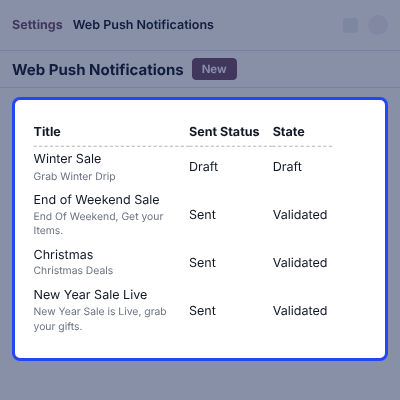
You can create notification templates from Odoo backend. Add a title, message, and logo to prepare your notification before you send it.
You can choose who receives each message. Send notifications to Website Users, Odoo Users, Public Users, selected users, or all users. This helps you share the right message with the right audience.
You can also set the date and time for a notification. Plan messages for upcoming offers, events, and website updates. This lets you prepare your notifications ahead of time.
The module also supports push notifications for Odoo Live Chat. You can turn this feature on or off in the Website Push Notification settings whenever needed.
You can also explore our Odoo Web To Print module, which lets customers personalise products with their own text and images.
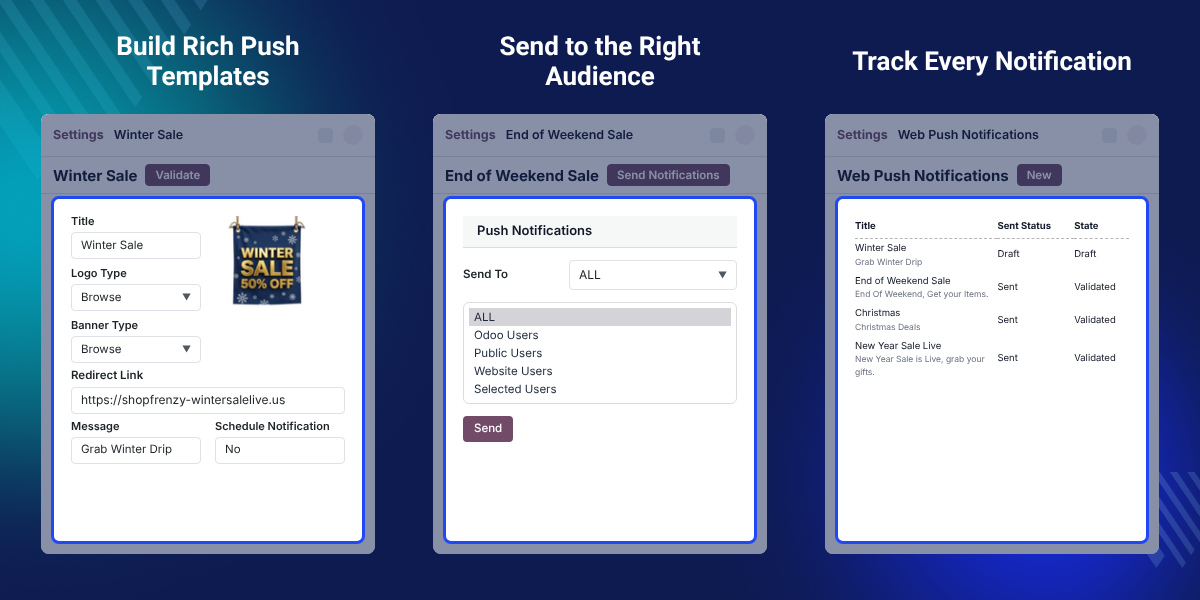
Send messages to website visitors and customers through their web browsers. Share important news, offers, and discounts to keep them informed.
Create templates with a title, message, and logo. Prepare each message before sending it to users, and keep your notification content clear.
Choose who should receive each notification. You can send messages to selected users or reach all users, based on your needs.
Share special offers and discounts through browser notifications. Let customers know about your latest deals and keep them updated on your offers.
View browser details saved in Odoo. Check registered browser keys and manage the browsers that are set up to receive notifications.
Send browser notifications for Odoo Live Chat. You can turn this feature on or off from the settings as needed.
Website visitors may miss important news when they leave your site. Browser notifications give you another way to share updates, offers, and discounts with them.
The module lets you prepare messages before sending them. You can add a title, message, and logo to create a notification template that suits your needs.
You can choose who receives each message. For example, you can send a notification to selected users or share it with all users. This helps you reach the audience you want.
You can also plan notifications for a date and time of your choice. Prepare messages for upcoming offers, events, and website updates instead of creating them at the last minute.
The module also supports Live Chat push notifications. You can turn this option on or off in the settings. This gives you control over browser notifications for Odoo Live Chat.
You can also explore our Odoo Accounting Web Report module to access accounting reports and review financial information in Odoo.
Send important news and updates to website visitors through their browsers. This gives visitors another way to receive information about your website.
Share discounts and special offers with your customers. Browser notifications help you tell them about deals they may want to explore.
Select the users who should receive each message. You can send notifications to selected users or all users, depending on your needs.
Choose a date and time for sending a notification. This helps you prepare messages for upcoming offers, events, and website activities.
View registered browser keys in Odoo backend. This helps you check the browsers that have registered to receive notifications.
Send browser notifications for Odoo Live Chat. You can turn Live Chat push notifications on or off from the settings.
Odoo Web Push Notifications helps you share messages with website visitors and customers through their web browsers. Use it to share important news and keep your audience informed.
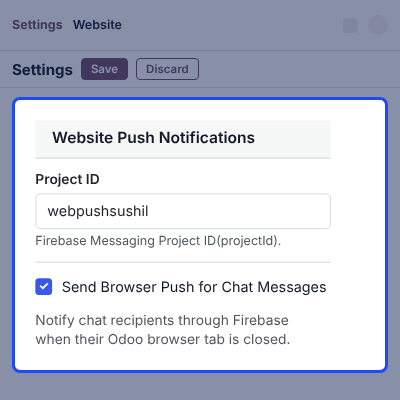
With Odoo Web Push Notifications, you can prepare messages before sending them. Add the main details to each template so users can understand your notification.
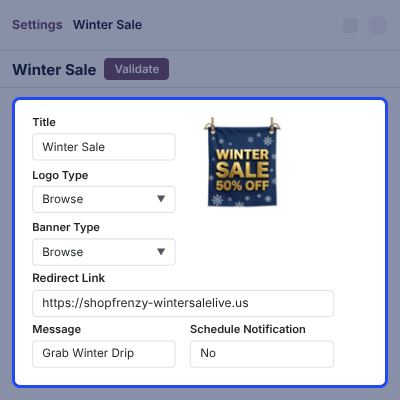
Odoo Web Push Notifications lets you choose who receives your messages. You can also set a date and time to plan when your notification should be sent.
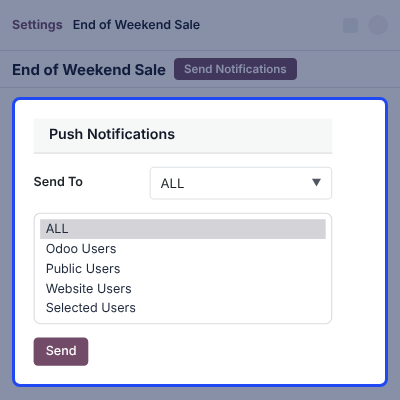
Odoo Web Push Notifications lets you view registered browser details in the backend. You can also control Live Chat push notifications through the settings.
For any query or issue, please create a support ticket here CREATE A TICKET HERE
You may also check our other top-quality Odoo Modules.
Odoo Web Push Notifications lets you send messages to website visitors and customers through their web browsers. You can share offers, discounts, and important updates.
Yes. You can create notification templates from Odoo backend. Each template can include a title, message, and logo.
Yes. You can choose the users who should receive a notification. You can select specific users or send notifications to all users.
Yes. You can choose a date and time for a notification. This helps you plan messages for upcoming offers, events, and website updates.
Yes. You can view registered browser keys in Odoo backend. This helps you check the browsers registered for notifications.
Yes. The module supports browser push notifications for Odoo Live Chat. You can manage this option from the settings.
Yes. You can turn Live Chat push notifications on or off in the Website Push Notification settings.
Detailed technical features and requirements to help you understand the module’s capabilities and ensure smooth integration with your system.
Detailed technical features and requirements to help you understand the module’s capabilities and ensure smooth integration with your system.
We’re partnered with top-tier, trusted providers!
Want to know more how exactly we are going to power up your eCommerce Website with Cloud to fasten up your store
* Server Configuration may vary as per application requirements.