Send Again
Close
Prestashop Google Pay Payment Gateway -Payment gateway plays an important role in the eCommerce business. It authorizes transactions between you and your customers. When customers visit your online store, they search for good offers and a safe and reliable payment method. So, if you want to improve the overall performance of your business you need to select a payment method that makes the online checkout experience fast and ensures the security of customers' information.
Offer a simple, fast, and secure payment solution with a smooth checkout experience by integrating Google Pay Payment Gateway with your Prestashop store. Accept secure online payments via major debit and credit cards. Allow your customers to complete their purchases quickly by using the cards saved in their Google account.
Note: To test the demo of Google pay module, you must have Google pay merchant ID.
Module is not supported for India
The module is multi-shop compatible.
3D secure feature to prevent fraud in debit and credit card transactions.
Choose multiple debit/credit cards using which customers can make payments on the store.
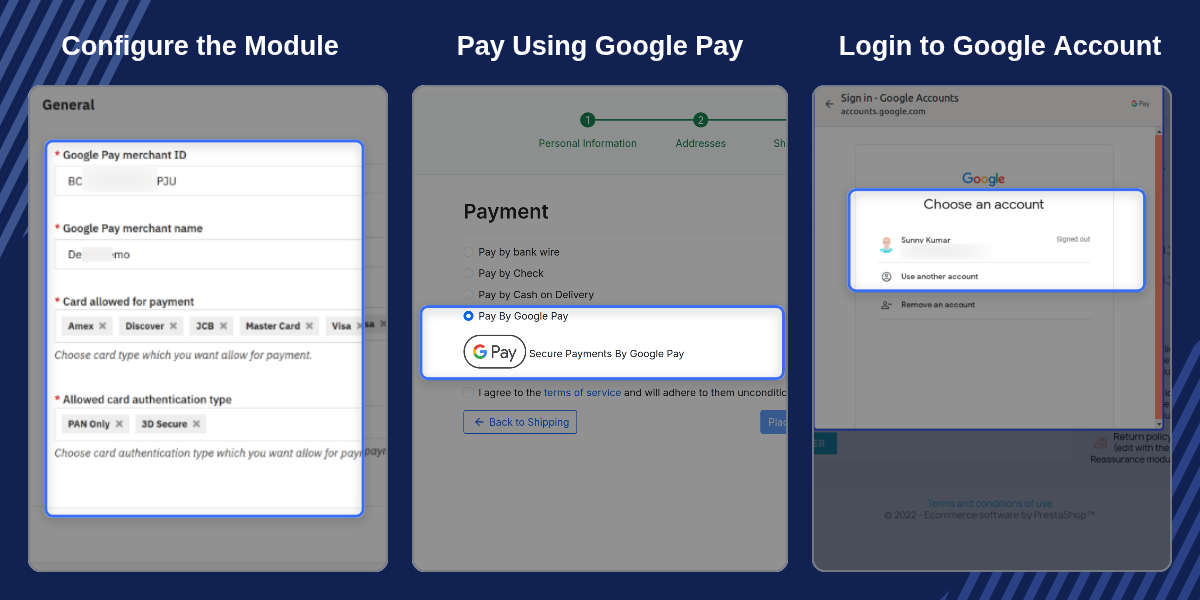
The configuration of the module provides various options for the store owners to allow them to use the module as per their need.
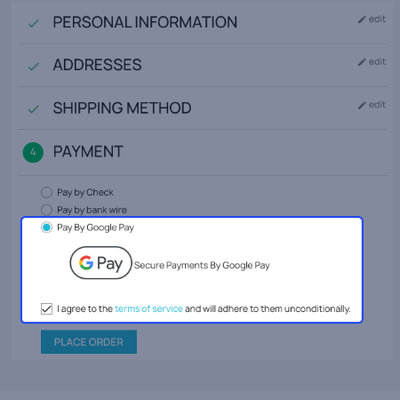
Post-integration, Google Pay is added to the store as one of the available payment methods for the customers. When customers select Google Pay and proceed with the payment, they need to login into their Google accounts. Upon successful login, the customer can view all the cards saved in a Google account and pay using one of them.
Online shoppers abandon their shopping carts due to a number of reasons and one of them is the lack of available payment options. According to a survey, 8% of online shoppers said they would abandon their carts if the store doesn't offer convenient payment options. Customers hesitate to share their card details on the website due to online fraud risks. Therefore, providing a secure and flexible payment solution like Google Pay will help you enhance customer experience, build loyalty, and encourage repeat business.

For any query or issue please create a support ticket here http://webkul.uvdesk.com
You may also check our other top-quality PrestaShop Extensions.
Detailed technical features and requirements to help you understand the module’s capabilities and ensure smooth integration with your system.
Power your website or application with flexible, scalable cloud infrastructure designed for performance and growth.
Get started with Cloudkul hosting tailored to your needs.
Choose server resources based on your workload, expected traffic, and performance requirements.
Start with the cloud resources your project needs today and adjust your server configuration as your business grows.
Explore flexible cloud hosting plans and choose your ideal configuration.
* Starting price is indicative. Final pricing and available server resources depend on the selected hosting configuration and requirements.
