Send Again
Close
Prestashop Product Wise Payment - Payment gateways are a crucial part of an eCommerce platform as they support the transaction between businesses and their client. A store owner provides multiple payment options so the customers can choose the mode of payment as per their preference. However, all the payment methods have their pros & cons and may not be suitable for each product or customer group in your Prestashop store.
For example, you want to restrict the COD payment option for specific products due to a high risk of returns. In default Prestashop, you cannot restrict payment methods for specific product categories or user groups. You can only disable the usage of payment methods for the entire store.
Thanks to Prestashop Product Wise Payment, which allows you to manage the access to payment methods for your Prestashop store products and user groups.
Note: PrestaShop Product Wise Payment module is MultiShop Compatible.
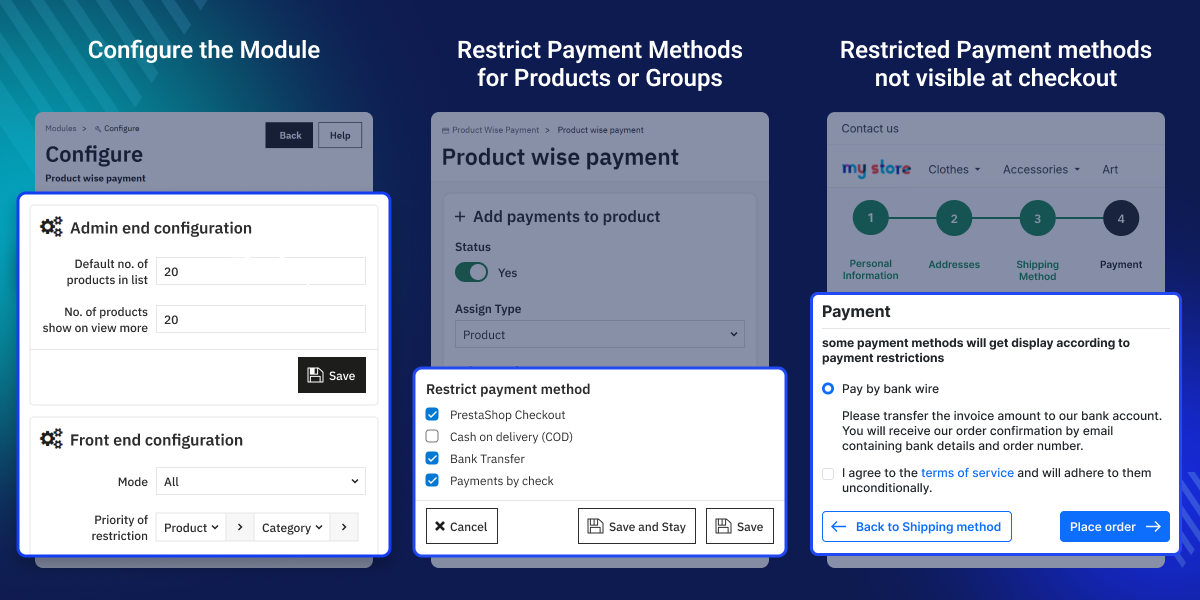
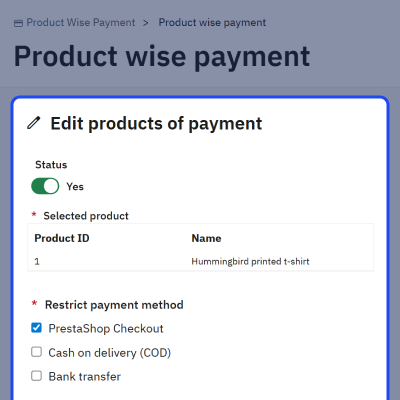
With Prestashop Product Wise Payment, you can exclude payment methods that are too expensive for specific products. You can manage the access to payment methods for your catalog products from a single tab. All you need to do is select the products for which you want to assign the payment methods and select the payment methods you want to restrict for the products.
Similarly, you can select the categories, manufacturers, and suppliers for which you want to disable specific payment methods. on the checkout page, the restricted payment methods will not be displayed to the customers
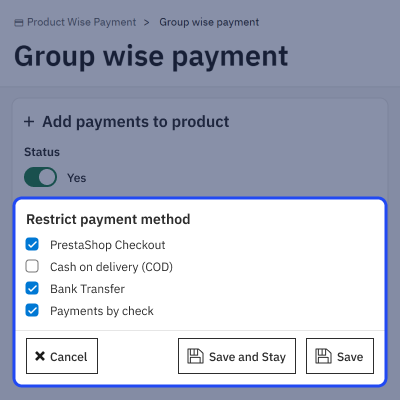
This extension facilitates you to hide/restrict payment methods for particular customer groups on your Prestashop store. For example, you can allow the Cash on Delivery payment option to the members of the VIP group and, at the same time, disable it for the guest users.
Also, you can set the cart range based on which the select payment gateway will be restricted. The restricted payment gateways will not display to the selected group users whose cart value is lower or higher than the amount you have set.
Case 1: When buyer have two products in the cart and both are restricted by different payment methods. In this case, all the payment methods will be available to the buyer.
Case 2: When buyer have two products in the cart and both are restricted by the same payment methods. In this case, all the other payment methods will be available.
Case 3: When buyer have two products in the cart and one product is restricted by some payment gateway and the other product has no restriction. In this situation, all the payment methods will be available to the buyer.
Case 4: When buyer have two products in the cart and no restrictions have been applied to both the two products, then all the payment methods will be available for the buyer on the checkout page.
For any query or issue please create a support ticket here http://webkul.uvdesk.com
You may also check our other top-quality PrestaShop Add-ons.
Detailed technical features and requirements to help you understand the module’s capabilities and ensure smooth integration with your system.
Detailed technical features and requirements to help you understand the module’s capabilities and ensure smooth integration with your system.
We’re partnered with top-tier, trusted providers!
Want to know more how exactly we are going to power up your eCommerce Website with Cloud to fasten up your store
* Server Configuration may vary as per application requirements.



