Send Again
Close
Prestashop Shop The Look - Increase avearge order value and cross sell products as looks by offering customers to purchase multiple products from a single page. Showcasing multiple products in a single image let customers find the right set of products which influences their purchase decision. Prestashop Shop The Look module saves time of customers as they dont have to redirect from one page to another for searching the products which improves the overall shopping experience on the store.
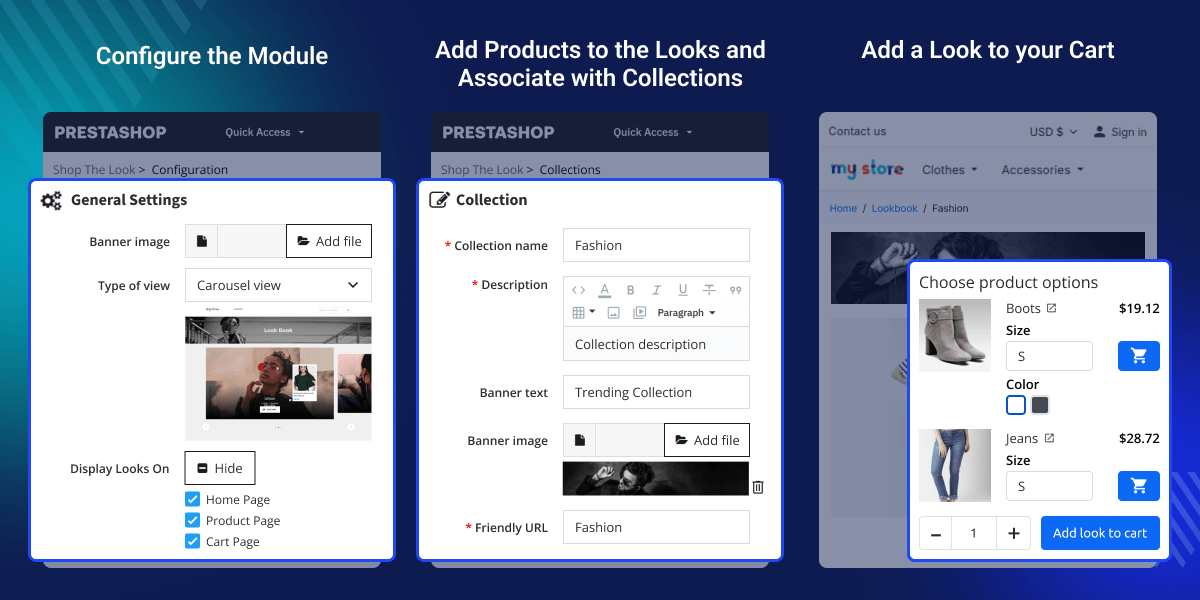
Easily create a look by uploading its image, adding related products, and setting hotspots for the products on the look image. Double click on an image to create a hotspot and then select the product which you want to display on that hotspot. After adding looks in a collection, admin can preview and see exactly how the looks are getting displayed at front end.
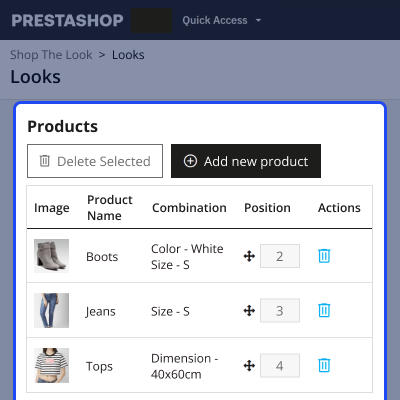
Create a custom look by adding complementary products and enable customers add multiple products in a cart with a single click. Allowing customers purchase complete look without need of searching products on multiple pages reduces cart abandonment on store. Offering products in a bundle increase sales revenue on your store.
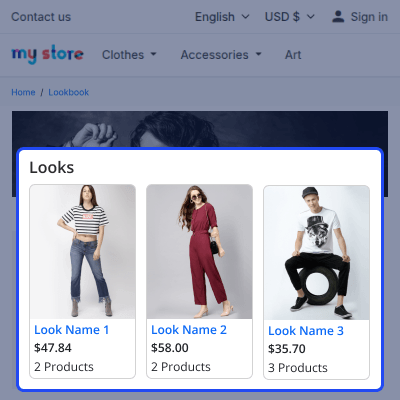
A separate Lookbook page where you can showcase all the featured collections. Multiple view types available in the module to display collections on the lookbook page. Available view types are:

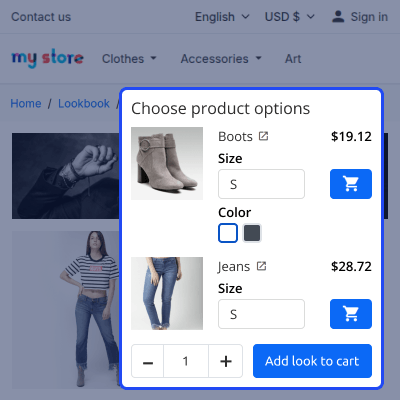
Customer can view all the collections added by admin from backend under Lookbook page. Explore the collections and view all the looks added in a collection. On the collection page, customer can view all the products of a look by hovering on the look image. "Add Look To Cart" button on the collection page by clicking on which Customer can add the complete look into cart. This module facilitates customers to purchase the entire look or individual items from the look.
For any query or issue please create a support ticket here http://webkul.uvdesk.com
You may also check our other top-quality PrestaShop Extensions.
The module is very good, and the support staff even more: available, fast and kind.
Detailed technical features and requirements to help you understand the module’s capabilities and ensure smooth integration with your system.
Detailed technical features and requirements to help you understand the module’s capabilities and ensure smooth integration with your system.
We’re partnered with top-tier, trusted providers!
Want to know more how exactly we are going to power up your eCommerce Website with Cloud to fasten up your store
* Server Configuration may vary as per application requirements.



