Send Again
Close
QloApps Marketplace On Desk Booking gives marketplace sellers a dedicated booking flow for guests who arrive in person or call ahead. Sellers can search live room availability, add rooms to a dedicated on-desk cart, attach guest details, and complete the booking with the required payment from their own seller account.
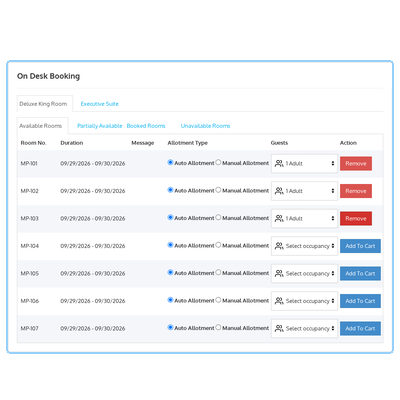
Search rooms by date range and room type to view available, partially booked, booked, and unavailable rooms in a single availability grid.
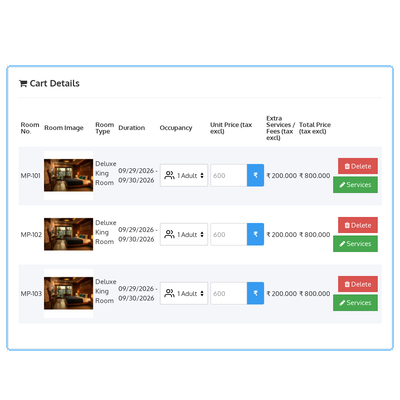
Add rooms to a dedicated booking cart that remains separate from other seller activity, with running room charges and convenience fee totals.
Move a guest to another available room of the same type or swap two already-booked rooms directly from the availability grid.
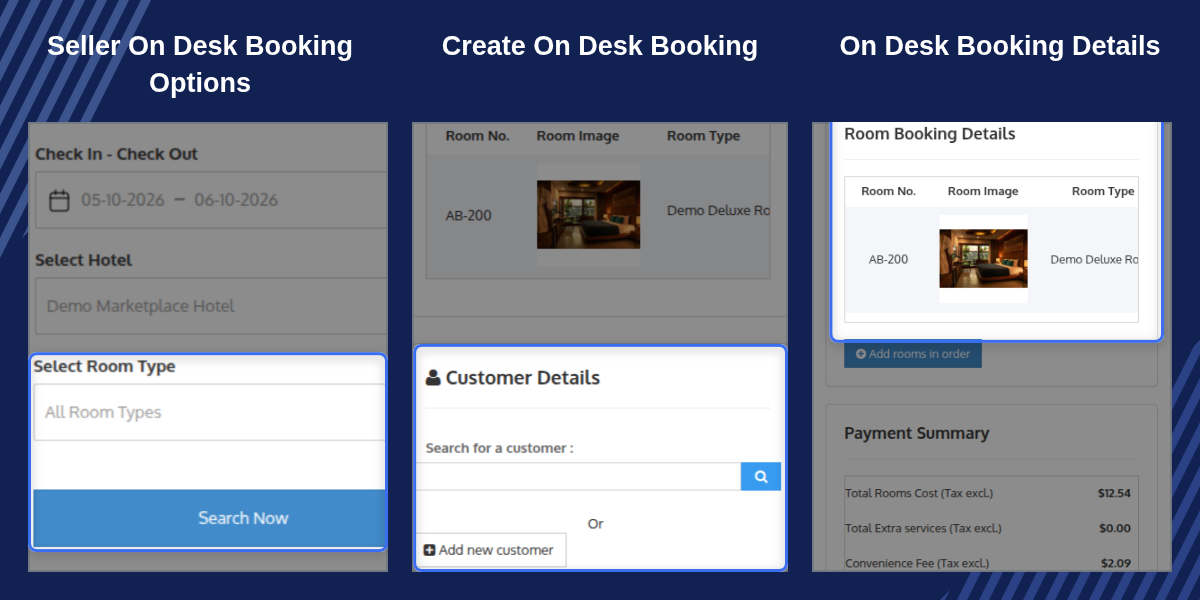
Search existing customers or register a new guest and add their address directly from the booking screen.
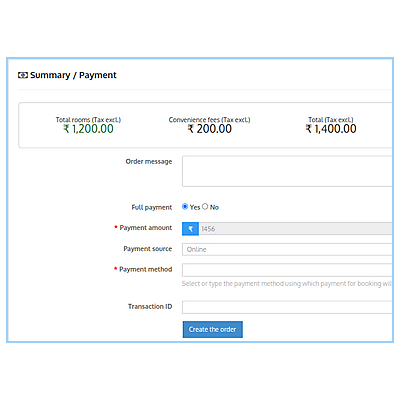
Record payments as online, pay-at-hotel, or remote and collect the full amount or a partial payment at booking time.
On-desk bookings are automatically excluded from the standard marketplace admin commission, allowing sellers to keep the full booking amount.
Start a room booking quickly with a dedicated Add Booking action available directly from the seller's Front Desk screen.
Walk-in and phone reservations are a regular part of hotel operations. In a marketplace with multiple independent sellers, each seller needs a convenient way to record these bookings directly instead of routing them through a central marketplace administrator.
QloApps Marketplace On Desk Booking gives each seller a complete booking flow from inside their own account, covering availability search, cart management, guest details, and payment. Since on-desk bookings are taken directly by the seller, the standard marketplace admin commission is automatically waived for these orders.
The room search and availability screen allows sellers to select a hotel, check-in and check-out date range, and optionally choose a room type before viewing room availability in a single grid.
The on-desk cart provides sellers with a clear view of every room added to the booking before checkout. Each cart item includes important room and booking information to help sellers verify the reservation before proceeding to payment.
The payment and order summary screen completes the on-desk booking after a customer has been attached to the cart. Sellers can review the booking information, guest address, currency, language, and final payment before confirming the order.
For any query or issue, please create a support ticket here.
You may also explore our other top-quality QloApps Add-ons.

im really happy with this company.. i get fast and GOOD service whenever i have an issue. Im using QLOAPPS Marketplace On-Desk Booking.
Detailed technical features and requirements to help you understand the module’s capabilities and ensure smooth integration with your system.
Detailed technical features and requirements to help you understand the module’s capabilities and ensure smooth integration with your system.
We’re partnered with top-tier, trusted providers!
Want to know more how exactly we are going to power up your eCommerce Website with Cloud to fasten up your store
* Server Configuration may vary as per application requirements.



