QloApps Tour And Packages enables hotels, resorts, and multi-property businesses to create, manage,
and sell holiday packages with or without accommodation. Organize itineraries, activities, pricing, availability,
and bookings from the QloApps Back Office.
- Create holiday packages with or without accommodation.
- Build day-wise itineraries with activities, meals, transport, and attractions.
- Configure Fixed, Per Person, and Room Type wise pricing.
- Manage multiple date ranges, discounts, quantities, and occupancy limits.
- Add standalone properties and partner accommodations to packages.
- Manage package orders, guest enquiries, and room inventory from the Back Office.
- Description
- Reviews
- FAQ
- Customers ()
- Specifications
- Cloud Hosting
- Changelog
QloApps Tour And Packages allows hotels, resorts, guest houses, and multi-property groups to create and sell holiday packages directly through their QloApps website. Hotels can offer packages with or without accommodation and combine tours, activities, transfers, meals, events, and curated experiences.
Manage package details, itineraries, pricing, availability, guest enquiries, and orders from the Back Office. Guests can explore destinations, browse package details, submit enquiries, and book available packages alongside regular hotel room bookings.
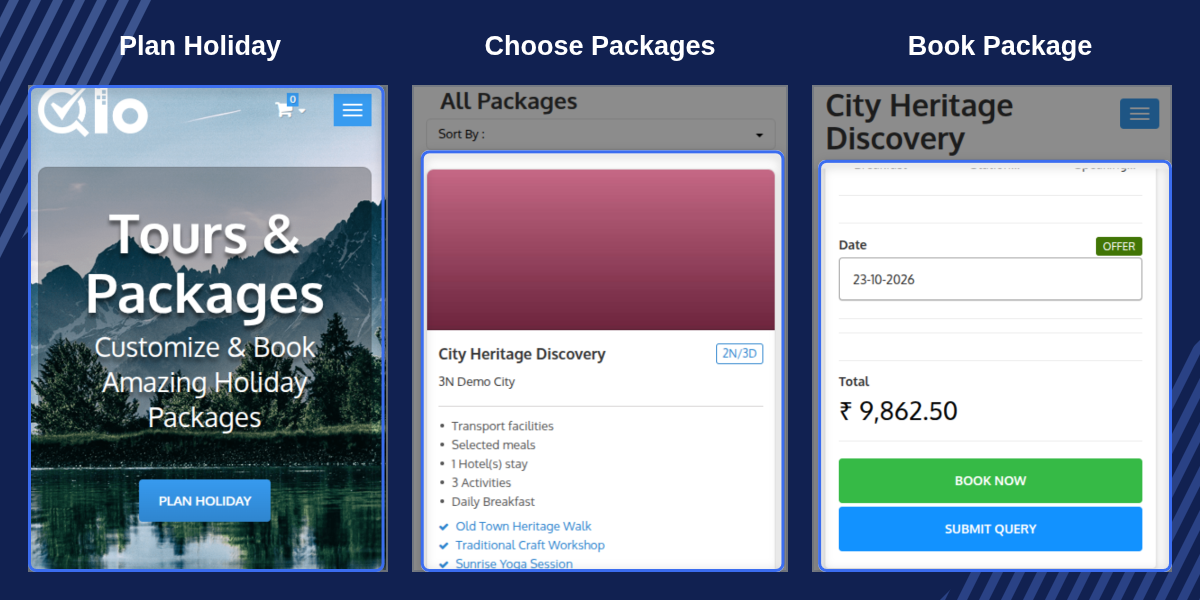
Highlighted Features
Flexible Holiday Packages
Create holiday packages with or without accommodation and offer them alongside regular room bookings. Include stays at your own hotel or standalone partner properties.
Multiple Pricing Options
Choose Fixed, Per Person, or Room Type wise pricing for your packages. Configure additional fixed prices and apply fixed or percentage-based discounts.
Day-Wise Itinerary Management
Organize package itineraries by day and include activities, meals, transport facilities, special events, nearby attractions, and other package elements.
Availability and Occupancy Control
Configure multiple date ranges, package quantities, occupancy limits, children's ages, and child pricing to manage package availability.
Reusable Package Elements
Create activities, meals, transport facilities, special events, nearby attractions, inclusions, and themes once, then reuse them across multiple packages.
Package Orders and Enquiries
Track package orders and guest enquiries from the Back Office. Manage enquiry statuses and coordinate package bookings with hotel orders and room inventory.
Why Use QloApps Tour And Packages
Managing holiday packages manually can involve separate records for itineraries, activities, partner accommodations, pricing, availability, and customer enquiries. Updating these details across different documents and booking processes can make package management more complicated.
QloApps Tour And Packages centralizes package creation, pricing, availability, enquiries, and order management within the QloApps ecosystem. Hotels can organize travel experiences, present packages through dedicated front-office pages, and manage package bookings alongside their hotel operations.
QloApps Tour And Packages General Settings
Configure how the package section appears and functions on the front office through the General Settings screen in the Back Office.
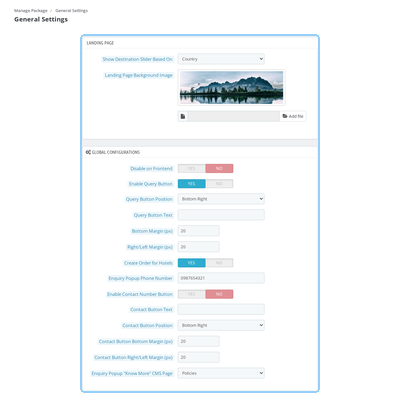
- Landing Page: Choose whether destinations are grouped by country or city and upload a background image for the package landing page.
- Front-Office Configuration: Enable or disable the package section and configure the Query button and Contact Number button, including their text, position, and margins.
- Enquiry Configuration: Set the phone number displayed in the enquiry popup and select the Know More CMS page.
- Order Handling: Configure Create Order for Hotels and Block Room Inventory options to control package order handling and room inventory blocking.

QloApps Tour And Packages Package Elements
Create reusable elements to build detailed holiday packages without entering the same information repeatedly. Maintain separate lists for the services and experiences included in your offerings.
- Activities and meals.
- Transport facilities and special events.
- Nearby attractions and inclusions.
- Package themes for organizing holiday offerings.
- Country and city details for package elements.
- Per Person pricing for supported activities, special events, transport facilities, and nearby attractions.
Once created, these elements can be attached to multiple packages to maintain consistent package information and simplify updates.
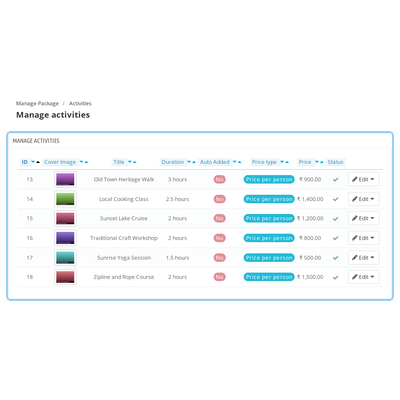
QloApps Tour And Packages Properties
Use Package Properties to add standalone properties that can be included in holiday packages. These properties can have their own details, images, and room types.
- Add standalone properties outside your existing hotel inventory.
- Create property room types with their own information and images.
- Include partner accommodations in packages with or without stays at your own hotel.
- Present property information to guests on package detail pages.
This functionality helps hotels organize partner stays and multi-destination trips without registering every partner property as a hotel.
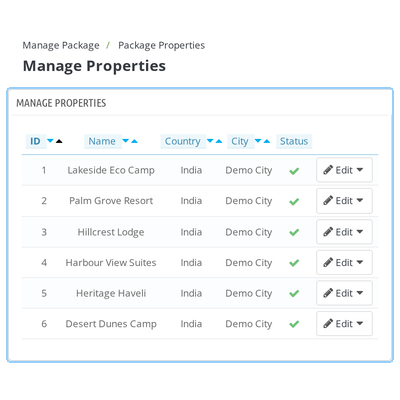
QloApps Tour And Packages Management
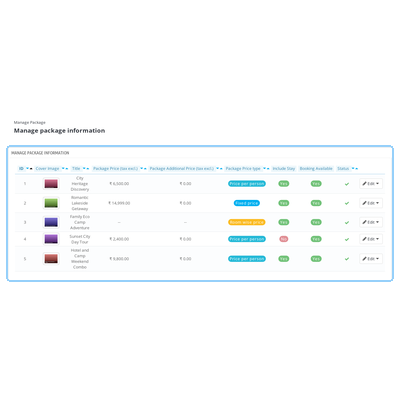
The Manage Package section provides a centralized workspace for creating, editing, and monitoring holiday packages. The package list displays information such as the cover image, title, price, price type, Include Stay, Booking Available, and status.
Configure each package using dedicated tabs for:
- Information: Enter the package's main details.
- Locations: Organize the destinations associated with the package.
- Inclusion/Exclusion: Specify what the package includes and excludes.
- Itineraries: Arrange activities and other package elements day by day.
- Price and Discount: Configure package pricing and available discounts.
- Themes and Images: Organize package themes and visual content.
- Quantity Setting: Configure package quantities and availability.
- Occupancy Setting: Define occupancy rules, including children's age and pricing details.
These settings help hotels maintain package information, manage date-wise availability, and organize the details guests need before booking.
QloApps Tour And Packages Orders
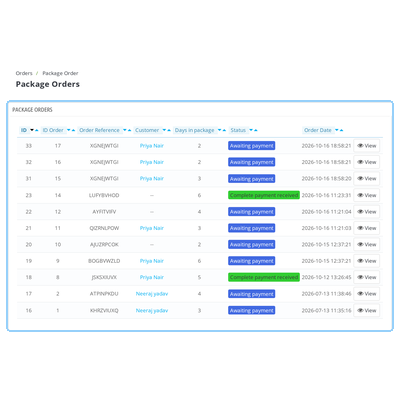
Manage package bookings through the Package Order section in the Back Office. Each order includes information such as the order reference, customer, package duration, status, and order date.
- View package orders from a dedicated order list.
- Track package bookings alongside the associated hotel orders managed by QloApps.
- Create package orders through the Create New Order workflow in the Back Office.
- Release blocked room inventory when a package order is cancelled or refunded, according to the module's inventory handling.
Centralized order management helps staff review package sales and coordinate package bookings with hotel inventory.
QloApps Tour And Packages Guest Enquiries
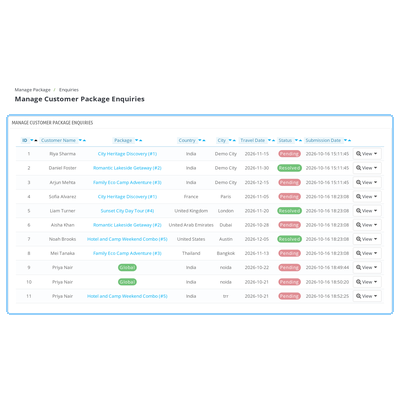
Capture enquiries from guests who are interested in a holiday package but need more information before booking. The Enquiries section provides a centralized list of submitted enquiries.
- View customer name and contact email.
- Review the package associated with each enquiry.
- Check the guest's country, city, and travel date.
- Track enquiry status as Pending or Resolved.
- Review the submission date for follow-up.
By maintaining enquiry details in the Back Office, hotel staff can organize follow-ups and respond to guests according to their travel plans.
QloApps Tour And Packages Support
For any query or issue, please create a support ticket here.
You may also explore our other QloApps modules.
Specifications
Very professional with the work & products.
They are very professional company .One of the best companies that I worked with and bought their services. They advise you to provide the best service at reasonable prices, thank you
Frequently Asked Questions
Specification
Detailed technical features and requirements to help you understand the module’s capabilities and ensure smooth integration with your system.
Cloud Hosting
Detailed technical features and requirements to help you understand the module’s capabilities and ensure smooth integration with your system.
Move to Cloud Today
We’re partnered with top-tier, trusted providers!
Default Configuration Details of Server
RAM 1 Core
Processor 30 GB
Hard Disk
Database
Want to know more how exactly we are going to power up your eCommerce Website with Cloud to fasten up your store
* Server Configuration may vary as per application requirements.
Change Logs
Changelog
Version 5.0.0
- Added compatibility with QloApps version 1.7.0.
- Added dynamic Properties (standalone hotels) and Property Room Types management.
- Added Meals as a package element type.
- Added Global Configurations for disabling packages on the frontend, configuring query button position and margins, creating orders for hotels, and managing room inventory blocking.
- Added Country and City fields and Per Person pricing to Activities, Special Events, Transport Facility, and Nearby Attractions.
- Added the "Allow Queries" setting to the package Information tab.
- Added date-wise availability counting for package quantity settings.
- Removed the per-hotel commission field and table.
- Enabled admins to reorder itinerary elements and itinerary days within a package cart.
- Updated package order cancellation and refund handling to release blocked room inventory and synchronize the linked hotel order.
- Fixed various bugs.
Version 4.0.0
- Added compatibility with QloApps version 1.7.0.
- Fixed various bugs.
Version 1.2.0
- Fixed various bugs.
- Added price type options and automatic addition functionality for package elements, including Activities, Occasions, and Facilities.
- Enabled admins to create multiple date ranges for a package.
- Added an additional fixed price option.
- Added service product compatibility for packages using Room Type wise pricing.
- Added compatibility for children's pricing and age settings.
Version 1.1.2
- Fixed various bugs and added compatibility with QloApps version 1.6.1.
- Updated the license.
- Fixed the invoice issue.
Version 1.1.1
- Updated the destination slider with an option to display the country or city.
- Fixed missing invoice details for package orders.
- Fixed an issue where additional package details were not deleted when a package was deleted.
Version 1.1.0
- Updated module compatibility to support QloApps version 1.6.0 and above.
- Optimized the code by adopting PSR-2 coding standards.
- Added an order table to manage package orders.
- Added hotel-wise commission tracking to manage package sales and earnings.


