Send Again
Close
Shopify Salesforce Connector connects your Shopify store with Salesforce CRM. It transfers supported store data, including customers, products, collections, and orders, to Salesforce.
Businesses can connect multiple Shopify stores to a single Salesforce account. This helps teams manage data from different stores through one CRM platform.
The connector transfers Shopify customer details to Salesforce as Accounts and Contacts. Sales teams can access customer information in Salesforce while managing their business relationships.
It also transfers product, collection, and order information from Shopify to Salesforce. This gives teams access to important eCommerce records within their CRM.
Businesses can use this integration to reduce manual data entry and manage supported Shopify records through Salesforce.
Additionally, if you are looking for a multi vendor marketplace, explore our Multi Vendor Marketplace for Shopify.
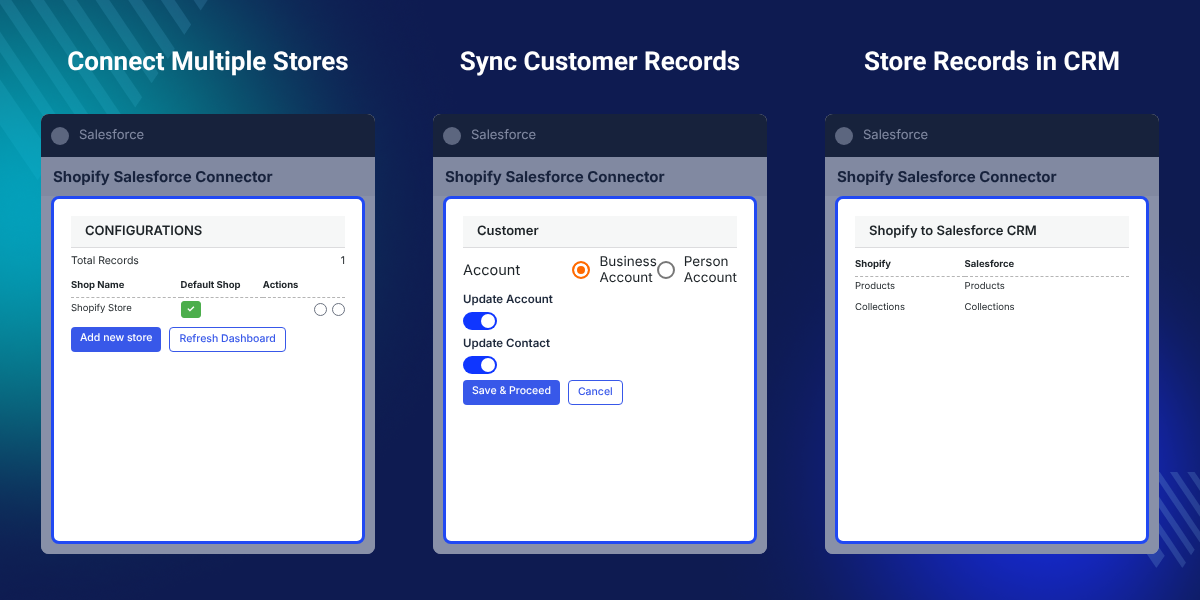
Connect multiple Shopify stores with one Salesforce CRM account to manage data from different stores.
Transfer Shopify customer information to Salesforce as Accounts and Contacts.
Send Shopify product details to Salesforce to keep product information available in your CRM.
Transfer Shopify collections to Salesforce to access store catalogue information.
Send Shopify order information to Salesforce for better access to eCommerce sales records.
Manage the Shopify integration through the Salesforce interface.
Shopify Salesforce Connector helps businesses manage Shopify store data in Salesforce without switching between separate platforms. It transfers supported customer, product, collection, and order data to Salesforce CRM, reducing manual data entry.
Shopify stores manage products, customers, and orders, while Salesforce helps teams manage customer relationships. Without an integration, your team must check both platforms to find business data.
Manual data entry takes time and can lead to missing or outdated records. This makes it harder for sales teams to review customer details and track store activity.
Shopify does not include a built-in connection to Salesforce CRM for this data transfer. The two platforms need an integration to share supported store records.
For businesses with several Shopify stores, one Salesforce CRM can help bring their data into a central workspace and reduce the need to check each store separately.
Connect multiple Shopify stores to one Salesforce CRM and access their supported data from a central platform.
Transfer Shopify customer details to Salesforce Accounts and Contacts for customer relationship management.
Send Shopify products and collections to Salesforce to make store catalogue data available in the CRM.
Transfer Shopify order information to Salesforce and access eCommerce sales records through the CRM.
Shopify Salesforce Connector allows businesses to connect multiple Shopify stores with one Salesforce CRM account. This helps companies that operate different stores manage their supported eCommerce data from one CRM platform.
Instead of accessing each Shopify store separately, teams can bring supported store records into Salesforce. This provides a central place to review customer, product, collection, and order information.
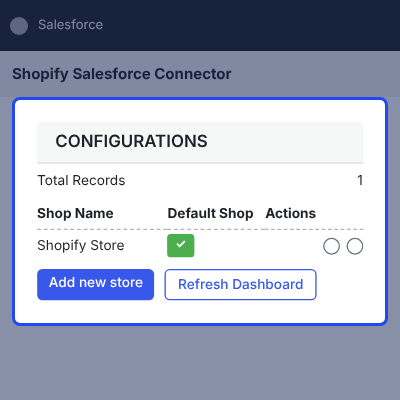
The connector transfers customer information from Shopify to Salesforce. It creates customer records as Accounts and Contacts in Salesforce, allowing sales teams to access customer details through their CRM.
This helps businesses keep Shopify customer information available in Salesforce for customer relationship management and sales activities.
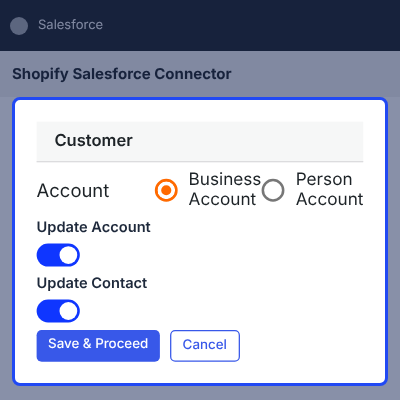
Shopify Salesforce Connector transfers product and collection information from Shopify to Salesforce. This makes store catalogue data available to teams working within the CRM.
Businesses can use this feature to access product and collection records in Salesforce without checking the Shopify store for every detail.
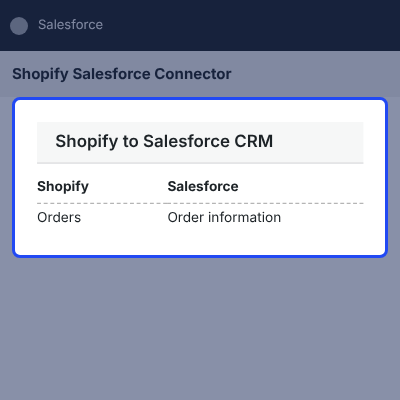
The connector transfers order information from Shopify to Salesforce. This gives businesses access to their eCommerce order records through the CRM platform.
Sales and support teams can use the transferred information to review order activity alongside customer details in Salesforce.
For detailed video tutorial please click here https://youtu.be/sn7sJELsTWE
For any query or issue please create a support ticket here https://webkul.uvdesk.com/en/customer/create-ticket/
You may also check our other top-quality Shopify Apps.

eShopSync is a great tool that helped us greatly with our transition to Shopify. Our CRM is Salesforce and we needed to make sure that we could apply the same logic as we had before from our old ecommerce system to Salesforce. When we discovered issues, Rahul is an account manager rockstar who took the time to understand the issues and resolve them for us. Thanks!
The app provides all the necessary mapping and tracking for Shopify integration with Salesforce. This can be a complex process. This is far better than building our own connector.
The team has been very helpful. In particular Neha and Rahul were very helpful and responsive to our requests.
Great help with customizing our Shopify SF sync. Rahul was very helpful and fast on providing support.
Webkul was very helpful with the Salesforce integration of eShopSync. Highly recommend
Dheeraj Gurbani was super helpful, fast response time.
Shopify Salesforce Connector links a Shopify store with Salesforce CRM. It transfers supported customer, product, collection, and order data from Shopify to Salesforce.
Yes, the connector supports multiple Shopify store connections with one Salesforce CRM account. This helps businesses manage data from different stores through one platform.
The connector supports the transfer of customer, product, collection, and order information from Shopify to Salesforce.
The connector transfers Shopify customer information to Salesforce as Accounts and Contacts.
Yes, the connector transfers supported Shopify product information to Salesforce, making catalogue data available in the CRM.
Yes, the connector supports the transfer of Shopify collection information to Salesforce.
Yes, the connector transfers Shopify order information to Salesforce so teams can access supported eCommerce order records through the CRM.
The connector supports Salesforce Enterprise, Unlimited, Force.com, and Developer editions.
Yes, install the eShopSync for Shopify application from Salesforce AppExchange in your Salesforce Org to use the integration.
The described integration transfers supported Shopify data to Salesforce. It does not establish a reverse data transfer from Salesforce to Shopify.
Detailed technical features and requirements to help you understand the module’s capabilities and ensure smooth integration with your system.
Detailed technical features and requirements to help you understand the module’s capabilities and ensure smooth integration with your system.
We’re partnered with top-tier, trusted providers!
Want to know more how exactly we are going to power up your eCommerce Website with Cloud to fasten up your store
* Server Configuration may vary as per application requirements.