Send Again
Close
Allowed Units of Measure for Products helps control which measurement units can be used for every product. It makes sure people choose only the correct and approved units while working in Odoo.
The module automatically shows only the right units in sales, purchase, inventory, accounting, and manufacturing, so mistakes are reduced.
Odoo Backend Debranding Module keeps everything clean and professional for internal users.
It is very helpful for businesses that use many different measurement units, special packaging, or strict rules for product sizes and quantities.

Many businesses have lots of products, and they must use the right measurement units for each one. If someone picks the wrong unit, it can cause problems later. This module helps stop those mistakes by letting you control which units can be used.
Some companies use many different kinds of units, so they need a system that allows only the correct ones. This module makes sure that only the allowed units show up when people create transactions.
For example, a factory may measure raw materials by weight but sell the finished items by pieces. This module makes sure the right units are used at every step, so everything stays accurate.
For Odoo Online (SaaS) users, you must first set up Odoo.sh or Odoo on-premise before installing Allowed Units of Measure for Products, as Odoo Online (SaaS) restricts the installation of third-party modules.
It lets businesses choose which units can be used, so users make fewer mistakes and work stays accurate.
It makes it easier to handle many products by letting teams set measurement rules quickly and in the same way every time.
It helps everyone choose the right units so all entries stay correct and the same.
It makes sure every team uses the same correct units all the time.
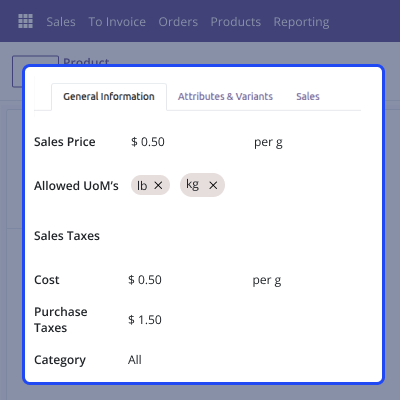
Set the right measurement units for each product so everyone uses the same units. This makes sure only the approved units appear when someone creates a record.

The system shows only the right units in sales, purchase, inventory, billing, and manufacturing. This helps stop mistakes and makes sure everyone uses the same correct units.
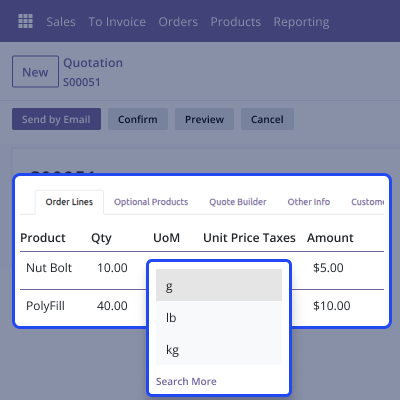
By blocking all units that are not allowed, the module makes sure everyone follows the right measurement rules. This helps avoid mistakes and keeps work moving smoothly.
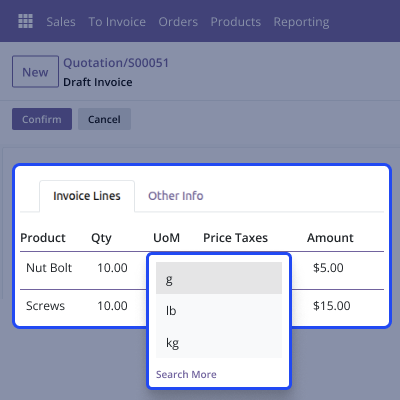
Set the measurement units once for a whole group of products, and the system will use them automatically. This helps everyone follow the same setup and work more easily.
For any query or issue, please create a support ticket here CREATE A TICKET HERE
You may also check our other top-quality Odoo Modules.
Detailed technical features and requirements to help you understand the module’s capabilities and ensure smooth integration with your system.
Detailed technical features and requirements to help you understand the module’s capabilities and ensure smooth integration with your system.
We’re partnered with top-tier, trusted providers!
Want to know more how exactly we are going to power up your eCommerce Website with Cloud to fasten up your store
* Server Configuration may vary as per application requirements.



