- Description
- Reviews
- FAQ
- Customers ()
- Specifications
- Cloud Hosting
- Changelog
QuickBooks Online Connector helps businesses connect AureusERP with QuickBooks for smooth and reliable financial synchronization. It keeps important accounting and business records aligned across both systems automatically.
The module syncs invoices, customers, vendors, and payments without repeated manual effort. Businesses can manage financial operations more efficiently while reducing repetitive tasks.
Secure OAuth 2.0 authentication helps create a safe and stable connection with QuickBooks. Automatic token refresh keeps the integration connected without repeated logins.
Real-time webhooks help update records as soon as changes happen in either system. This keeps financial information current and reduces delays in synchronization. Flexible sync controls allow businesses to choose what data should move between systems. Conflict handling rules also help manage updates with better accuracy.
Background sync jobs, detailed logs, and status tracking make monitoring easier. Teams can review activity, resolve issues faster, and keep operations running smoothly.
You can also check our Aureus ERP Starter Pack to get started with AureusERP.
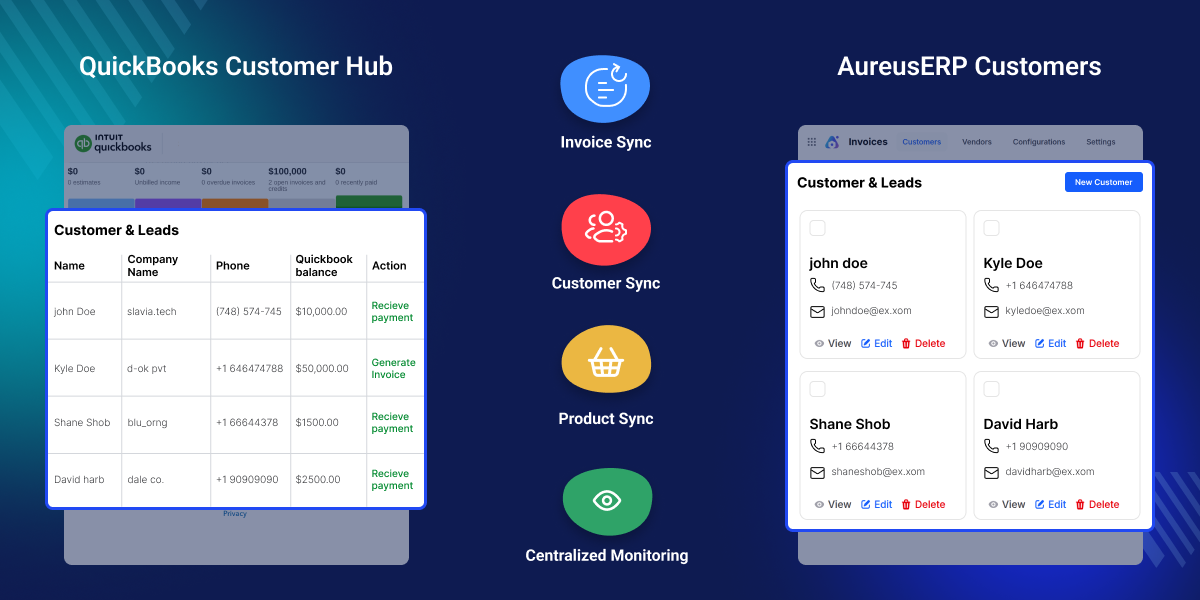
Highlighted Features
Bi-Directional Data Exchange
Sync records both ways between AureusERP and QuickBooks. Keep invoices, customers, and payments updated with accuracy.
Scheduled Sync Jobs
Run sync automatically on a preferred schedule. Keep financial data current without manual effort.
Sync Logs & Error Tracking
Monitor sync activity from one place. Review logs and resolve issues quickly.
Real-Time Webhook Sync
Receive instant updates when records change. Keep both systems synchronized in real time.
Conflict Resolution Rules
Choose how data conflicts should be handled. Stay in control of updates across both platforms.
Secure OAuth 2.0 Authentication
Connect securely using Intuit OAuth 2.0. Keep access protected with auto-refresh tokens.
Why Do We Need This Module?
QuickBooks Online Connector helps businesses manage accounting across AureusERP and QuickBooks without switching between platforms repeatedly. It keeps financial data connected to support faster workflows and better accuracy.
The module reduces repeated manual work by syncing important records automatically. Businesses can focus more on operations while keeping accounting data updated and organized.
Keeping customer, vendor, invoice, and payment data aligned becomes easier across both systems. This helps teams maintain better visibility and organized financial records.
As business transactions grow, managing accounting manually takes more effort and time. The connector helps maintain smoother workflows without increasing extra workload.
Secure access, automated sync, and tracking tools help teams stay updated at every step. Businesses get better control over financial processes while keeping data reliable.
Use Cases
-
Automated Sales Accounting
Invoices sync to QuickBooks automatically, helping keep sales records updated with less manual work.
-
Vendor Billing Integration
Vendor and bill data sync quickly to help businesses manage costs with better accuracy.
-
Inventory Item Sync
Product details like SKU, name, and price stay aligned across both systems automatically.
-
Financial Data Consistency
Keep financial records updated across AureusERP and QuickBooks for better accuracy and visibility.
-
Subscription-Based Services
Recurring bills and payments sync automatically to keep records current without extra effort.
-
Multi-Location Businesses
Manage synchronized business data across multiple branches while keeping records consistent.
Invoice Synchronization
Invoices in AureusERP sync to QuickBooks with customer details, items, taxes, and totals while payments, refunds, and status stay updated.
- Auto-create invoices in QuickBooks
- Sync invoice status updates
- Support for partial payments
- Handle credit notes and refunds
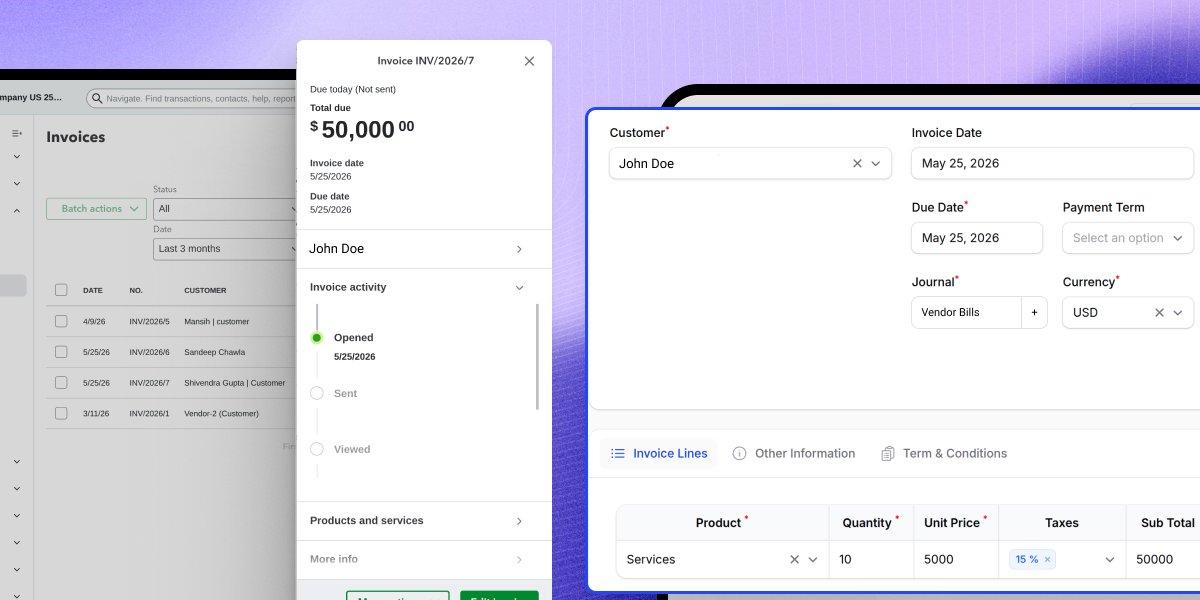
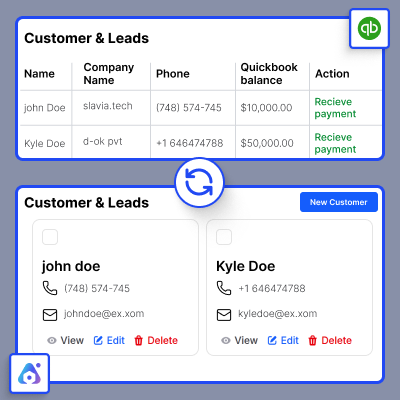
Customer Synchronization
Customer data syncs both ways. Contact details and addresses stay the same. Smart logic stops duplicate records from being made.
- Auto-create and update customers
- Sync contact details and addresses
- Avoid duplicate customer entries
- Support bulk data sync
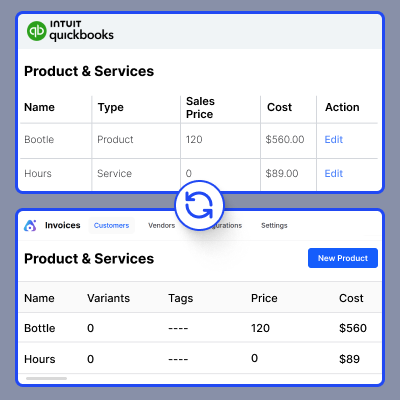
Product Synchronization
New or updated products sync on their own. SKU, name, and price all move across. Product data stays the same in both systems.
- Detect new and updated products on their own
- Sync SKU, name, and price
- Update items with no manual work
- Keep product data the same across both systems
Vendor Synchronization
New vendors sync from AureusERP to QuickBooks. Contact details go across right away. Supplier records stay up to date with no manual work.
- Detect new vendors on their own
- Sync contact details and addresses
- Create vendor records in QuickBooks
- Keep supplier data up to date
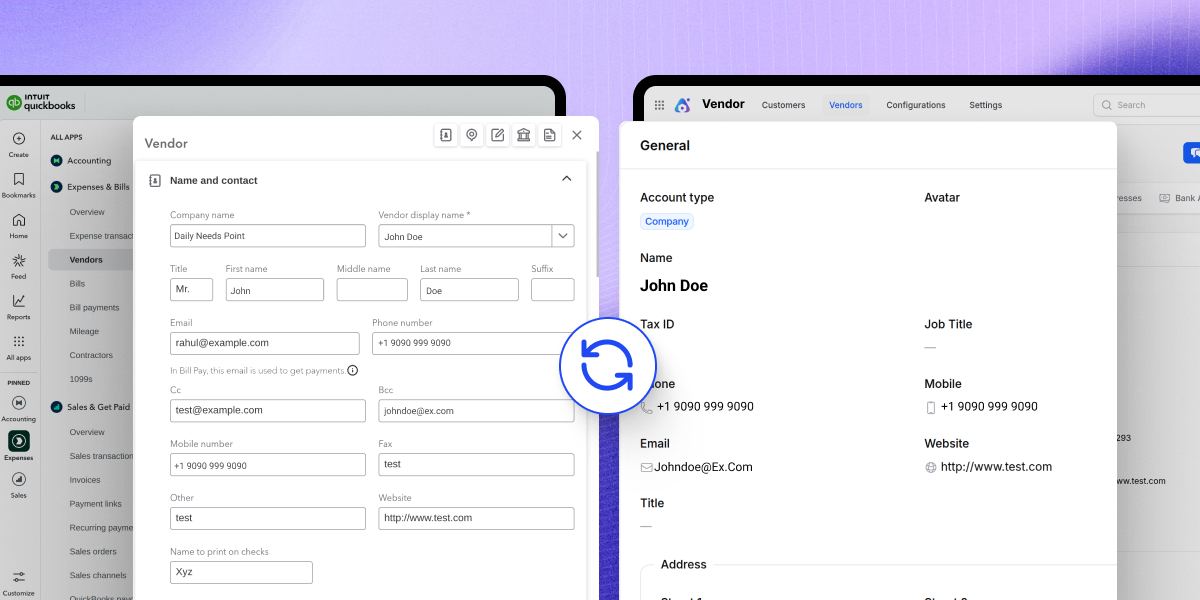
Chart of Accounts Sync
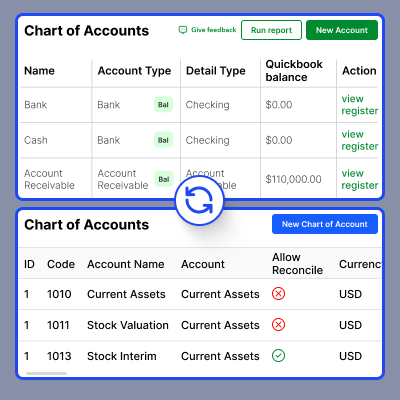
Pull accounts from QuickBooks and sync them to AureusERP. Names and types are mapped with ease. New accounts are brought in on their own.
- Fetch accounts from QuickBooks
- Sync name and account type
- Map accounts with ease
- Import new accounts on their own
Support
For any query or issue, please create a support ticket here http://webkul.uvdesk.com/. You may also check our all UnoPim Extensions.
Specifications
Frequently Asked Questions
Specification
Detailed technical features and requirements to help you understand the module’s capabilities and ensure smooth integration with your system.
Cloud Hosting
Detailed technical features and requirements to help you understand the module’s capabilities and ensure smooth integration with your system.
Move to Cloud Today
We’re partnered with top-tier, trusted providers!



Default Configuration Details of Server
RAM 1 Core
Processor 30 GB
Hard Disk
Database
Want to know more how exactly we are going to power up your eCommerce Website with Cloud to fasten up your store
* Server Configuration may vary as per application requirements.
Change Logs
- - Feature Add (+)
- - Feature remove (-)
- - Bug Fixed (!)
- - Modification (*)
- Initial Release
