Send Again
Close
Bagisto SMS Notifications help online stores send text messages for key store events. It keeps customers and admins informed. Stores no longer need to rely only on email for important updates.
Bagisto Blog module adds a complete blogging system to your Bagisto store. It lets you publish SEO friendly blog content directly from the admin panel, helping you share updates, articles, and other useful content with your customers.
Organize every blog post with categories, tags, and author profiles. This makes it easier for visitors to browse your content and find topics that match their interests. Display responsive blog images that look great on desktops, tablets, and mobile devices.
You can also show post counts for categories and tags to highlight popular topics. Control discussions by enabling or disabling comments for individual blog posts. Built-in recent and related post widgets, along with nested comments, encourage readers to explore more content.
Schedule blog posts to publish automatically on a selected date and time. This helps you keep your blog active and publish content without manual effort.
Additionally, if you want to keep customers engaged through email, you can explore Laravel eCommerce Customer Newsletter module It lets you create custom HTML newsletters, manage subscribers, and send email campaigns with ease.
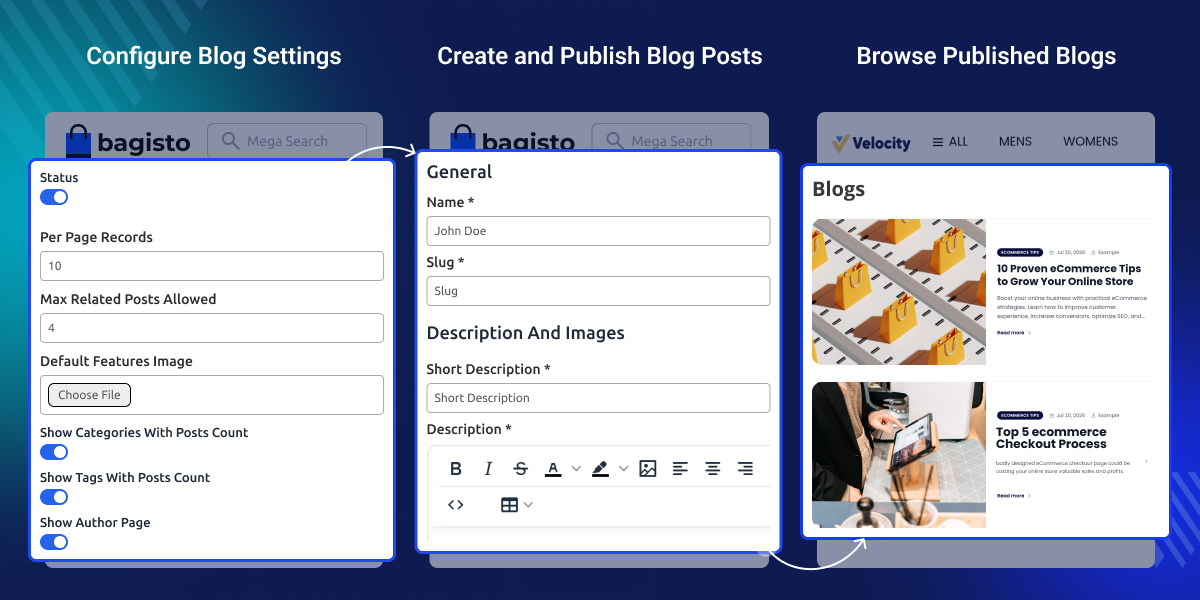
Manage blog posts with categories, tags, and author profiles. As a result, visitors can find related content more easily.
Display blog images that adapt to different screen sizes. This way, visitors enjoy a better reading experience on every device.
Allow readers to reply to existing comments in a thread. As a result, discussions stay clear and easy to follow.
Schedule blog posts to publish automatically at the right time. This helps you keep your blog active without manual publishing.
This default Bagisto store focuses on selling products but does not include a built-in blogging system. This makes it difficult to publish articles, share updates, or organize content that can attract visitors through search engines.
Bagisto Blog Extension adds a complete blogging system to your store. Create blog posts, organize them with categories, tags, and authors, manage comments, and schedule publishing from one admin panel. It also supports SEO-friendly URLs and responsive images.
A blog helps customers learn more about your products and business. Well-organized content is easier to find and read. In real ecommerce stores, regular blog posts help improve customer engagement and support organic traffic over time.
Apart from this, you can explore Bagisto ChatGPT Content Generator to speed up content creation. It creates product descriptions, SEO fields, category content, email templates, and CMS page content with AI.
Publish keyword-focused blogs to improve search visibility and attract more organic visitors.
Schedule blog posts for product launches, seasonal offers, and promotional campaigns.
Publish style guides and fashion tips to showcase new collections and inspire shoppers.
Create buying guides that help customers compare products and make informed buying decisions.
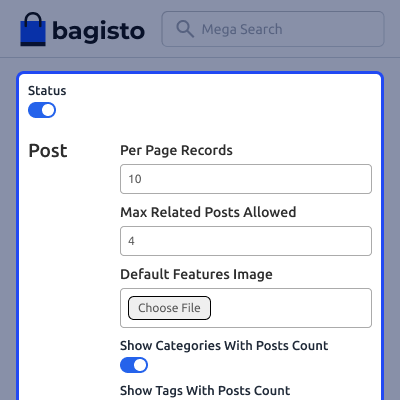
Configure Bagisto Blog plugin from a single admin panel to control your blog settings. You can manage blog visibility, post display options, and other key preferences with ease. These settings help you manage your blog more efficiently and provide a better reading experience.
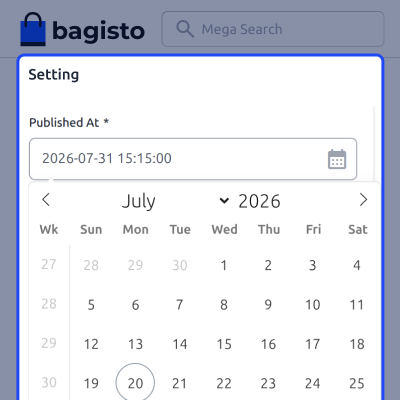
Set the publish date and time while creating a blog post. You can also add categories and tags before the post goes live. This helps you plan content ahead of time and keep your blog well organized.
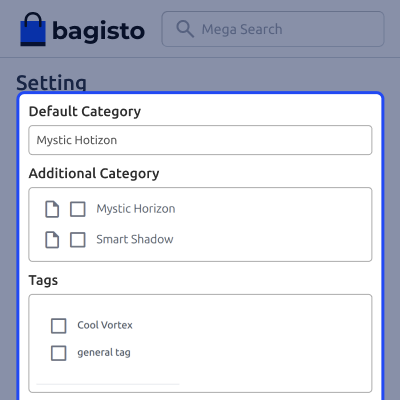
Assign categories to each blog post from the admin panel. You can choose a default category and add more categories while creating the post. Categories help readers browse your blog and find relevant content more easily.
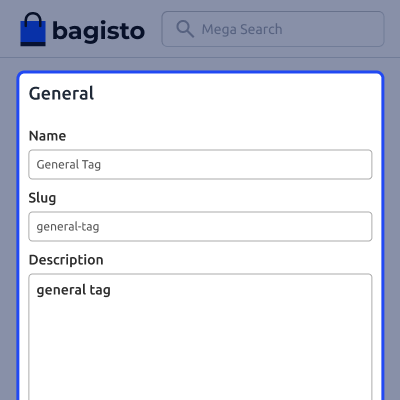
Create and manage blog tags from the admin panel. Add a tag name, set a slug, and write a short description to keep your blog content organized. Tags help readers find related posts and make your blog easier to browse.
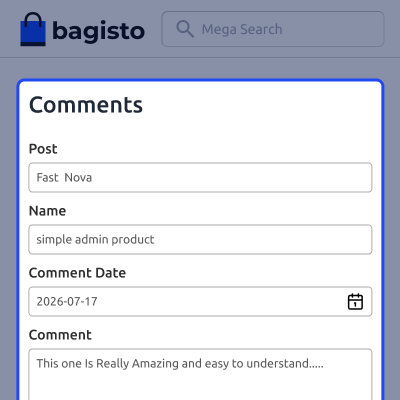
Manage blog comments from the admin panel. View comment details and update the comment status to keep discussions under control. This helps you manage user feedback and keep your blog clean and engaging.
For any query or issue, please create a support ticket here http://webkul.uvdesk.com/. You may also check our all Bagisto Extensions.
Bagisto Blog Add-on is ideal for store owners who want to publish blogs, product guides, and company updates. As a result, they can engage more customers and improve search visibility.
Yes, you can assign an author to every blog post. This makes content easier to organize, and it also helps you manage articles with ease.
Yes, this add-on includes built-in widgets for recent and related posts. As a result, visitors can find more content and spend more time on your store.
Yes, readers can reply to existing comments in a thread. This keeps discussions organized, so every conversation is easier to follow.
Yes, you can organize blog posts with categories and tags. This helps visitors find related articles while making your blog easier to browse.
Detailed technical features and requirements to help you understand the module’s capabilities and ensure smooth integration with your system.
Detailed technical features and requirements to help you understand the module’s capabilities and ensure smooth integration with your system.
We’re partnered with top-tier, trusted providers!
Want to know more how exactly we are going to power up your eCommerce Website with Cloud to fasten up your store
* Server Configuration may vary as per application requirements.



