Send Again
Close
Bagisto Multi Vendor Sendcloud Shipping helps you manage marketplace shipping in one place. It connects your store with Sendcloud to simplify order delivery from checkout to shipment.
This module is built for marketplace owners who sell admin and seller products. It ships items from the right inventory source and supports mixed carts with multiple sellers.
The default shipping process often needs extra work and manual updates. This module saves time by creating parcels, checking addresses, and syncing tracking details for every order.
You can offer a smooth shipping experience with less effort. Test the setup in sandbox mode, use different shipping carriers, and manage daily shipping tasks with better accuracy.
Additionally, if you want an easy way to ship orders, then you can explore Laravel eCommerce Marketplace Aramex Shipping module. It helps sellers send orders with Aramex.
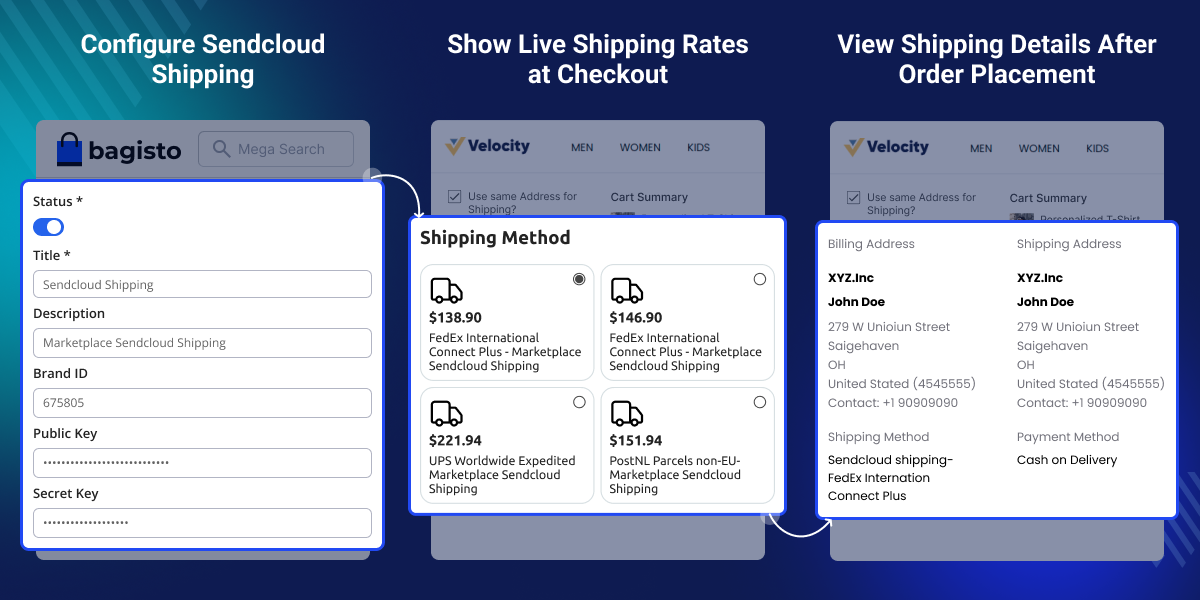
Show live shipping rates at checkout based on the customer's address.
Ship each order from the right inventory source with less manual work.
Manage shipping for admin and seller products, even in mixed carts.
Create Sendcloud parcels as soon as a new order is placed.
Print shipping labels and keep order tracking up to date.
Check customer and sender addresses before creating a shipment.
Managing shipping in a multi-vendor marketplace can take time and effort. The default shipping process often needs manual work and may not provide live shipping rates or automatic tracking updates.
Bagisto Multi Vendor Sendcloud Shipping module connects your marketplace with Sendcloud to simplify shipping. It shows live shipping rates, creates parcels, prints shipping labels, and keeps tracking details up to date.
It also ships orders from the right inventory source and supports admin and seller products. In daily use, this helps reduce errors, save time, and make order fulfillment easier.
Additionally, if you want to set a different shipping cost for each product, then you can explore Laravel eCommerce Marketplace Per Product Shipping extension. It lets sellers add shipping costs for each item.
Create parcels, print labels, and update tracking details with less manual work.
Handle shipping for admin and seller products, even when one order has items from different sellers.
Send each order from the correct inventory source to improve shipping accuracy.
Display live shipping rates so customers know the delivery cost before placing an order.
Check customer and sender addresses before creating shipments to help avoid failed deliveries.
Use sandbox mode to test the shipping process before moving to live orders.
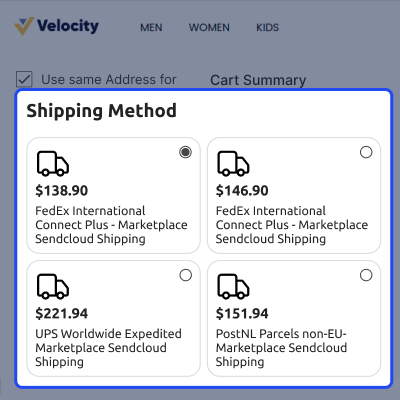
Show live shipping rates at checkout based on the customer's delivery address. It help customers to choose the right shipping option with clear delivery costs.
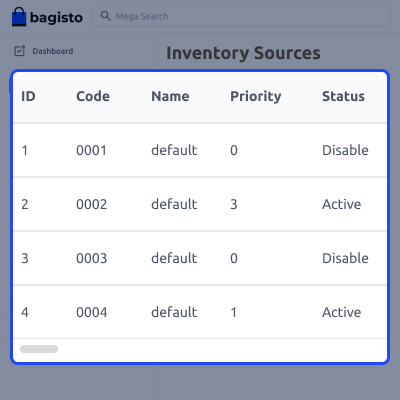
This module picks the right inventory source for each order. It ships products from the location where they are in stock. This helps in shipping orders from the right place to save time and reduce shipping errors.
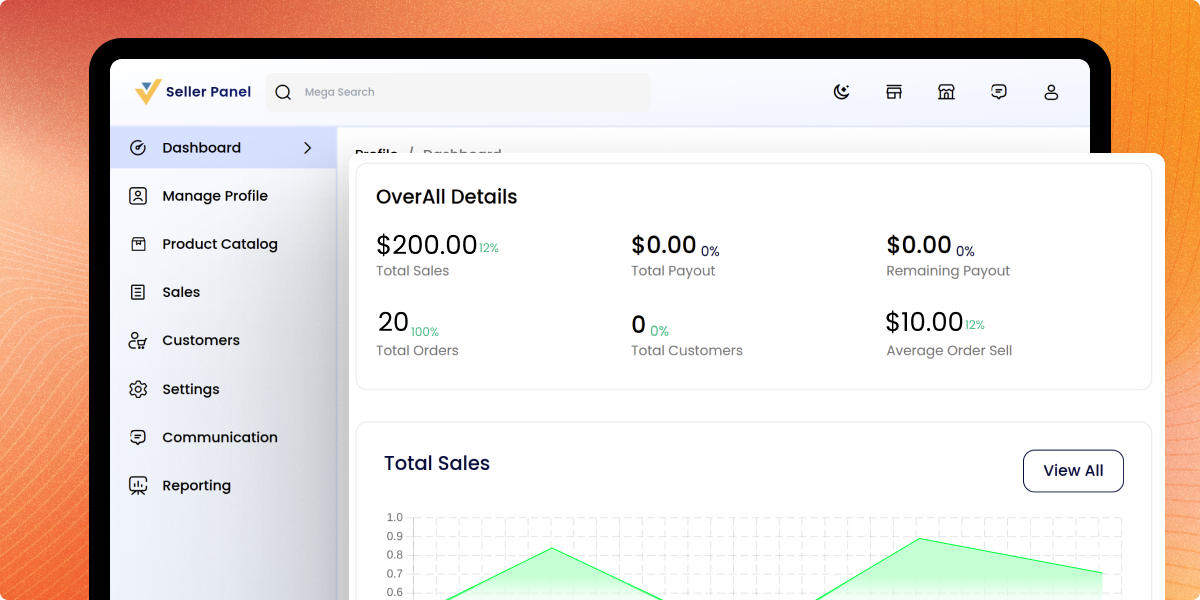
Manage shipping for admin and seller products, including orders with many sellers. It reduce manual work and keep shipping simple as your marketplace grows.
For any query or issue, please create a support ticket here http://webkul.uvdesk.com/. You may also check our all Bagisto Extensions.
Detailed technical features and requirements to help you understand the module’s capabilities and ensure smooth integration with your system.
Detailed technical features and requirements to help you understand the module’s capabilities and ensure smooth integration with your system.
We’re partnered with top-tier, trusted providers!
Want to know more how exactly we are going to power up your eCommerce Website with Cloud to fasten up your store
* Server Configuration may vary as per application requirements.
bagisto.shop.checkout.onepage.shipping_methods.after render event after shipping methods have loaded and Sendcloud is absent.marketplace_sellers table had no brand_id column. Added the seller attribute, mapped it to the Settings attribute group, and added its label across all 22 locales.+ to the international dialing code.raw_response column is now cast to an array and the response is stored without additional encoding.order_id, inventory_source_id, and seller_id on sendcloud_order_shipments, along with matching order, inventory source, and seller model relations.lang:sort to mp-sendcloud:lang-sort to prevent command signature collisions.packages/Webkul/MpSendcloudShipping/... location. Both commands now resolve paths from the package directory.mp-sendcloud:lang-sort by validating the locale argument against the module's own locale directories.{{ ... }} sequences from being evaluated as browser expressions.


