Send Again
Close
CS-Cart AI Model Image add-on is a powerful and innovative tool designed to transform the way eCommerce businesses create product visuals.
Instead of relying on expensive photoshoots, professional models, and studio setups, this add-on leverages advanced artificial intelligence to generate high-quality, realistic model images in just a few clicks.
You can also check the CS-Cart AI Image Search Extension to find products using similar images.
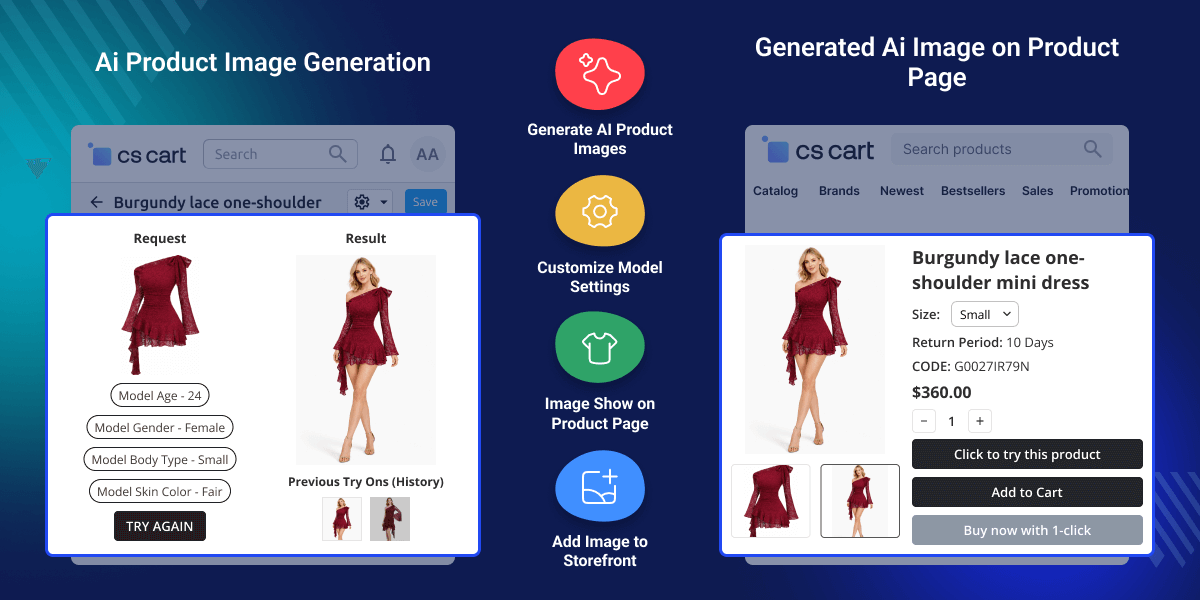
Create realistic model images for any product using AI.
Admins can create and save AI-generated images to the product.
Customers can generate their own model images on product pages.
Select model color, gender, and age to match your needs.
Make high-quality images without real models or photographers.
Generate model images in just a few seconds.
CS-Cart AI Model Image add-on helps store owners create better images without hiring models or doing photoshoots.
Admins and customers can generate images in seconds, which saves time and reduces work. It improves how products look, increases customer interest, and makes the store more professional.
Shoppers can see how the product looks on different types of models. It also keeps images consistent when adding or updating products.
Also, you can check CS-Cart 3D Product Viewer extensions if you want to 3D product views.
CS-Cart AI Model Image add-on supports stores that want better product visuals and interactive shopping experiences.
Admins can generate realistic model images to showcase products without real photoshoots.
Customers can create model images based on their preferred age, gender, and appearance.
Shoppers can instantly see how a product looks on different types of models before buying.
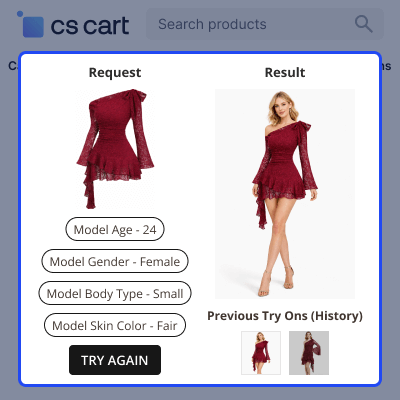
Admins can generate and save AI images directly to product galleries for better presentation.
Store owners can avoid hiring photographers, models, and studios.
Interactive AI previews encourage users to explore products more and make confident purchases.
The user can create AI model images from the product edit page.
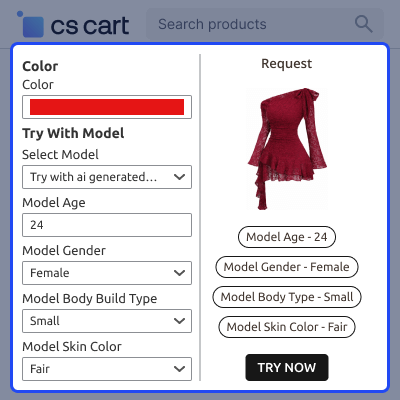
Customers can generate model images on the product page.
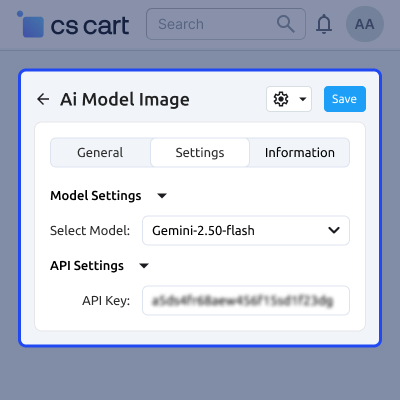
Admins can set the AI model and API settings.
For any query or issue please create a support ticket here
You may also check our other top-quality CS-Cart Add-ons.
Detailed technical features and requirements to help you understand the module’s capabilities and ensure smooth integration with your system.
Detailed technical features and requirements to help you understand the module’s capabilities and ensure smooth integration with your system.
We’re partnered with top-tier, trusted providers!
Want to know more how exactly we are going to power up your eCommerce Website with Cloud to fasten up your store
* Server Configuration may vary as per application requirements.



