- Description
- Reviews
- FAQ
- Customers ()
- Specifications
- Cloud Hosting
- Changelog
ERPNext Appointment Management System gives businesses one place to handle appointments, service providers, schedules, billing, and payments. Customers can also book their appointments straight from the website.
Businesses can create appointment groups and set a default charge for each one. Every service provider can have their own profile with their specialties, schedule, contact details, and personal charges.
Time slots can be created once and reused for any day of the week. If a customer does not choose a provider while booking, the system picks the first available one and assigns them on its own.
Every appointment goes through clear stages like New, Pending, Approved, Rejected, Done, and Cancelled. This makes it easy to keep track of every appointment from start to finish.
When an appointment is approved, a draft Sales Invoice is created in ERPNext automatically. Charges are calculated from the provider or group pricing that was set up, and tax is added on its own.
Customers can book, confirm, pay, and view their appointment history right from the website. Both offline payments and secure online card payments through different modes are supported.
The dashboard, calendar view, and analysis report make it easy to follow appointments, earnings, and booking trends. Automatic emails and reminders make sure customers and providers are always kept up to date on any changes.
ERPNext Appointment Management System is a great choice for hospitals, clinics, consultants, training centers, salons, and any service based business that wants an easier and more organized way to manage appointments and give customers a better experience.
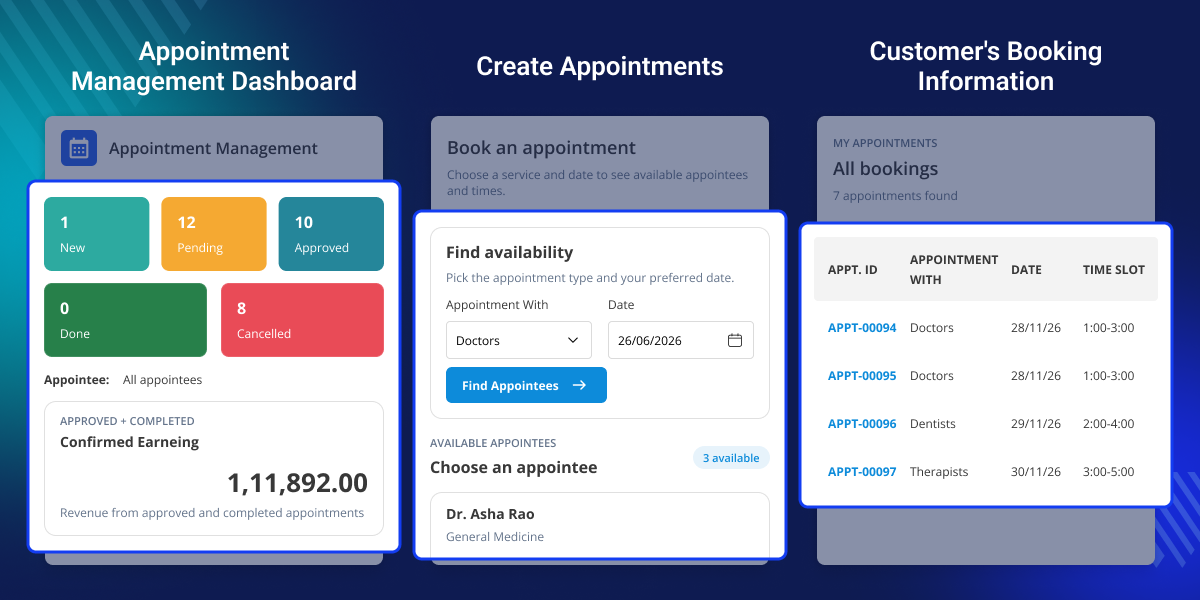
Highlighted Features of ERPNext Appointment Management
Appointment Group Management
Group similar services together, set a default charge for each group, and manage all service providers from one single place.
Service Provider Profiles
Every provider has their own profile with their schedule, specialties, contact details, and pricing all stored in one place.
Flexible Time Slot Scheduling
Create a time slot once and assign it to any provider for any day of the week. No need to create the same slot over and over again.
Smart Appointment Workflow
Every appointment moves through New, Pending, Approved, Rejected, Done, and Cancelled stages in a clear and simple way.
Automatic Invoice Generation
The moment an appointment is approved, a draft ERPNext Sales Invoice is created on its own. No manual work is needed at all.
Online Booking & Payments
Customers can book appointments from the website and pay using offline methods or securely by card through different modes.
Dashboard & Calendar View
See all appointments in one place using status cards, earnings data, and a color coded monthly calendar.
Email Notifications & Reminders
Customers and service providers get automatic emails whenever an appointment status changes or a reminder needs to go out.
Why Do We Need This Module?
Managing appointments by hand is always a problem. Double bookings happen, schedules get missed, billing gets delayed, and communication with customers and providers breaks down. And as the business gets bigger, all of this only gets worse.
A standard ERP system was never built for this. Booking, scheduling, billing, payments, and tracking all sit in different places. This means more time spent on manual work and more room for things to go wrong.
ERPNext Appointment Management System brings it all together in one place. Book appointments, reuse time slots, let the system assign providers on its own, create draft Sales Invoices after approval, and accept payments online or offline. Everything is handled from a single system.
Customers can book, pay, and manage their own appointments straight from the website. Automatic emails and reminders go out on their own so everyone always stays informed.
The result is simpler appointment management for businesses and a smoother booking experience for customers from the very first step to the very last.
Use Cases
Hospital or Medical Clinic
A clinic can let patients book online. Its picks an available doctor on its own and takes care of all billing and payments from ERPNext without any manual work.
Business Consultation Services
A consulting firm can let clients book meetings, pick a consultant, and track every step of the appointment from the first booking all the way to the end.
Training and Coaching Center
A training institute can manage instructor schedules, let students book sessions online, and create invoices automatically the moment an appointment is approved.
Beauty Salon or Wellness Center
A salon can manage staff availability, accept online bookings, collect payments, and send reminders to customers without doing any of it by hand.
Appointment Group Management
Group similar services together and manage all charges and providers from one place.
- Create and manage appointment groups in just a few simple steps.
- Set a charge that applies to every appointment in the group.
- Add as many service providers to the group as needed.
- Every appointment connects to the right group automatically.
- Manage everything from the ERPNext Desk without switching screens.
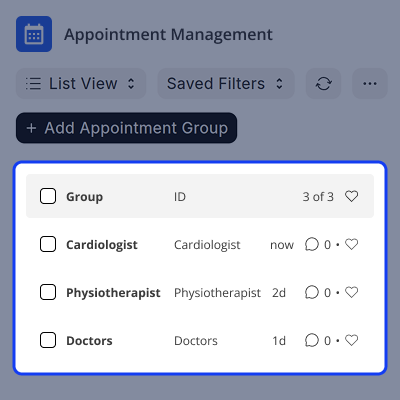
Service Provider Scheduling
Give every provider their own profile with everything needed in one place.
- Set up a profile for every service provider quickly and easily.
- Add each provider's specialties and contact details to their profile.
- Create time slots once and reuse them as many times as needed.
- Assign each time slot to the days of the week when it should be available.
- When no provider is selected, the system picks the first free one on its own.
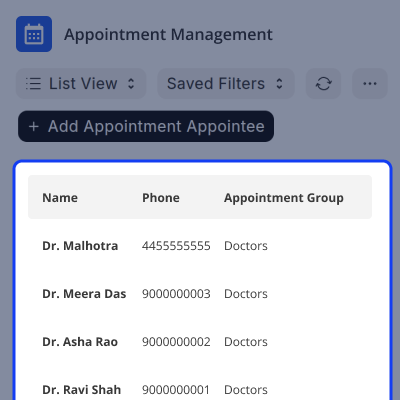
Appointment Lifecycle Management
ERPNext Appointment Management System follows every appointment from the very first step all the way to the last.
- Handle New, Pending, and Approved appointments without any trouble.
- Manage Rejected, Done, and Cancelled stages just as easily.
- Always collect a reason before an appointment is rejected or cancelled.
- Everyone gets a notification the moment an appointment status changes.
- All appointments are easy to find and manage from one single place.
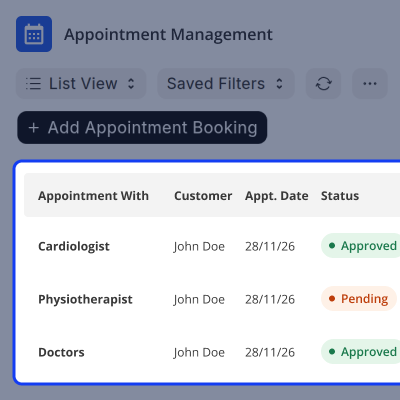
Billing and Payment Processing
Let the system take care of billing and give customers simple ways to pay.
- A draft Sales Invoice is created the moment an appointment is approved.
- Charges are calculated using the group or provider pricing already in place.
- Tax is added to every invoice automatically without any manual steps.
- Customers can pay offline directly through ERPNext.
- Customers can also pay online securely by card through different payment modes.
Customer Self-Service Portal
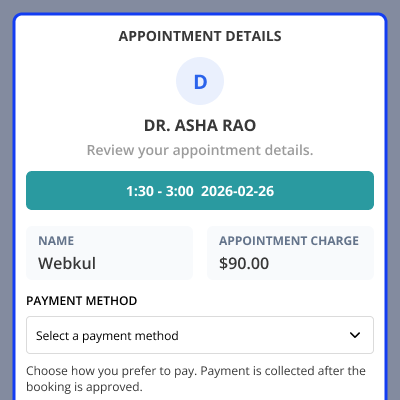
Customers can handle all their bookings on their own straight from the website.
- Book an appointment in just a few clicks from the website.
- Confirm the booking online without calling or visiting anyone.
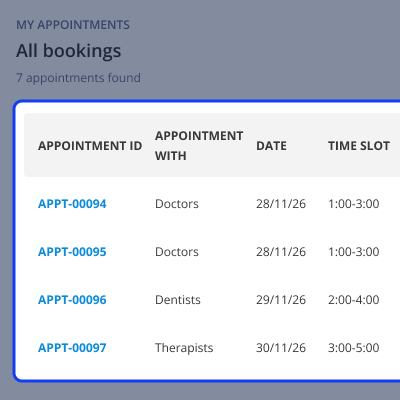
- Check the full appointment history from the portal at any time.
- Download a PDF payment receipt whenever it is needed.
- View every appointment detail through the customer portal with ease.
Support
For any query or issue, please create a support ticket here CREATE A TICKET HERE
You may also check our other top-quality ErpNext Modules.
Specifications
FAQ’s
Specification
Detailed technical features and requirements to help you understand the module’s capabilities and ensure smooth integration with your system.
Cloud Hosting
Detailed technical features and requirements to help you understand the module’s capabilities and ensure smooth integration with your system.
Move to Cloud Today
We’re partnered with top-tier, trusted providers!



Default Configuration Details of Server
RAM 1 Core
Processor 30 GB
Hard Disk
Database
Want to know more how exactly we are going to power up your eCommerce Website with Cloud to fasten up your store
* Server Configuration may vary as per application requirements.
