- Description
- Reviews
- FAQ
- Customers ()
- Specifications
- Cloud Hosting
- Changelog
ERPNext Multi-CRM Base helps you connect ERPNext with multiple CRM systems in one place. It lets you manage and sync important business data without switching between different platforms.
Many businesses use more than one CRM for different teams or tasks. Managing data in separate systems can cause confusion and mistakes.
This module solves that problem by connecting all CRM systems with ERPNext. It keeps your data same and updated across all connected systems.
You can sync leads, contacts, opportunities, and items between systems. Data can move from CRM to ERPNext or from ERPNext to CRM.
ERPNext Multi-CRM Base supports secure login methods like OAuth2 and API keys. This keeps connection safe and reliable.
It also tracks all synced records using mapping, so updates are easy to manage. This helps avoid duplicate data and keeps everything well organized.
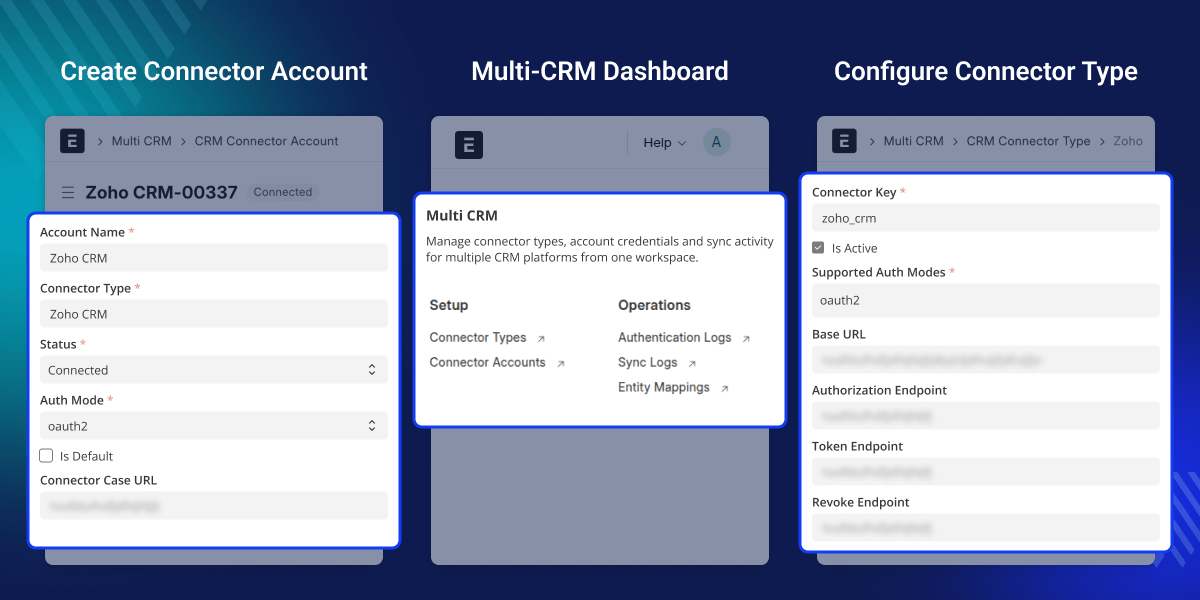
Highlighted Features of ERPNext Multi-CRM Base
Multi-CRM Connectivity
Connect ERPNext with multiple CRM systems from a single platform.
Secure Authentication Support
Supports OAuth2 and API key methods for safe CRM connections.
Connection Management System
Create, validate, track, and manage multiple CRM connections easily.
Contact Synchronization
Sync contacts with details like name, email, phone number, and company.
Lead Synchronization
Sync leads with information such as name, email, phone, company, and source.
Opportunity Synchronization
Sync opportunities with source, amount, probability expected closing date.
Item Synchronization
Sync item with item name, item code, description, stocks , price.
Bidirectional Data Sync
Import from CRM and export data back from ERPNext to CRM.
Entity Mapping Tracking
Track synced records using mapping between ERPNext and CRM.
Authentication Logging
Log connection activities like token refresh, errors, and validation.
Why do we need an ERPNext Multi-CRM Base?
Many businesses use different CRM systems for different teams, regions, or clients. Keeping data in separate systems can be confusing and leads to repeated work.
Without proper connection, you have to update leads, contacts, and opportunities in each CRM by hand. This takes time and can cause mistakes.
ERPNext Multi-CRM Base connects all systems and keeps the data updated automatically. This helps teams use same data without switching between platforms.
You can keep all your CRM data connected, correct, and easy to manage from one place.
Use Cases
Company with Regional Sales Teams
A business has sales teams in different regions using different CRMs. This module brings all their data into ERPNext, making tracking and teamwork easier.
Enterprise Handling Multiple CRM Integration
A large enterprise uses multiple CRM systems across different departments. This module brings all CRM data into ERPNext for better control and clear visibility.
Business Using Separate CRMs for B2B and B2C
A company manages B2B and B2C sales using different CRM tools. This module helps sync and manage both pipelines in ERPNext without mixing data.
E-commerce Business Using External CRM
An online business uses a CRM for customer engagement and ERPNext for operations. This module keeps customer, lead, and product data in sync between both systems.
Agency Managing Multiple Clients
A marketing agency uses different CRM systems for each client. This module connects all CRMs to ERPNext, so the team can manage leads and data from one place.
SaaS Company Using Multiple CRM Tools
A SaaS company uses different CRM platforms for sales, partnerships, and support. This module connects all systems to ERPNext, so data is managed from one place.
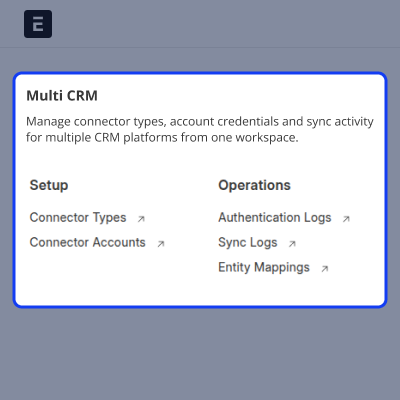
Multi CRM Dashboard
This is the main place where you manage all CRM integrations in one screen. It gives you a clear view of setup and daily operations.
- Access Connector Types and Connector Accounts.
- View Authentication Logs and Sync Logs.
- Track Entity Mappings between systems.
- Manage all CRM connections from one place.
- Keep your setup and operations well organized.
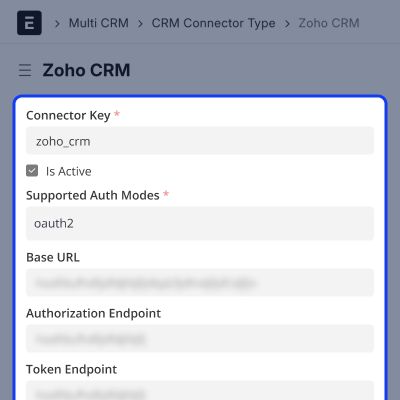
Connector Type Configuration
This section lets you set how a CRM system connects with ERPNext. You can define connection details and login methods here.
- Set connector key and CRM type (e.g., Zoho CRM).
- Configure OAuth2 or API key authentication.
- Define authorization and token endpoints.
- Add a callback path for secure connection.
- Store base URL and API details.
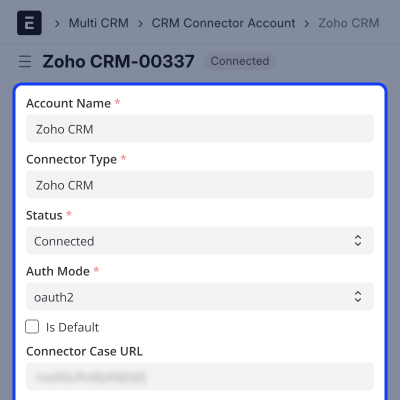
CRM Connector Account Setup
Here, you create and manage each CRM connection. Each account stands for one CRM integration.
- Create multiple CRM connector accounts.
- Select connector type for each account.
- Choose authentication method (OAuth2 or API key).
- Set base URL and access scope.
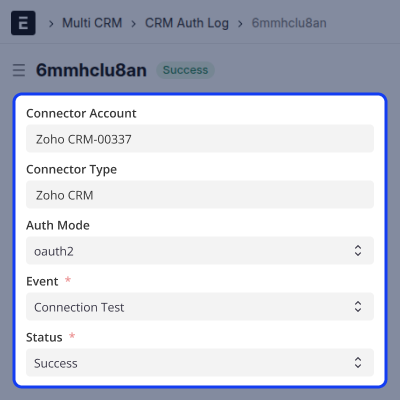
Authentication Logs
This section keeps a record of all login and connection activities. It helps you track issues and fix them.
- Log connect and disconnect actions.
- Track token refresh and validation attempts.
- Record successful and failed logins.
- Monitor connection errors and responses.
- Use logs for checking issues and audits.
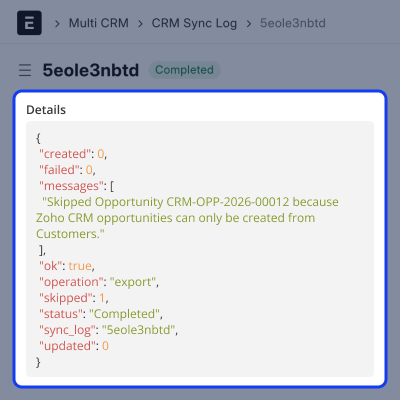
Synchronization Logs
This section shows all data sync activities between ERPNext and CRM systems. It helps you see what data moved and when.
- Log Synchronization actions.
- Track the status of each sync.
- Find failed or incomplete syncs.
- Monitor data flow between systems.
- Check sync history for issues.
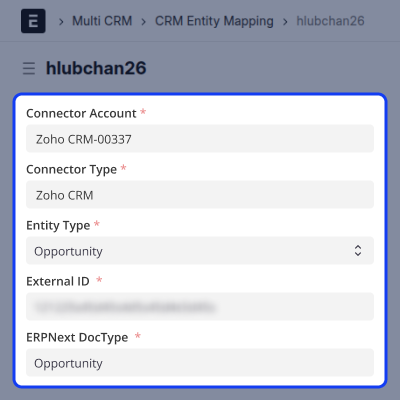
Entity Mapping and Data Tracking
This feature tracks how records are linked between ERPNext and CRM systems. It helps keep data correct and avoids duplicates.
- Map CRM records with ERPNext documents.
- Track synced records across systems.
- Update existing records during re-sync.
- Maintain reference IDs for accuracy.
- Keep data clean and consistent during sync.
Support
For any query or issue, please create a support ticket here CREATE A TICKET HERE
You may also check our other top-quality ErpNext Modules.
Specifications
FAQ’s
Specification
Detailed technical features and requirements to help you understand the module’s capabilities and ensure smooth integration with your system.
Cloud Hosting
Detailed technical features and requirements to help you understand the module’s capabilities and ensure smooth integration with your system.
Move to Cloud Today
We’re partnered with top-tier, trusted providers!



Default Configuration Details of Server
RAM 1 Core
Processor 30 GB
Hard Disk
Database
Want to know more how exactly we are going to power up your eCommerce Website with Cloud to fasten up your store
* Server Configuration may vary as per application requirements.
