- Description
- Reviews
- FAQ
- Customers ()
- Specifications
- Cloud Hosting
- Changelog
ERPNext Return Merchandise Authorization (RMA) helps businesses manage product returns and exchanges through a simple, structured process that connects directly with their website.
Customers can raise a return or exchange request for any product they have bought and give a clear reason for sending it back.
They can also select the quantity they want to return and add remarks to explain the issue whether the item is damaged, incorrect, or simply not needed.
Every return request gets its own unique RMA reference number. This makes it easy for both customers and admins to find and track any request at any time.
Admins can create and manage return requests from the ERPNext backend. All return activity is visible from one central place — nothing gets missed.
Custom return stages and return reasons can be set up to match exactly how the business handles its return and approval process.
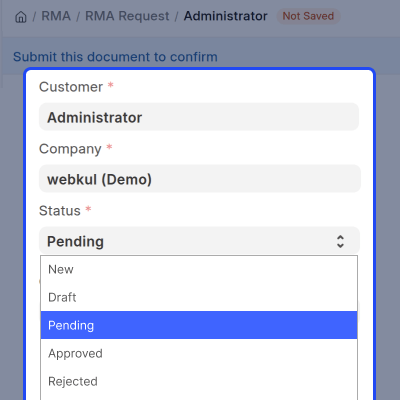
Customers can follow their request as it moves through stages like Pending, Approved, or Rejected. They always know where their request stands.
ERPNext Return Merchandise Authorization (RMA) makes return management simple, keeps customers informed at every step, and helps businesses handle returns and exchanges in a faster and more organized way.
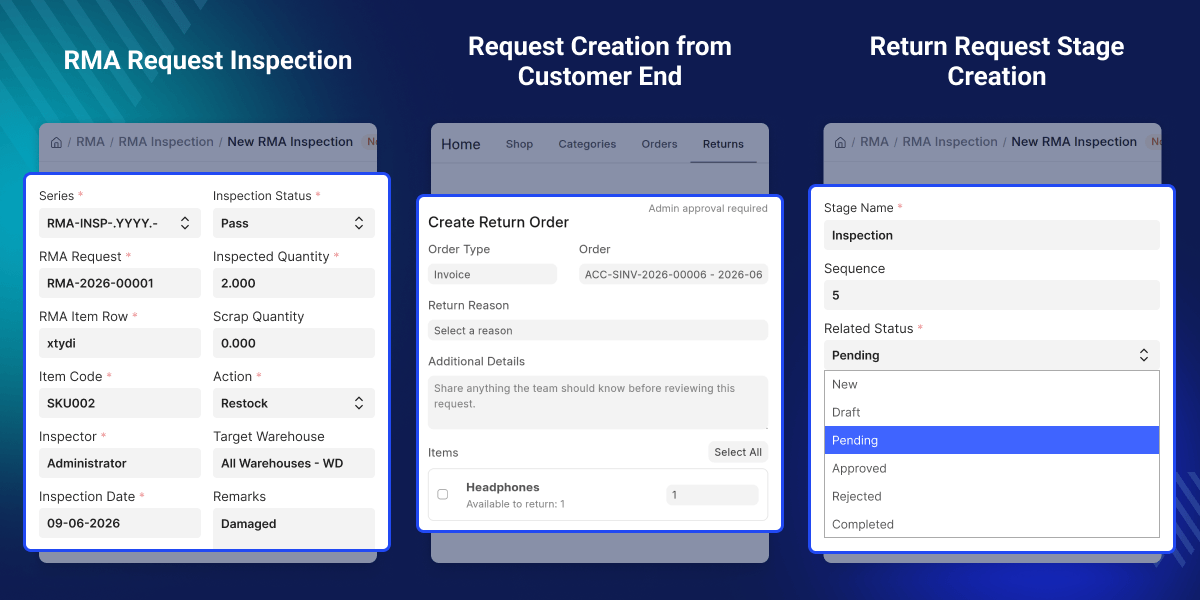
Highlighted Features of ERPNext Return Merchandise Authorization (RMA)
Website Return Requests
Customers can submit product return and exchange requests straight from their website account simple, quick, and hassle free.
Flexible Return Options
Customers can return one product or many products, all in a single request. So there is no need to submit separately for each item.
Return Stage Management
Move return requests through clear stages like Pending, Approved, and Rejected. Custom stages can also be created to match how the business operates.
Custom Return Reasons
Set up return reasons that fit the business. This keeps the return process consistent and easy to manage every time.
Backend RMA Management
Admins can create, review, and manage all return requests directly from the ERPNext backend.
Return Status Tracking
Every return request gets a unique RMA reference number. Customers and admins can track exactly where a request stands at any time using stage-based updates.
Why Do We Need ERPNext Return Merchandise Authorization (RMA)?
Most businesses get return and exchange requests through emails, calls, or messages. Without a proper system, keeping track of these requests is hard and things get delayed very easily.
Standard order management does not have a built in way to handle returns, exchanges, return reasons, and approval stages in one organized place.
ERPNext Return Merchandise Authorization (RMA) fixes this by giving businesses a simple and structured way to manage returns. Customers submit requests from the website and businesses handle them through stages that are easy to set up and manage.
This means faster returns, better communication with customers, and a clear record of every single return request.
When returns are handled properly, customers trust the business more and feel much better about their experience after buying.
Use Cases
Damaged Product Return Management
Customers can submit a return request for any damaged product they receive and track where their request stands in the approval process at any time.
Size or Variant Exchange Processing
Customers can request an exchange if they receive the wrong size or variant and follow the request as it moves through each stage until it is resolved.
Multiple Item Return Request
Customers can include more than one product in a single RMA request. So there is no need to submit a separate request for each item from the same order.
Custom Return Workflow Management
Businesses can create their own RMA stages to match the way they handle returns. This keeps the entire return process organized and easy to follow from start to finish.
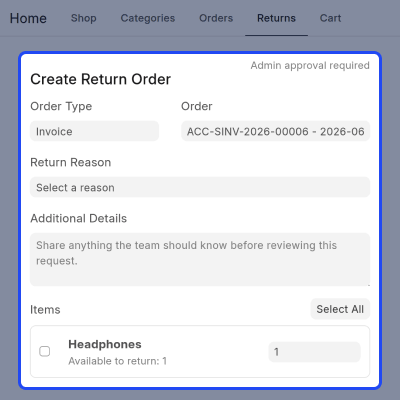
Customer Return Request Submission
Customers can submit a return or exchange request straight from the website for any product they have bought. All the details can be filled in right at the time of submission.
- Submit return requests directly from the website.
- Request an exchange for any purchased product.
- Choose how many items to return.
- Add a note to explain what went wrong.
- Make the return process easy for every customer.
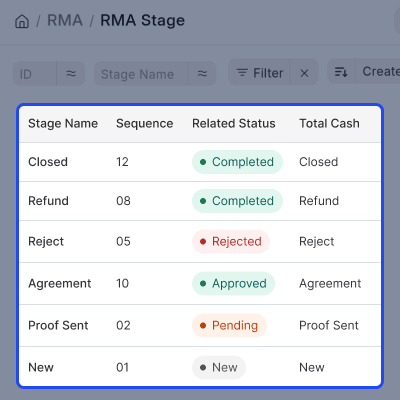
Return Workflow Configuration
Businesses can build their own return process by creating and managing stages that match the way they work.
- Create custom return stages that fit the business.
- Move requests through a clear and organized workflow.
- See where every request stands at any point.
- Handle approvals and rejections without any confusion.
- Make the whole return management process more efficient.
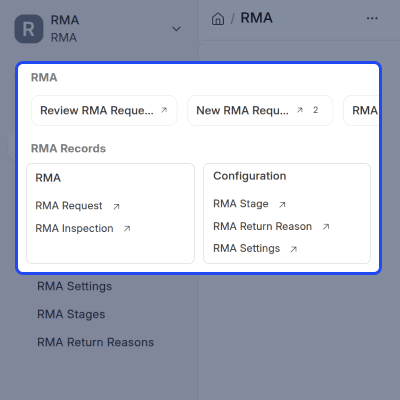
Centralized Request Processing
All return and exchange requests can be seen and managed from one single location inside ERPNext.
- View all return requests in one place.
- Create new return requests straight from the backend.
- Check request details quickly and easily.
- Manage all customer return activity from one screen.
- Keep return records neat and organized at all times.
Return Request Tracking and Updates
Every return request gets its own unique RMA reference number so customers and admins can track it easily from start to finish.
- Give every request a unique RMA reference number.
- Let customers and admins track request status with ease.
- Follow the request as it moves through each stage.
- Keep all return records tidy and easy to find.
- Give both customers and teams full visibility into every request.
Support
For any query or issue, please create a support ticket here CREATE A TICKET HERE
You may also check our other top-quality Odoo Modules.
Specifications
FAQ’s
Specification
Detailed technical features and requirements to help you understand the module’s capabilities and ensure smooth integration with your system.
Cloud Hosting
Detailed technical features and requirements to help you understand the module’s capabilities and ensure smooth integration with your system.
Move to Cloud Today
We’re partnered with top-tier, trusted providers!



Default Configuration Details of Server
RAM 1 Core
Processor 30 GB
Hard Disk
Database
Want to know more how exactly we are going to power up your eCommerce Website with Cloud to fasten up your store
* Server Configuration may vary as per application requirements.
