- Description
- Reviews
- FAQ
- Customers ()
- Specifications
- Cloud Hosting
- Changelog
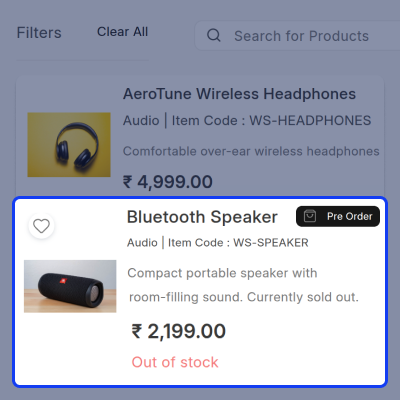
ERPNext Website Pre-Order lets businesses sell products even when they are out of stock or running low. Customers can place pre-orders straight from the website, and businesses can manage everything from ERPNext.
Pre-orders can be switched on for specific products only. Businesses can apply one set of global settings to all products or use different rules for individual products whenever they need to. Customers can pre-order products that are not currently available and add more than one pre-order item to the same cart at the same time. Businesses can also set a minimum and maximum order quantity for every pre-order product.
At the time of pre-order, businesses can choose to collect the full payment or just a partial advance payment. A different pre-order price can also be set for each product based on what the business needs.
Managing pre-orders from ERPNext is simple. Businesses can see every pre-order, confirm or cancel it, and keep it connected to the related Sales Order for easy tracking.
When a pre-ordered product comes back in stock, customers can get a notification right away. This saves them from having to keep checking the website again and again.
The module is a great fit for businesses that launch new products, sell popular items that go out of stock fast, or want to start taking orders before stock arrives. It helps bring in more sales and keeps the pre-order process easy and smooth for both businesses and customers.
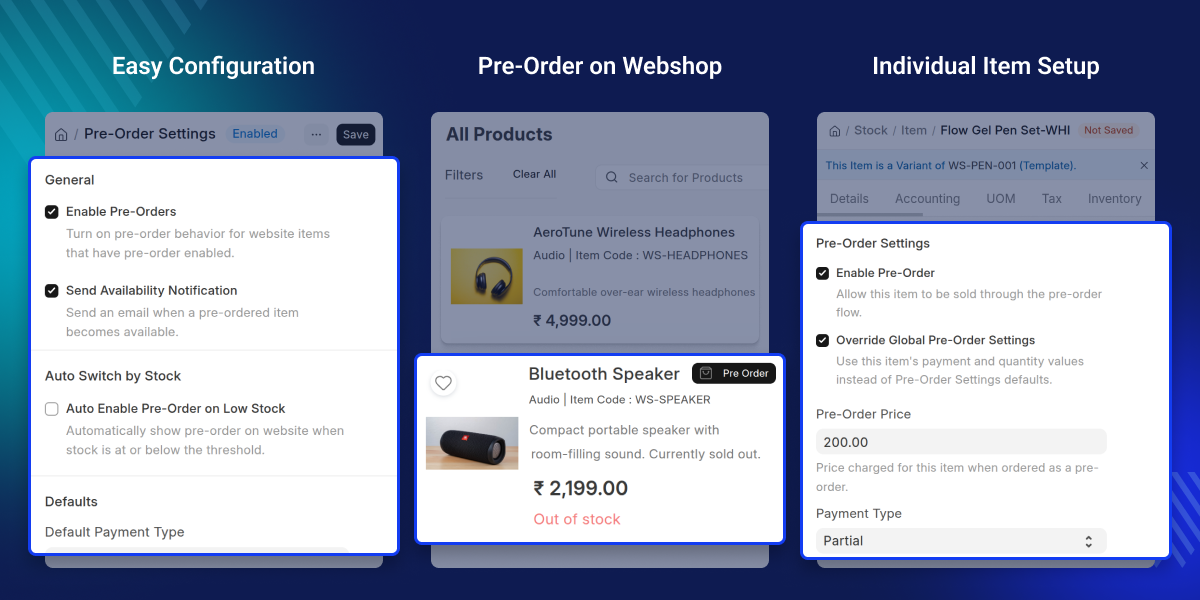
Highlighted Features of ERPNext Website Pre-Order
Product-Specific Pre-Order Setup
Turn on pre-orders for the products you choose and set up how each one should be sold.
Global and Product-Level Settings
Use one set of global pre-order settings for all products or apply different settings to individual products when needed.
Flexible Payment Options
Choose to collect the full payment or just a partial advance payment and set the advance percentage for each pre-order.
Quantity Control
Set a minimum and maximum quantity for each product to control how much a customer can pre-order at one time.
Pre-Order Management
View all incoming pre-orders, confirm or cancel them, and manage everything from one dedicated pre-order list.
Sales Order Integration
Every pre-order stays linked to its matching Sales Order so orders are always easy to track and manage.
Stock-Based Pre-Orders
Let customers pre-order products that are out of stock or running low and send them a notification when the product is back in stock.
Multiple Pre-Order Items
Let customers add more than one pre-order product with different quantities to a single cart in one go.
Why Do We Need This Module?
Products can run out of stock, but customers may still want to order them. Without a pre-order system, businesses lose those sales because customers have no way to order unavailable products.
A standard ERPNext webshop does not have a full pre-order process. Businesses cannot control pre-order quantities, collect advance payments, or set up pre-order rules for specific products using the default system.
ERPNext Website Pre-Order fixes this by letting businesses accept pre-orders for selected products, collect full or partial payments, manage pre-order settings, and track all pre-orders from ERPNext. Customers can also get a notification when their pre-ordered product is back in stock.
The module helps businesses keep taking orders even when products are not available, while giving customers a simple and reliable way to pre-order.
A good pre-order process means happier customers and fewer missed sales for the business.
Use Cases
New Product Launch
A business can start taking orders for a new product before it is available. Once the product is ready, all confirmed pre-orders can be fulfilled right away.
High-Demand Product Restocking
A store can keep taking orders for popular products even after they run out of stock. This stops sales from being lost while the product is being restocked.
Seasonal Product Sales
A business can collect pre-orders for seasonal products before they arrive in stock. This helps the business understand how much customer demand to expect in advance.
Limited Edition Product Release
A business can accept pre-orders for limited edition products and collect full or partial payments before the products are actually available to ship.
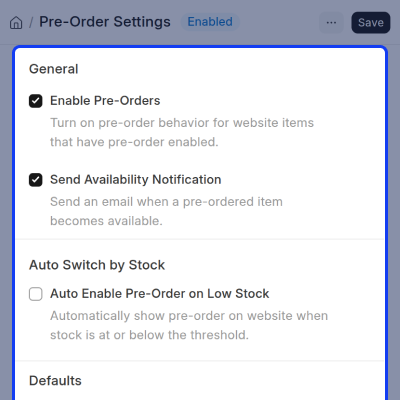
Product Pre-Order Configuration
Set up which products can be pre-ordered and control how each one works on the website.
- Turn on pre-orders for the products you want.
- Use global settings or set different rules for each product.
- Set a separate pre-order price for any product.
- Choose the minimum and maximum quantities customers can order.
- Override global settings for individual products whenever needed.
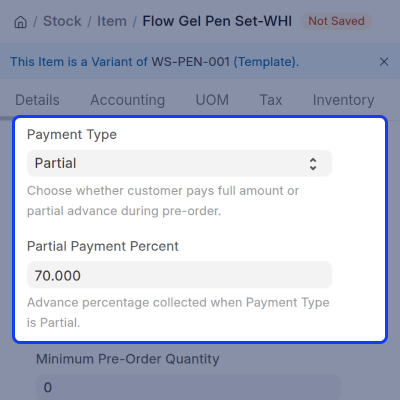
Flexible Pre-Order Payments
Choose how customers pay when they place a pre-order, either the full amount or just a partial advance payment.
- Accept full payment at the time of pre-order.
- Accept a partial advance payment instead of the full amount.
- Set the percentage for the advance payment.
- Configure the payment type for each product separately.
- Apply all payment settings directly from ERPNext.
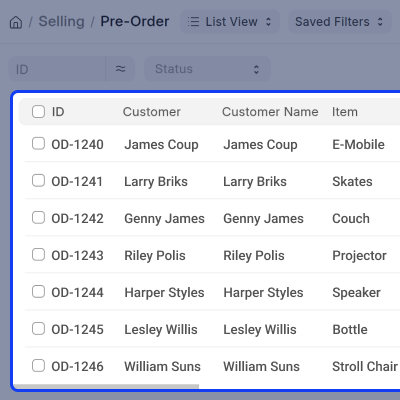
Pre-Order Management
Manage all pre-orders from one list and keep them linked to Sales Orders for easy tracking.
- See all pre-orders in one single place.
- Confirm pre-orders that have been received.
- Cancel pre-orders when they are no longer needed.
- Keep every pre-order connected to its matching Sales Order.
- Access and manage all pre-orders directly from ERPNext.
Customer Pre-Order Experience
Let customers place pre-orders for products that are out of stock or running low, straight from the website.
- Allow customers to pre-order products that are not currently available..
- Let customers add more than one pre-order product to the same cart.
- Support different quantities for each pre-order product.
- Send customers a notification when their product is back in stock.
- Keep the pre-order process on the website simple and easy to use.
Support
For any query or issue, please create a support ticket here CREATE A TICKET HERE
You may also check our other top-quality ErpNext Modules.
Specifications
FAQ’s
Specification
Detailed technical features and requirements to help you understand the module’s capabilities and ensure smooth integration with your system.
Cloud Hosting
Detailed technical features and requirements to help you understand the module’s capabilities and ensure smooth integration with your system.
Move to Cloud Today
We’re partnered with top-tier, trusted providers!



Default Configuration Details of Server
RAM 1 Core
Processor 30 GB
Hard Disk
Database
Want to know more how exactly we are going to power up your eCommerce Website with Cloud to fasten up your store
* Server Configuration may vary as per application requirements.
