Send Again
Close
Magento 2 WhatsApp AI Chatbot lets customers ask queries, place orders, track delivery, and report issues directly on WhatsApp with instant replies and automated support.
Adobe Commerce WhatsApp AI Chatbot delivers instant, accurate product info, swatches, and options. It supports multi-store, multilingual queries, and precise product details.
AI WhatsApp Chatbot is built for Magento 2 store owners and ecommerce businesses who want to handle sales, support, and order updates through WhatsApp in a simple way.
It is for customers of Magento 2 stores who want to place orders, track deliveries, and raise issues directly on WhatsApp without logging into the website.
Customers expect fast help and easy ordering. This WhatsApp ecommerce chatbot reduces support load, speeds up responses, and improves order handling without extra manual work.
Admins can manage FAQs, chat history, and use CMS & FAQ search from the backend. Check out the Magento 2 AI Reporting System turn complex data into smart, AI-powered business reports for better decisions.
Manage multiple stores effortlessly.
Provide intelligent, real-time responses.
Communicate with customers in multiple languages.
Store and retrieve embeddings for precise answers.
Manage customer interactions effectively.
Easy management and quick search options.
Most Magento 2 stores use email, tickets, or manual support to handle customer questions. However, these methods are slow. As a result, customers wait for order updates, delivery status, and product details.
Without automation, support teams get many repeated questions every day. For example, order tracking, product status, and return requests. This increases workload and slows down replies during busy sales periods.
Today’s customers expect fast answers. Therefore, old support systems are not enough. They cannot give instant replies or smooth communication.
Magento 2 WhatsApp AI Chatbot fixes this problem. It automates customer support on WhatsApp. It handles queries, order tracking, and product help with instant replies. In addition, it shares product details and swatches for quick decisions.
Adobe Commerce stores also run multiple stores and languages. Therefore, this chatbot supports multilingual queries. It also gives the same response across all stores.
As a result, support teams do less repeated work. Meanwhile, customers get faster replies and better service. This improves satisfaction and sales.You can also explore our Magento 2 AI Image Search extension transforming visual discovery into a fast, intuitive shopping experience.
Customers can place orders directly on WhatsApp without visiting the store.
Customers can ask product questions and get instant answers on WhatsApp.
Customers can track order status, invoices, and tracking links on WhatsApp.
Customer messages are matched with products using semantic search for accurate results.
Customers can report product or order issues directly through WhatsApp chat.
Customers can search CMS pages and FAQs directly inside the chatbot.
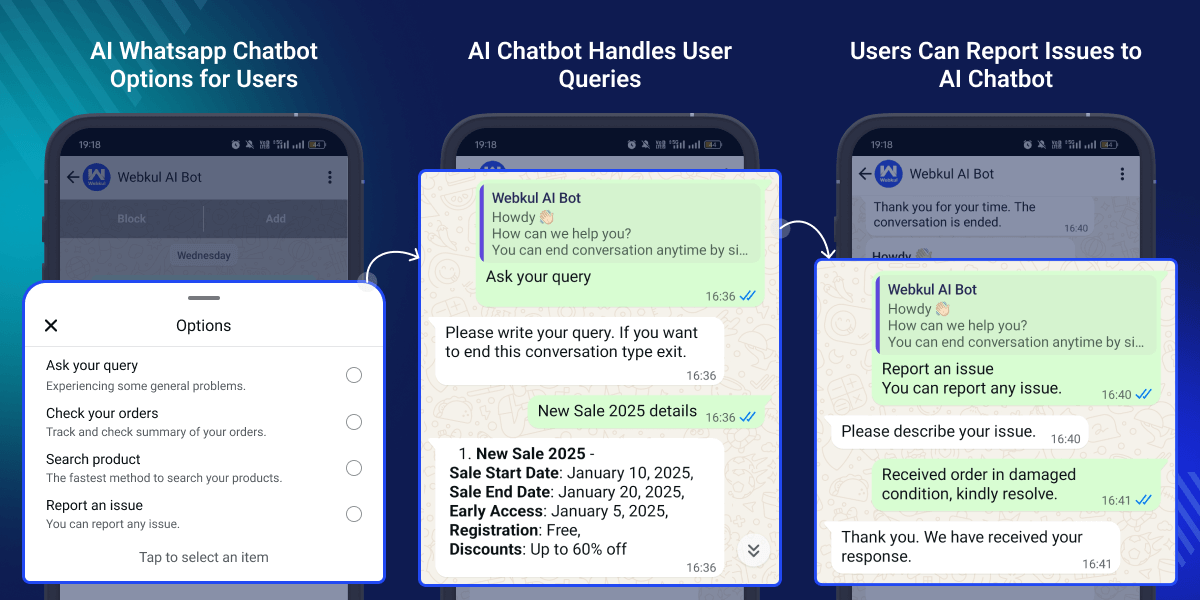
WhatsApp AI Chatbot provides a simple option panel where customers can choose what they want to do in the chat. In addition, it helps customers quickly find answers. Moreover, it supports order tracking and product search without visiting the website.
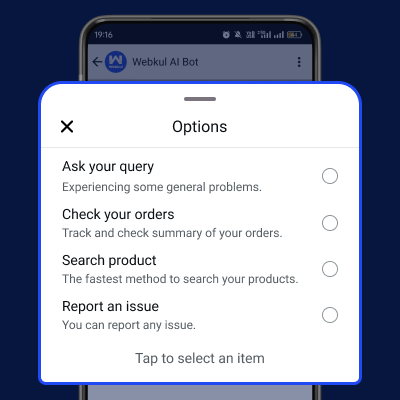
Customers can search products and place orders directly on WhatsApp using AI-powered chat without visiting Magento 2 store. In fact, it makes shopping faster and easier. Therefore, it reduces steps in the buying journey and improves customer convenience.
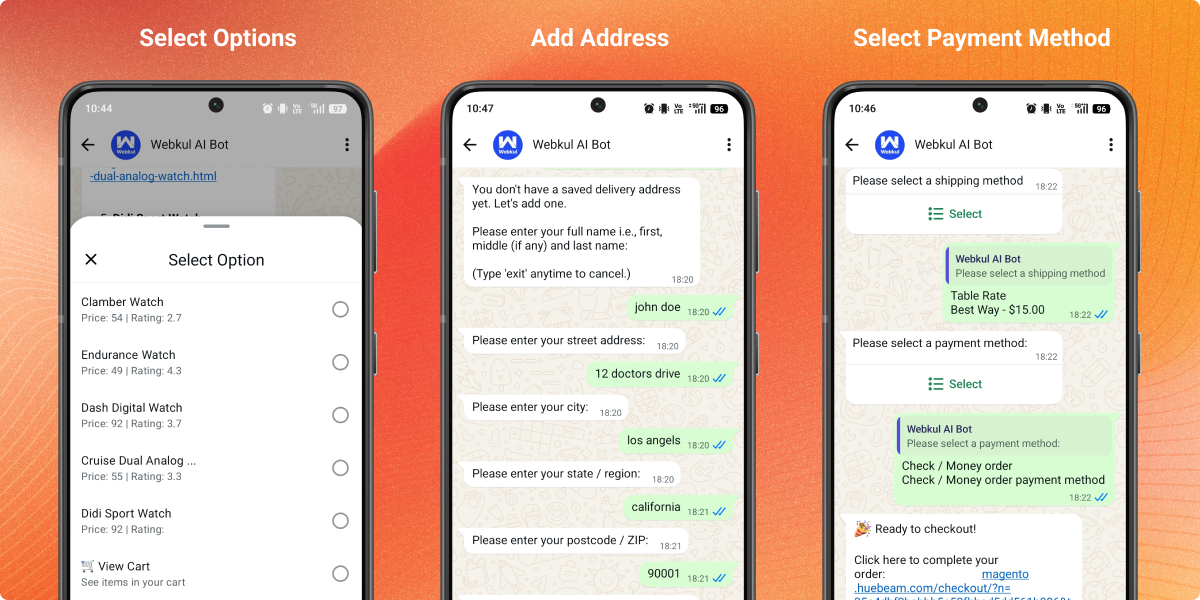
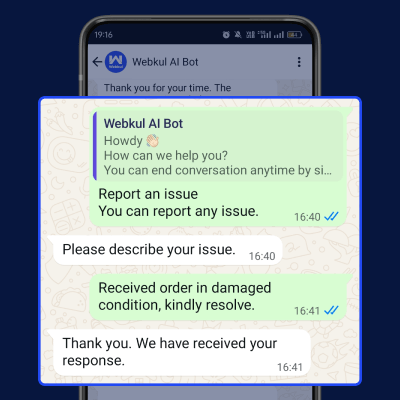
Customers can report product, order, or service-related issues directly through the WhatsApp AI Chatbot. In addition, it provides a quick way to submit concerns. As a result, admins can track and resolve issues more efficiently.
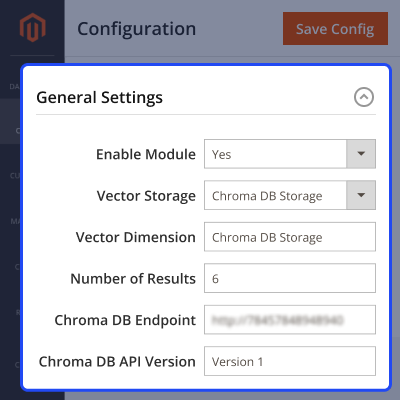
After installation, the admin sets up general configuration to activate the WhatsApp AI Chatbot and connect it with the selected vector storage system. Moreover, it allows flexible setup of AI search and response system. Therefore, it gives control over storage type and performance.
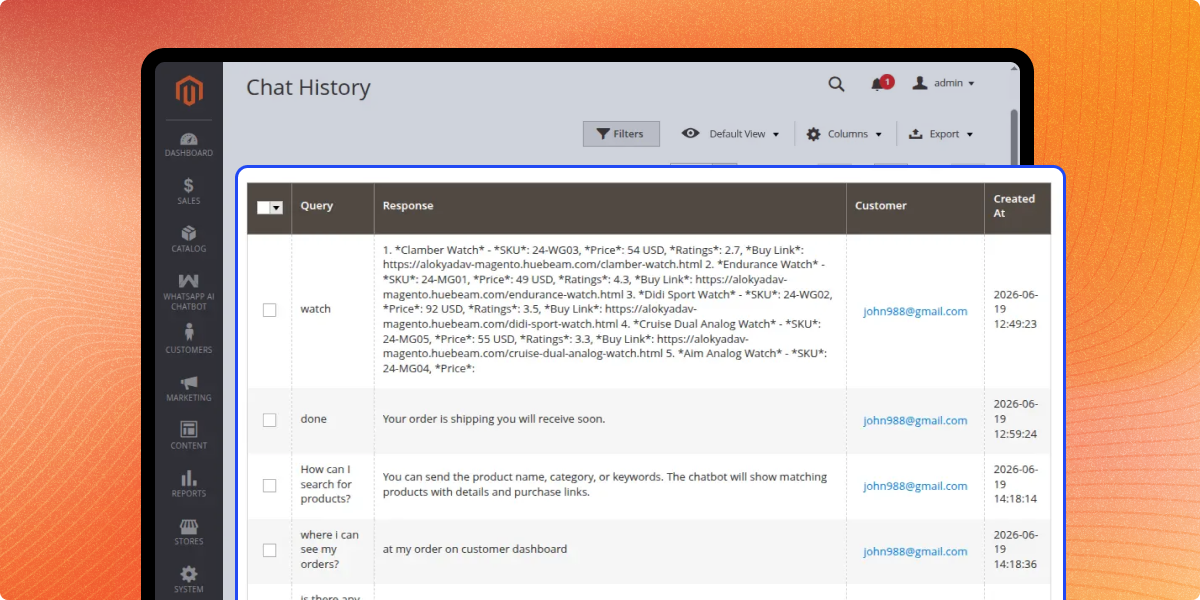
Admin can view and manage all conversations between customers and the AI chatbot from the backend. In fact, it helps track customer interactions. Therefore, it improves support quality and monitoring.
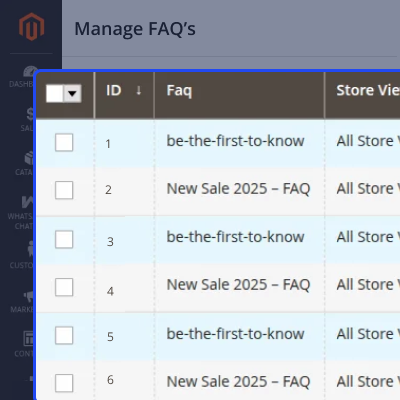
Admin can add and manage FAQs in the backend so the AI chatbot can answer common customer questions instantly. Therefore, it reduces support workload. In addition, it improves response speed for customers.
Admin can add CMS pages to the AI Chatbot so it can use store content to answer customer queries. In fact, it helps customers get accurate answers. Therefore, they do not need to visit the website for information.
For any query or issue please create a support ticket here http://webkul.uvdesk.com/.
You may also check our top-quality Magento 2 Extensions.
Detailed technical features and requirements to help you understand the module’s capabilities and ensure smooth integration with your system.
Detailed technical features and requirements to help you understand the module’s capabilities and ensure smooth integration with your system.
We’re partnered with top-tier, trusted providers!
Want to know more how exactly we are going to power up your eCommerce Website with Cloud to fasten up your store
* Server Configuration may vary as per application requirements.



