Send Again
Close
Magento 2 Email Verification helps store owners keep customer info correct by checking email addresses during different customer actions. It checks emails during login, account sign-up, checkout, newsletter sign-up, and when someone fills out the contact form.
This tool helps stop fake signups, blocks wrong or temporary email addresses, and makes it easier to talk to real users. It helps build a trusted customer list and keeps emails clean for order updates and promotions.
Store admins can also block or allow customer accounts from the backend. This gives better control over accounts and helps stop misuse.
Magento 2 Email Verification works for both guests and registered users. It checks emails instantly to avoid mistakes that can cause email problems or customer support issues.
You can also check out the Magento 2 SMTP extension, which lets you send all store emails through a selected SMTP host.
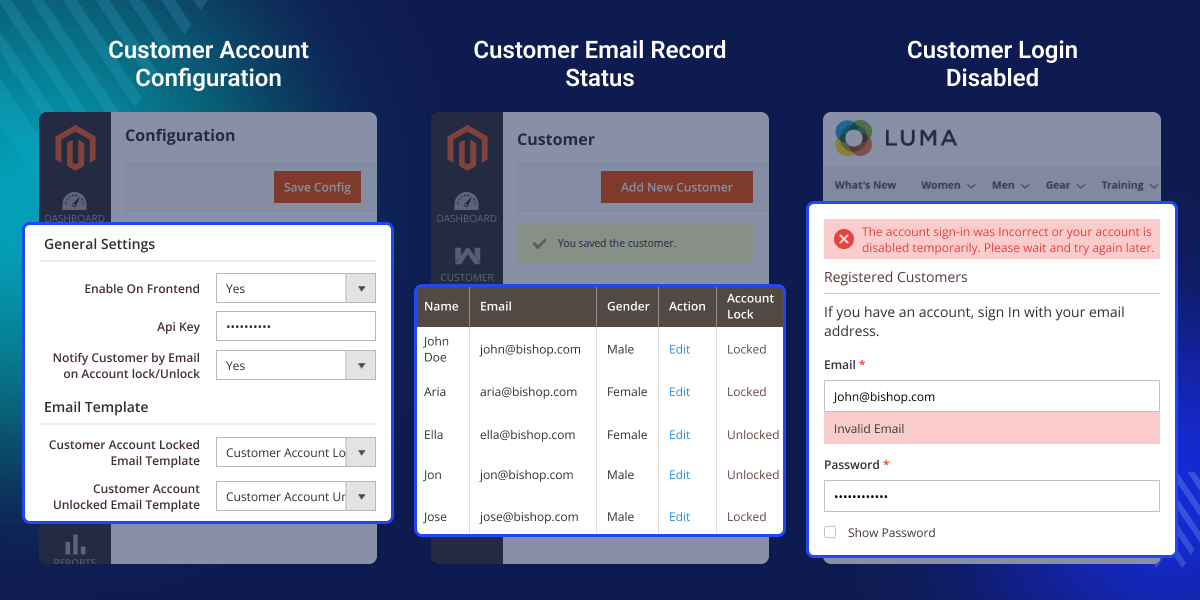
Checks if the email format is right or wrong.
Stops fake signups by checking email before creating an account.
Checks the email to avoid problems with order updates.
Allow valid email addresses to keep a clean, accurate subscriber list.
Makes users enter a valid email before sending the form.
Store admins control who can use their accounts.
Magento 2 Email Verification checks emails during login, registration, checkout, contact form submissions, and newsletter sign-ups to keep your store data clean and accurate.
It also gives admins better control over customer accounts by allowing them to lock or unlock access when needed. Wrong or temporary email addresses can lead to missed order updates, fake customer accounts, and poor data quality.
You can check out our Email Marketing extension for Magento 2, which lets the admin create email templates and run campaigns to promote their store.
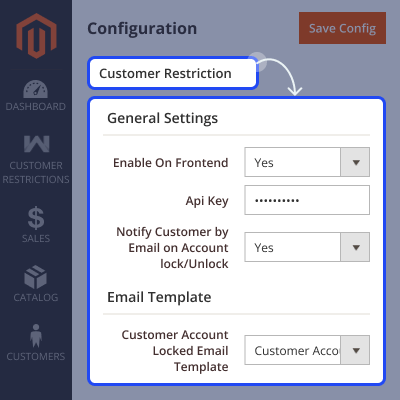
Set how email checks and account controls work on the frontend using simple admin settings.
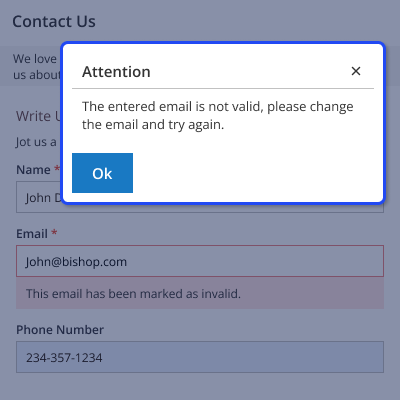
The tool checks email on the Contact Us form so users can’t send messages using wrong or fake emails.
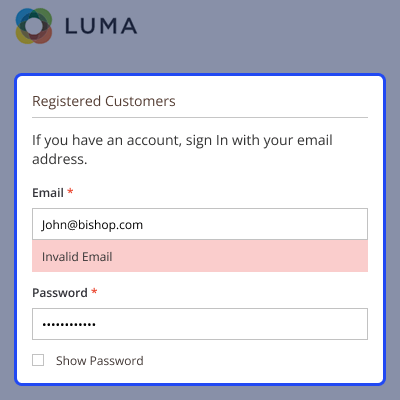
This feature checks the email when someone tries to log in. If it’s wrong, an error shows up.
When making a new account, the system checks if the email is valid. If not, it shows an error and stops the user from signing up with fake or test emails.
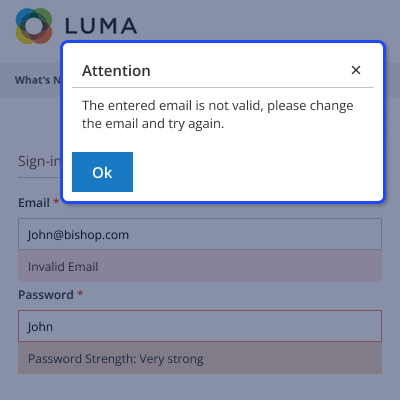
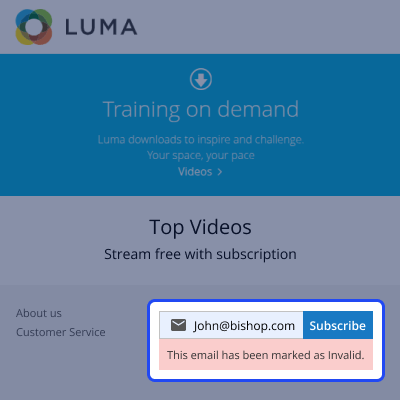
If someone enters a fake or not allowed email during newsletter sign-up, the system shows an "Invalid" message.
For any query or issue please create a support ticket here http://webkul.uvdesk.com/.
You may also check our top-quality Magento 2 Extensions.
Detailed technical features and requirements to help you understand the module’s capabilities and ensure smooth integration with your system.
Detailed technical features and requirements to help you understand the module’s capabilities and ensure smooth integration with your system.
We’re partnered with top-tier, trusted providers!
Want to know more how exactly we are going to power up your eCommerce Website with Cloud to fasten up your store
* Server Configuration may vary as per application requirements.



