- Description
- Reviews
- FAQ
- Specifications
- Cloud Hosting
- Changelog
Multi Vendor Marketplace For Wix is an app that converts a normal Wix store into a marketplace, so sellers can join your store and sell their own products alongside yours.
As the store admin, you keep backend access and control over products, sellers and seller products, while every seller manages their own listings from a separate seller panel.
You can create seller plans that sellers must purchase at the time of registration, and each plan sets the number of products a seller can upload and the commission you earn.
Sellers register from a storefront page, pick a plan and wait for your approval, and once approved they receive an email with the user name and password needed to log in.
Payouts are handled through PayPal, where the seller plan charge and your commission are deducted from the seller order amount before the remaining balance is transferred to the seller.
This also includes seller accounting, custom registration fields, digital products, category control, domain mapping for the Pro plan and a seller profile page for your storefront.
Additionally, you can browse the full range of Wix apps from Webkul if you want to add more functions and tools to your store alongside this marketplace app.
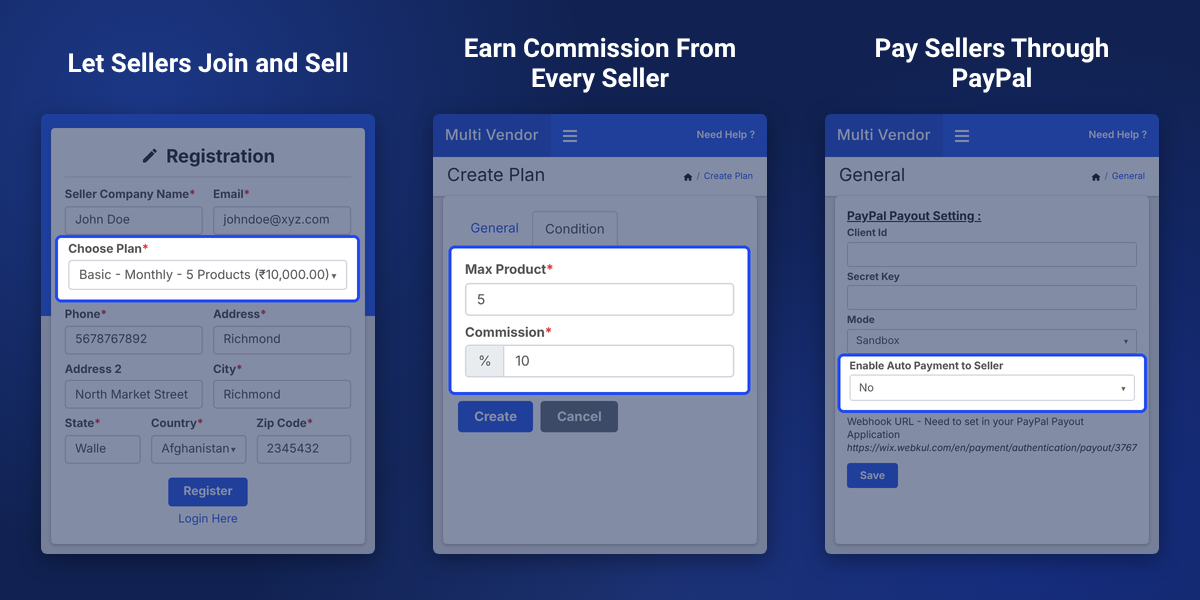
Highlighted Features
Unlimited Sellers and Products
Pro plan allows unlimited sellers and products, while the Basic and Business plans set a limit on both.
Seller Plans With Commission
Create plans based on the number of products a seller can upload and the commission percentage you want from each seller.
Seller Registration and Approval
Sellers register with a plan from your storefront and start selling after you review and approve their profile.
Seller Custom Registration Fields
Add extra fields to the seller registration form, then edit, disable or delete them whenever you need.
Assign Existing Products to Sellers
Allocate a product already in your store to a seller by choosing the seller from a dropdown and clicking assign.
Fixed and Percentage Discounts
Admin and sellers can apply fixed or percentage discounts on their products.
Automatic PayPal Payouts
Pay sellers automatically when an order reaches the status you set, or pay manually with the Pay Now button.
Admin and Seller Accounting
Track total sales, commission, total payout and total withdrawal for the admin and for each seller.
Digital Product Support
Add digital products with product images, a digital file upload and inventory management.
Seller Profile on Storefront
Show seller info, address details and the products of a particular seller on a dedicated seller page.
Why Do We Need Multi Vendor Marketplace For Wix
Multi Vendor Marketplace For Wix is needed because store owners who want a wider catalog often need other sellers to list and sell products in the same store, instead of adding every product on their own.
A normal Wix store is built so that only the store admin sells, which means sellers cannot associate with the store and sell their own products there without extra tools.
Once several sellers join, onboarding them, setting product limits, calculating commission and sending payouts by hand becomes slow, and every order changes the amount owed to a seller.
This app solves these problems with seller plans, an approval step, accounting records and PayPal payouts that can run automatically when an order reaches the status you choose.
Apart from this, Webkul is a listed Wix Partner, so you can also explore the Product Auction app for Wix to find related auction solutions.
Use Cases
-
Multi-Seller Product Marketplace
Let several sellers list their products in one Wix store while you earn a commission from each seller based on the plan they choose.
-
Digital Product Marketplace
Allow digital products with an uploaded file, images and inventory details, as long as your Wix store is compatible with the V3 catalog.
-
Paid Seller Plans
Offer plans with different product limits and commissions that sellers purchase when they register.
-
Category-Focused Marketplace
Sync your Wix categories and allow sellers to upload products only in the categories you select.
-
Branded Seller URLs
Use your own subdomain for the seller registration and seller login pages with domain mapping on the Pro plan.
-
Admin-Curated Catalog
Add products from the admin panel first and then assign them to the sellers who will manage them.
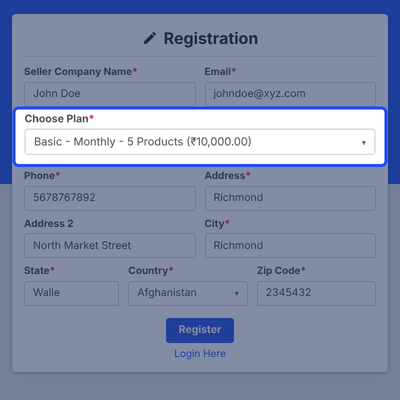
Wix Seller Registration and Login Pages
Sellers join from a registration page on your storefront, where they pick a plan and submit the form. You add the registration and login links by following the setup instructions in the app settings.
- Setup instructions to add seller registration and login pages to the storefront
- Seller selects a plan during registration
- Admin reviews and approves the seller profile
- Approved seller receives an email with user name and password
- Seller logs in from the seller login page
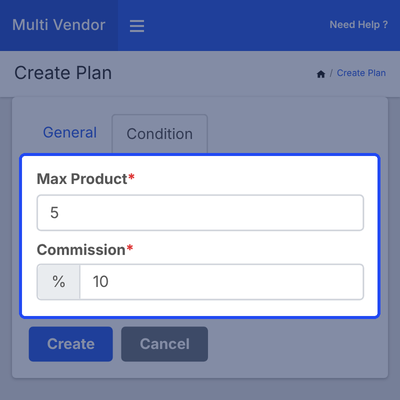
Seller Plans With Product Limits and Commission
Create seller plans from the Seller Plan section with the plus icon. Each plan is based on the number of products a seller can upload and the commission percentage you want from that seller.
- Create plans with the plus icon in the Seller Plan section
- Set the number of products a seller can upload
- Set the commission percentage for the admin
- Seller purchases the plan at registration
- Plan charge is deducted from the seller order amount before payout
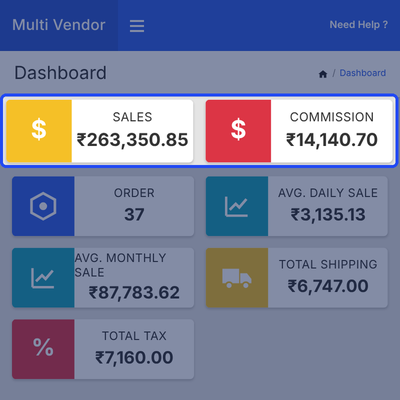
Marketplace Admin Dashboard With Sales and Commission
Admin dashboard brings the main numbers of your marketplace to one screen. You can see all orders, sales, monthly average sales, commission and other details related to the sellers of the marketplace.
- View all orders from one dashboard
- Check total sales and monthly average sales
- See the commission earned from sellers
- Review other seller related details
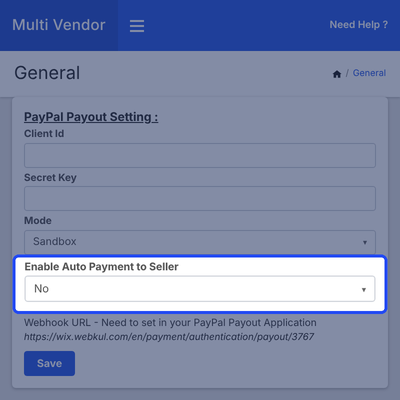
PayPal Payout Settings for Seller Payments
Auto payout works on order status. You pick the order status for the transfer, and when you change an order to that status from the order section of Wix, the payment goes to the seller automatically.
- Enter the PayPal Client ID and Secret Key
- Select sandbox or live payment mode
- Enable auto-payment to the seller
- Choose the order status that triggers the payout
- Select No to pay manually from the seller commission section
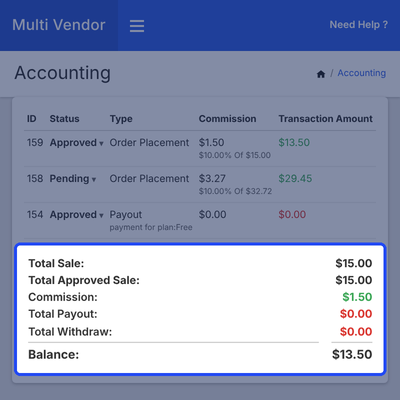
Seller Accounting, Commission and Payout Tracking
Seller commission tab lists the amounts you need to pay, and the Pay Now button sends the amount through PayPal. Payout Transactions keep a record of every payment made for seller payouts.
- Total Sale, Commission, Total Payout and Total Withdraw figures
- Create a Payout for manual seller payments
- Change the payout status to Approved
- Pay Now button to pay the seller through PayPal
- Payout Transactions list for all seller payouts
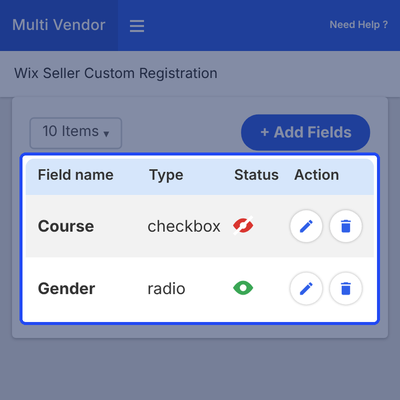
Seller Custom Registration Fields
Active fields show a green eye icon and disabled fields show a red icon, and the edit and delete icons let you manage each field. The added fields then appear on the storefront registration form.
- Add fields with the Add fields button
- Active fields are marked with a green eye icon
- Disabled fields are marked with a red icon
- Edit or delete any field
- New fields show on the storefront registration form
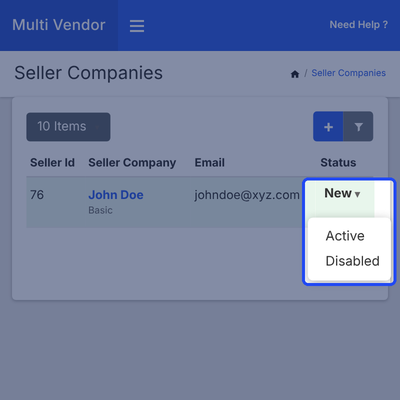
Seller Companies and Seller Approval
Seller Companies section lists every seller with the seller name, email ID, status and active date. Admin can update the status of a seller as needed and review profiles submitted from the registration page.
- View seller name, email ID, status and active date
- Update the status of a seller as needed
- Approve sellers who register from the storefront
- Add a seller from the admin panel with the plus icon
Assign Existing Products to Sellers
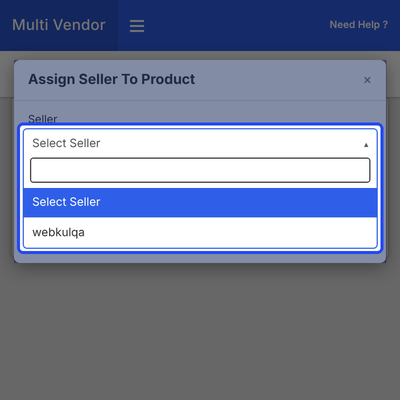
Admin can allocate a product to a seller directly by pressing the Assign seller button. A dropdown then lets you choose the seller and click assign, and the product is assigned to that seller.
- Assign seller button for a product
- Choose the seller from a dropdown
- Add products with the plus icon
- Synchronize products that already exist in the store
- Search products by name, price, SKU and status
- Apply fixed or percentage discounts on products
Digital Products for Your Wix Marketplace
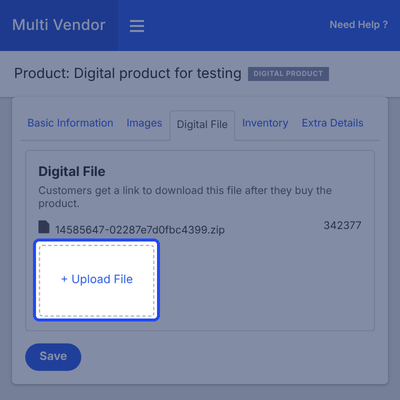
Images can be added by drag and drop, and the Type column helps you tell the product types apart. Your Wix store must be compatible with the V3 catalog to add digital products.
- Add a digital product from the plus icon dropdown
- Fill in the basic product information
- Drag and drop product images
- Upload File button for the digital file
- Inventory section to manage the product inventory
- Type column to identify the type of product
Seller Allowed Categories and Category Sync
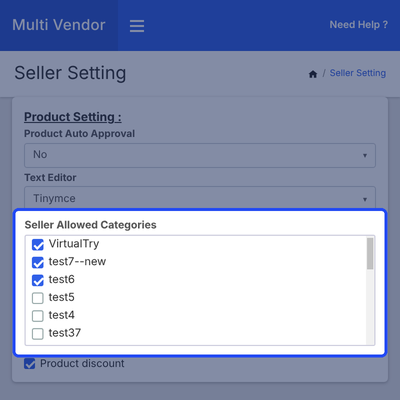
Create the categories on the Wix end first, then go to Products, click Categories and use the green button to sync them to the app. This brings your Wix categories into the marketplace.
- Sync categories from Wix with the green button
- Open Seller settings from Settings
- Select categories in seller-allowed categories
- Control where sellers can upload products
Seller Profile Page on Your Wix Storefront
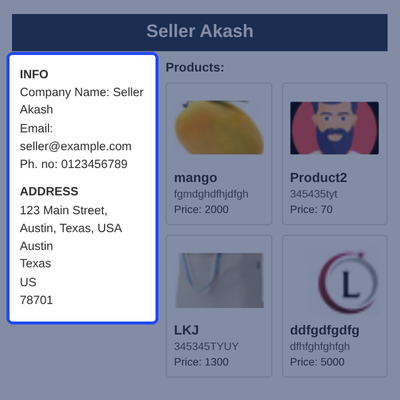
Seller profile includes seller info, address details and the products of a particular seller. Customers can open an individual seller profile to see the seller information and products.
- Embed a seller page on the storefront
- Seller info on the profile
- Address details of the seller
- Products of the particular seller
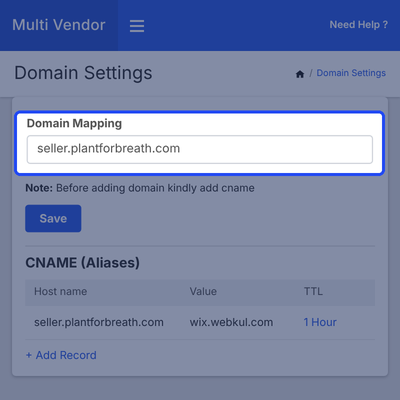
Domain Mapping for Seller Registration and Login URLs
Domain mapping lets the admin use their own subdomain for the seller registration and seller login URLs. This feature is available only in the Pro plan.
- Available in the Pro plan only
- Used only for seller registration and login URLs
- CNAME record with the host name set to your chosen domain
- CNAME value set to wix.webkul.com with a TTL of 1 Hour
- Subdomain entered in Settings, Domain Mapping
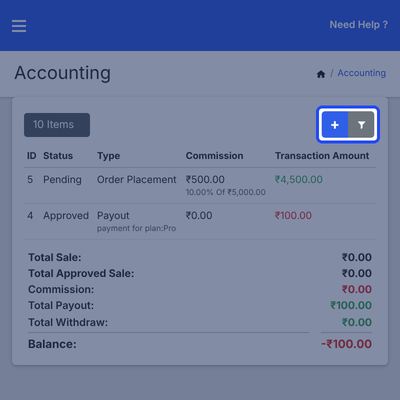
Seller Panel for Products, Orders and Accounting
After login, a seller sees a dashboard and manages products, orders and accounting from the seller panel. In Products, the seller views own products, adds one with the plus icon and uses the filter.
- Seller dashboard after login
- Products list with the plus icon and filter
- Orders section showing all seller orders
- Accounting with total sales, commission, payout and withdrawal
- Create a Withdraw and view the Payout
- PayPal email address in seller Settings
Multi Vendor Marketplace For Wix - Support
For any query or issue please create a support ticket here http://webkul.uvdesk.com
Specifications
Brilliant!!
I found this app via my Wix site and WOW it does not disappoint! It has saved me days of uploading products direct to Etsy as the integration tool is simple and quick to use! Diksha the Webtul agent is super helpful and really friendly and is there for any support required. I definitely recommend this Etsy Integration tool to anyone who has a large product portfolio. Thankyou for making a painful job painless Webtul!
great support!
Thanks to the support team for their help!
I like the service!
The app works good and the support of Diksha Sharma was great.
verry good
verry good
This app is simply an amazing low budget app
I recommend everyone to try it out, you will not be disappointed but if you do get lost, Vaibhav is the man for you with his amazing customer care
Frequently Asked Questions
Specification
Detailed technical features and requirements to help you understand the module’s capabilities and ensure smooth integration with your system.
Cloud Hosting for Websites & Applications
Power your website or application with flexible, scalable cloud infrastructure designed for performance and growth.
Move Your Website or Application to the Cloud
Get started with Cloudkul hosting tailored to your needs.
Configure Your Cloud Server
Choose server resources based on your workload, expected traffic, and performance requirements.
Start with the cloud resources your project needs today and adjust your server configuration as your business grows.
Explore flexible cloud hosting plans and choose your ideal configuration.
* Starting price is indicative. Final pricing and available server resources depend on the selected hosting configuration and requirements.
