Send Again
Close
With Odoo Advance Product Multi Barcode, users can search products by entering any linked barcode in sales, purchase, invoicing, inventory, or the search bar. This reduces manual product selection and speeds up order processing.
Odoo Advance Product Multi Barcode also keeps your data clean. It does not allow you to use the same barcode more than once, ensuring that your product information is always accurate and well-organized. This helps your team work faster and avoid mistakes during daily tasks.
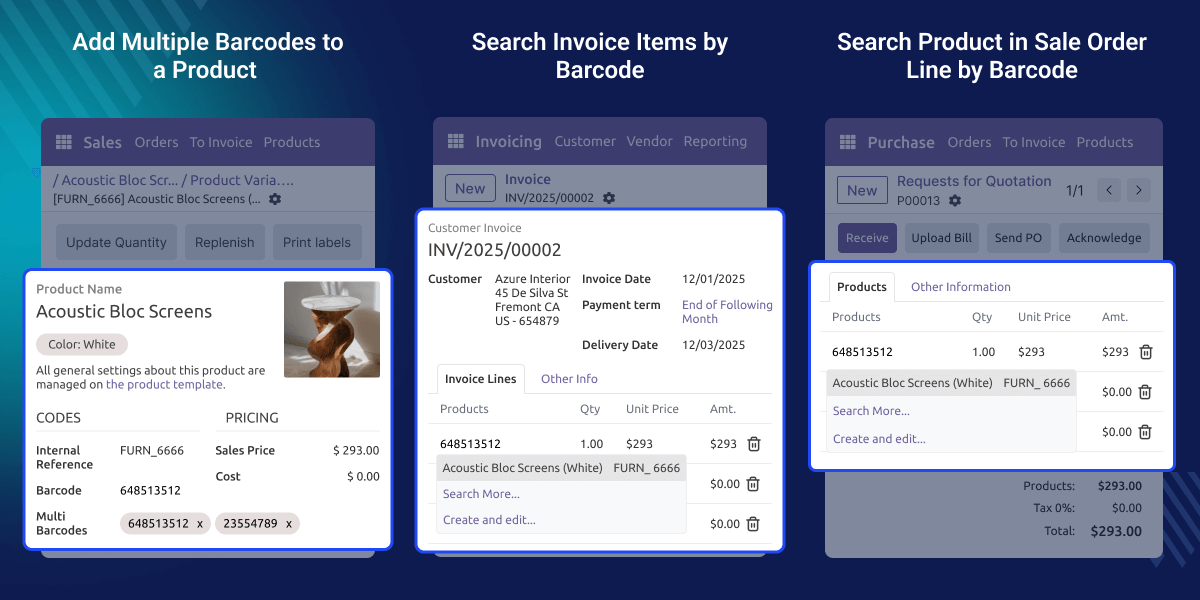
Odoo Advance Product Multi Barcode helps teams manage products easily by allowing many barcodes for one item. It reduces mistakes and makes daily work in sales, purchase, and inventory smoother.
Many products come with different labels, packages, or codes from suppliers. With Odoo Advance Product Multi Barcode, every barcode stays linked to the right item, helping teams find products faster and keep records clear.
For example, if a store sells one shirt in many colors, each color can have its own barcode. Staff can type any barcode and quickly find the right item without confusion or checking every product.
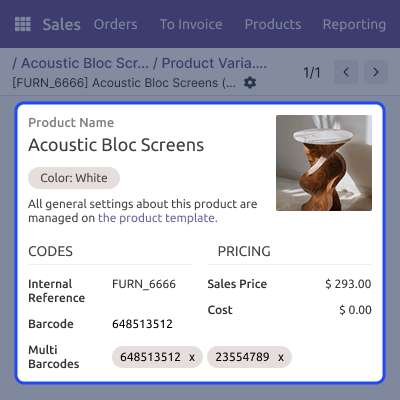
Odoo Advance Product Multi Barcode lets you add many barcodes to one product or variant so teams can identify items quickly during daily work.
This feature helps users find items in sales and purchase orders by typing any saved barcode, making order entry simple and accurate.
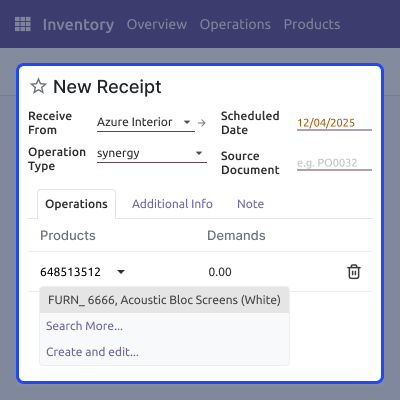
This allows product searches during inventory tasks using stored barcodes, helping teams move items correctly without confusion.
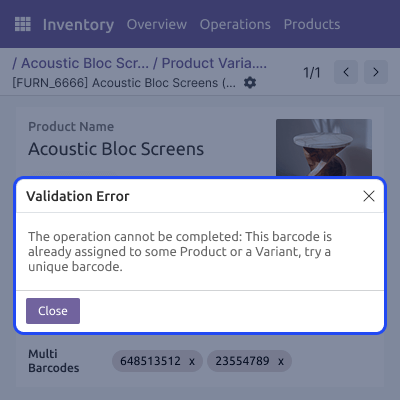
Odoo Advance Product Multi Barcode stops repeated barcode entries and warns users instantly, keeping product information correct and easy to manage.
It helps you keep product barcodes well organized. It supports many barcode entries and makes product information easy to handle for all teams.
This feature enables barcode-based product search in sales orders, purchase orders, and invoices. Users can quickly find the correct item during document creation.

This module helps teams find products quickly during stock work. It supports barcode use in transfers, receipts, and adjustments.
It prevents barcode conflicts by checking every new entry. It stops duplicates and keeps all product records clean.
For any query or issue, please create a support ticket here CREATE A TICKET HERE
You may also check our other top-quality Odoo Modules.
Detailed technical features and requirements to help you understand the module’s capabilities and ensure smooth integration with your system.
Detailed technical features and requirements to help you understand the module’s capabilities and ensure smooth integration with your system.
We’re partnered with top-tier, trusted providers!
Want to know more how exactly we are going to power up your eCommerce Website with Cloud to fasten up your store
* Server Configuration may vary as per application requirements.



