Send Again
Close
Odoo Affiliate Management turns website visitors into promoters. Customers sign up as affiliates, share referral links, and earn commissions on sales or clicks. Admins run the entire program from a single backend.
Affiliates make product links and promo banners to promote products across websites, blogs, emails, and social media. The module tracks clicks, visits, orders, commissions, and earnings on its own.
Set up Pay Per Sale (PPS) or Pay Per Click (PPC) commissions, with fixed, percent-based, or advanced rules. Affiliate Cookie Validation lets you choose between One-Time and Always-Valid attribution for repeat-customer purchases.
Custom affiliate promo codes are also part of the module, connecting into Odoo Discount & Loyalty programs. Customers get set discounts at checkout, while sales, code use, and PPS commissions go to the right affiliate on their own.
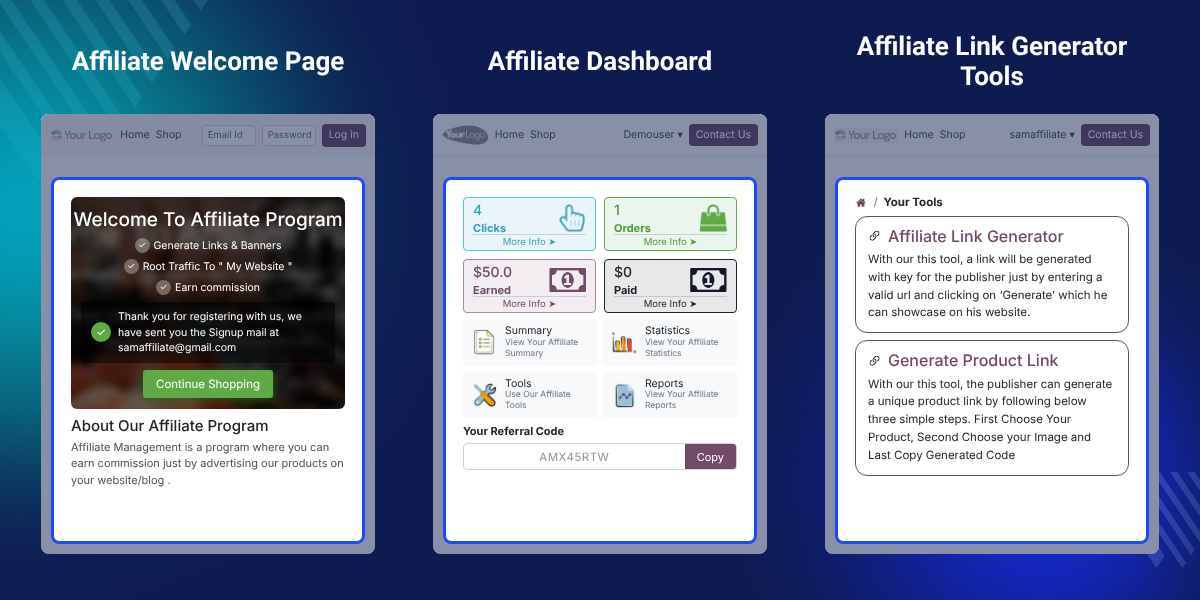
Let visitors sign up as affiliates with a simple website form.
Check, approve, or reject affiliate requests right from the backend.
Set PPS, PPC, fixed, percentage, or advanced commission rules.
Make product-specific referral links and promo banners for campaigns.
Give custom promo codes, offer discounts, and track code use and sales.
Pick one-time or always-valid cookie validation for accurate commission credit.
Track clicks, traffic, orders, commissions, earnings, invoices, and payments.
Set payout limits, make affiliate invoices, and manage payments.
A growing business needs more than ads. Affiliate marketing brings new customers through trusted partners who promote products and earn commissions for each referral.
Managing sign-ups, links, commissions, promo codes, payouts, and tracking by hand gets hard as the affiliate network grows. Using many tools can also make things harder to manage.
Odoo Affiliate Management brings these tasks together in one place. Businesses can manage affiliates, set up PPS and PPC commissions, make referral links, give promo codes, track results, and process payouts from the backend. If your business also needs a structured multi-level referral network, Odoo Multi-Level Marketing can extend this setup further.
With flexible commission rules, cookie validation, promo code tracking, and clear reports, businesses can keep accurate affiliate credit while cutting manual work.
Let customers sign up as affiliates, promote products, and earn commissions from sales or clicks.
Affiliates can share referral links, banners, and promo codes across websites, blogs, emails, and social media.
Set PPS, PPC, fixed, percent, or advanced commission rules to fit your business needs.
Give custom promo codes to affiliates and offer customer discounts while you track sales.
Set payout limits, make affiliate invoices, and manage payments with no manual commission math.
Watch clicks, traffic, orders, commissions, earnings, promo code use, and sales in clear reports.
Pick one-time or always-valid cookie validation to control commission credit for repeat buys.
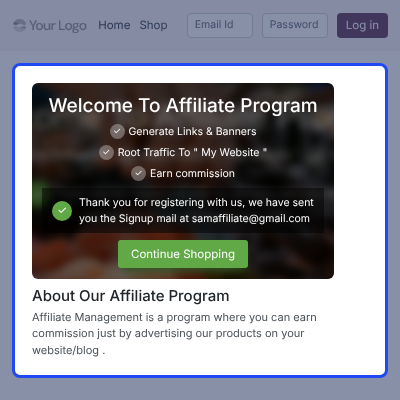
Customers sign up as affiliates with a simple website form. Admins can check, approve, or reject each request from the backend before it goes live.
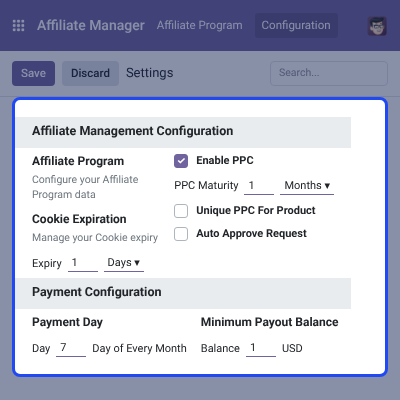
Configure the affiliate program from one backend. Set PPC options, cookie expiration, payment schedules, payout limits, and other program preferences.
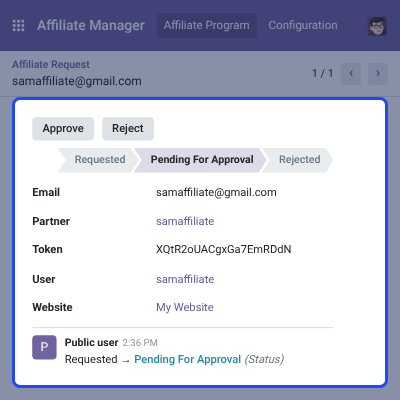
Check affiliate requests sent through the website. Approve or reject applications, notify applicants, and manage affiliate status right from the backend.
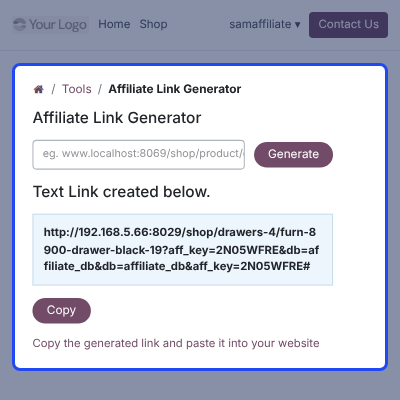
Affiliates can make unique product links and promo banners from their dashboard. They can copy and share these links across different marketing channels.
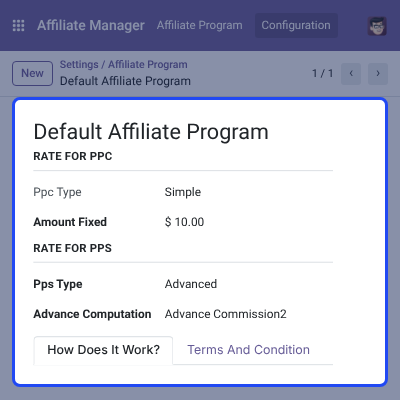
Set up PPS and PPC commission models, with fixed, percent, or advanced rules. Manage payout schedules, limits, and Affiliate Cookie Validation. For businesses that want to extend their affiliate program with multiple commission levels, Odoo Affiliate Multi-tier Commission can be used with the affiliate setup.
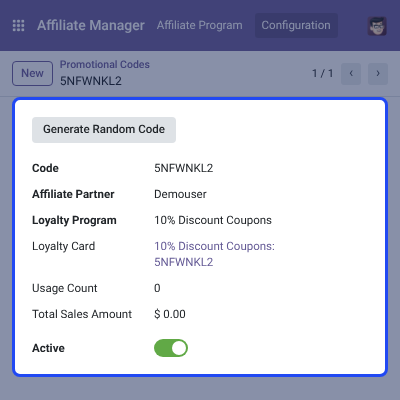
Affiliate partners can receive custom promo codes that connect into Odoo Discount & Loyalty programs. Track code use, sales, discounts, and commissions on their own.
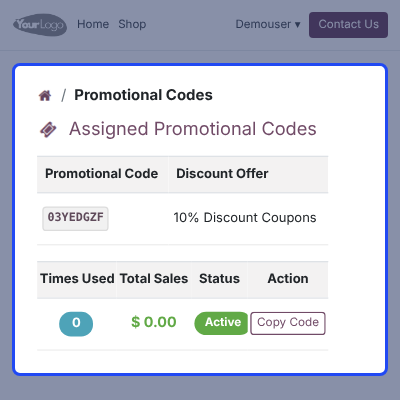
Affiliates can view their own promo codes from the portal. They can check discounts, use counts, sales made, and copy codes to share.
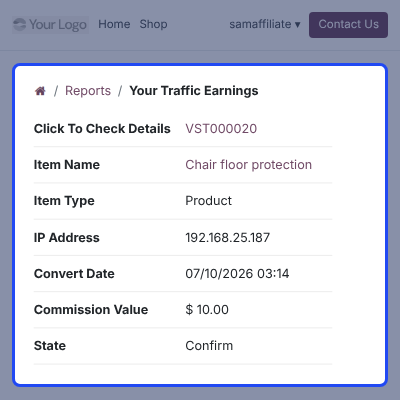
Track affiliate clicks, traffic, orders, commissions, invoices, payments, and earnings in clear reports. Watch affiliate results and manage payouts with ease.
For any query or issue, please create a support ticket here CREATE A TICKET HERE
You may also check our top-quality Odoo Apps.
realy i deal with your company they concerne for their customer and provid support
Detailed technical features and requirements to help you understand the module’s capabilities and ensure smooth integration with your system.
Detailed technical features and requirements to help you understand the module’s capabilities and ensure smooth integration with your system.
We’re partnered with top-tier, trusted providers!
Want to know more how exactly we are going to power up your eCommerce Website with Cloud to fasten up your store
* Server Configuration may vary as per application requirements.



