Send Again
Close
Cron Job Expression enhances scheduled actions with advanced cron scheduling. It adds cron syntax support and improves how task automation works compared to simple interval scheduling.
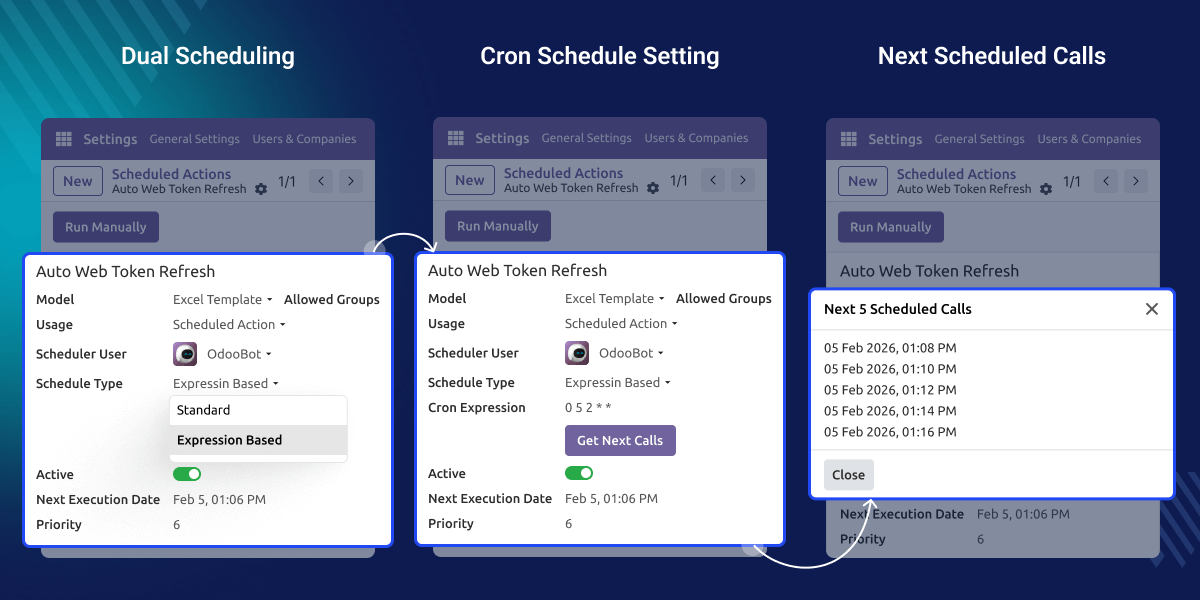
Default interval scheduling limits control. Cron scheduling lets you define exact times and exclude specific days easily.
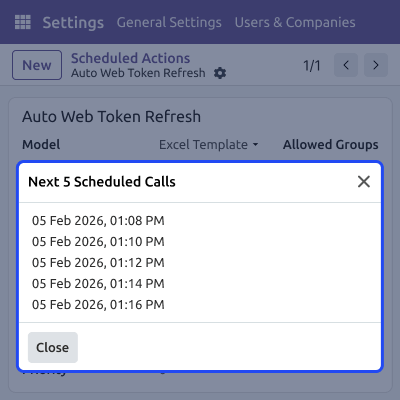
For example, you can run tasks every minute or only on Mondays. The nextcall update happens automatically, so you avoid manual calculations and errors.
Add cron syntax directly inside scheduled actions for advanced cron scheduling control.
Choose between interval scheduling or cron scheduling based on your task needs.
Preview upcoming runs and check nextcall update using the Get Next Calls button.
Use expressions like * * * * * to execute tasks every minute easily.
Cron Job Expression adds a cron field to scheduled actions for flexible cron scheduling and control.
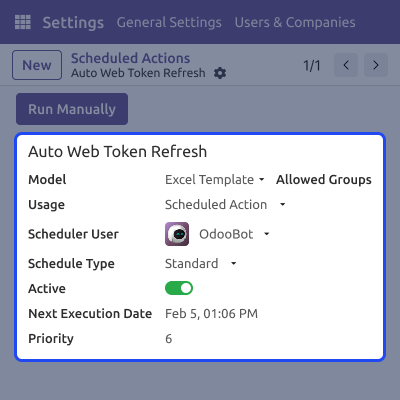
Cron Job Expression provides both interval scheduling and cron scheduling, so users can choose easily.
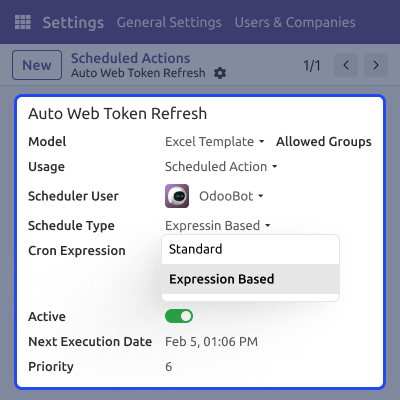
Cron Job Expression reads cron syntax and performs nextcall update automatically for better automation.
For any query or issue, please create a support ticket here CREATE A TICKET HERE
You may also check our other top-quality Odoo Modules.
Detailed technical features and requirements to help you understand the module’s capabilities and ensure smooth integration with your system.
Detailed technical features and requirements to help you understand the module’s capabilities and ensure smooth integration with your system.
We’re partnered with top-tier, trusted providers!
Want to know more how exactly we are going to power up your eCommerce Website with Cloud to fasten up your store
* Server Configuration may vary as per application requirements.



