Send Again
Close
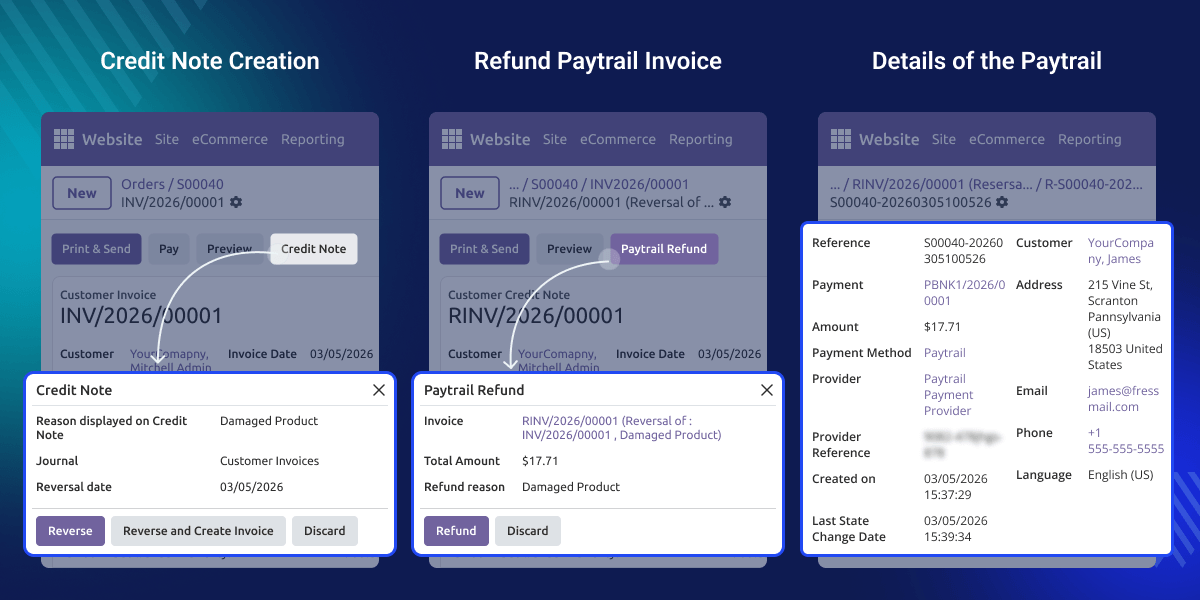
Odoo Direct Refund From Paytrail lets businesses manage Paytrail refunds directly in Odoo. It uses a simple process with credit notes and invoice reversals.
The module works with the Paytrail payment system to process refunds safely. Users can also change the refund amount and keep clear refund records.
Before completing the refund, user must enter a refund reason. This helps businesses track refunds and keep proper transaction records.
Businesses often receive refund requests after customers make online payments. Handling refunds manually can take time and may cause accounting errors.
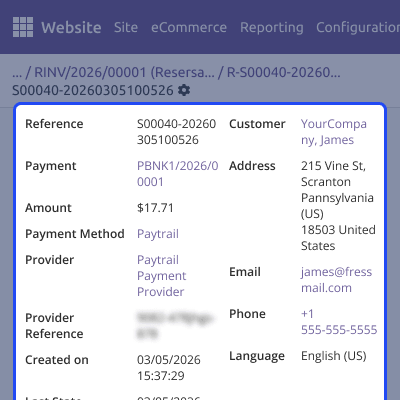
Odoo Direct Refund From Paytrail manages refunds using a simple invoice workflow. It keeps refund records organized and links each refund to the original payment.
Admins can also control the refund amount before processing the refund. They can add a refund reason to keep proper records and maintain transparency.
Odoo Direct Refund From Paytrail works in conjunction with the following module:
Odoo Website Paytrail Payment Gateway
You must install the above-mentioned module to use Odoo Direct Refund From Paytrail.
Start Paytrail refunds directly from the invoice in Odoo. The system guides users with a simple and clear refund flow.
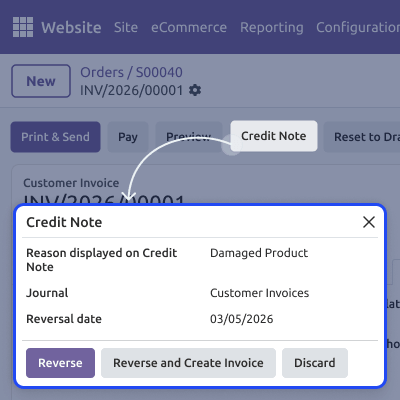
The refund process begins with a credit note. This credit note stays linked to the original invoice.
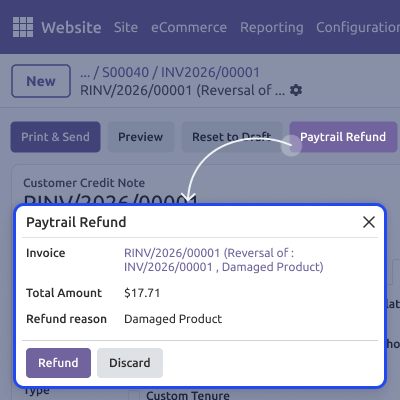
Admins can change the refund amount before confirming it. The amount must be equal to or less than the original payment..
Users must enter a reason before completing the refund. This helps track refunds and keep clear transaction records.
Odoo Direct Refund From Paytrail process starts with a credit note created from the invoice. This ensures every refund stays linked to the original Paytrail transaction.
Admins can modify the refund amount before completing the refund process. The amount must be equal to or lower than the original payment.
Before confirming the refund, users must enter a refund reason. This helps businesses track refund actions and maintain accountability.
For any query or issue, please create a support ticket here CREATE A TICKET HERE
You may also check our other top-quality Odoo Modules.
Detailed technical features and requirements to help you understand the module’s capabilities and ensure smooth integration with your system.
Detailed technical features and requirements to help you understand the module’s capabilities and ensure smooth integration with your system.
We’re partnered with top-tier, trusted providers!
Want to know more how exactly we are going to power up your eCommerce Website with Cloud to fasten up your store
* Server Configuration may vary as per application requirements.



