Send Again
Close
Odoo Direct Refund From PayU India module allows refund requests to be handled directly within Odoo. Teams no longer need to switch to PayU’s portal, saving time and effort.
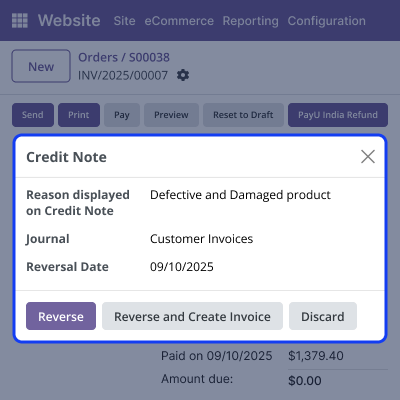
Before confirming any refund, the module requires creating a credit note. This ensures accounting records remain complete and easy to audit.
The module lets you issue both full and partial refunds. You can also add a short reason for each refund. Every refund is saved as a child entry under the original PayU payment, making it easy to track. Refund logs are kept for transparency and verification, thus, all records stay clear and organized.
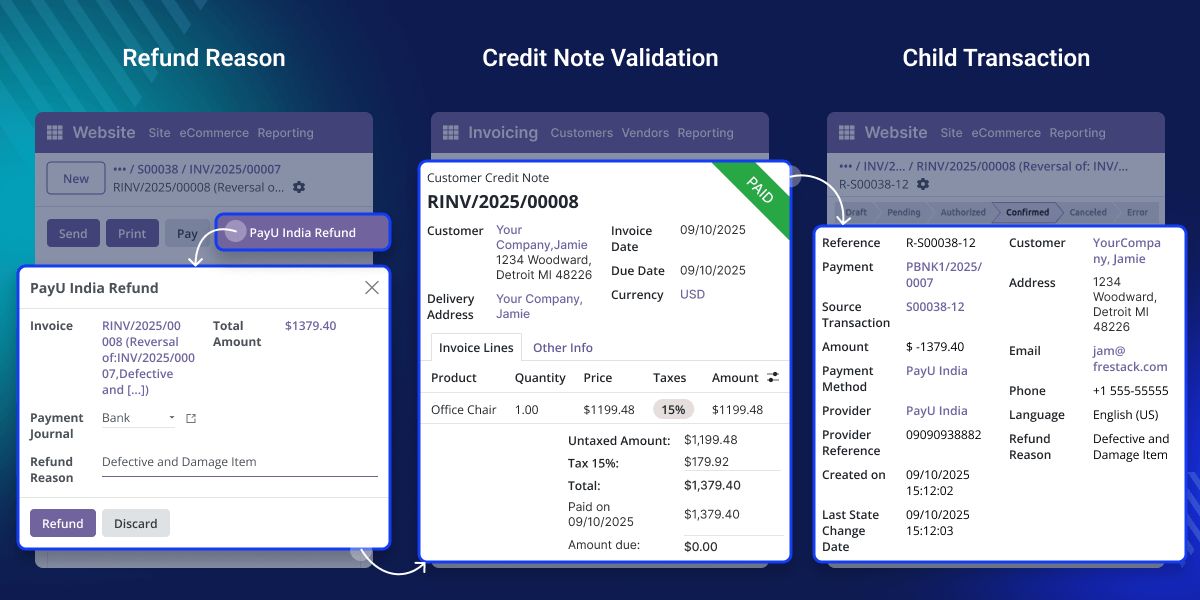
Processing refunds through PayU can be slow because you usually have to log in to PayU separately. This adds extra steps and takes time.
For example, if a customer cancels an order after paying through PayU, the accountant can issue the refund straight from the invoice in Odoo. The refund is processed securely by PayU, and all details are automatically recorded in Odoo.
Odoo Direct Refund From PayU India module makes it simple. You can handle refunds directly within Odoo, all in one place, without the need to switch between systems.
This module works in conjunction with the following module:
Odoo Website PayU India Payment Acquirer
You need to install this module to use Direct Refund from PayU India
Initiate refund requests directly from invoice and payment records without leaving Odoo.
A credit note must exist before confirming a refund, a pop-up wizard appears if missing.
Enter exact refund amounts, and the system validates values against original payment.
Refunds appear as child entries under the original PayU payment for audits.
Refunds can be started directly from invoice or payment views, making the process simple and accessible to finance teams.
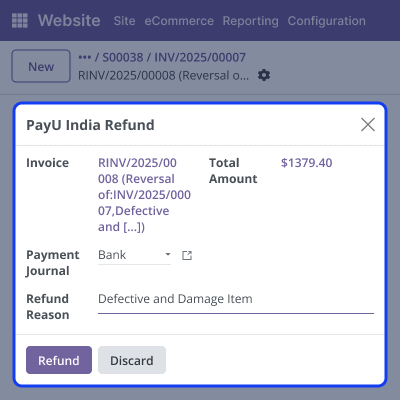
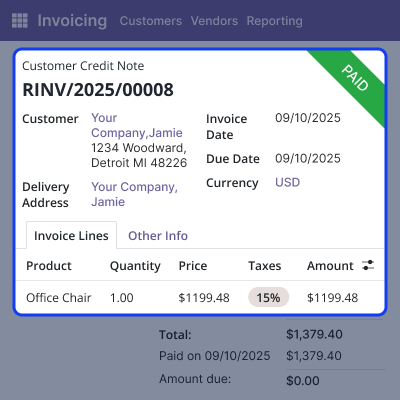
Odoo Direct Refund from PayU India ensures that every refund is linked to a valid credit note, maintaining accounting accuracy and audit compliance.
Refund requests are stored as child transactions under the original PayU payment, ensuring every action is easy to trace.
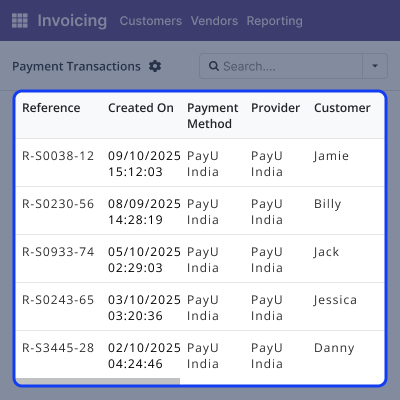
The refund flow is simple and secure, allowing finance teams to work within Odoo without extra steps.
For any query or issue, please create a support ticket here CREATE A TICKET HERE
You may also check our other top-quality Odoo Modules.
Detailed technical features and requirements to help you understand the module’s capabilities and ensure smooth integration with your system.
Detailed technical features and requirements to help you understand the module’s capabilities and ensure smooth integration with your system.
We’re partnered with top-tier, trusted providers!
Want to know more how exactly we are going to power up your eCommerce Website with Cloud to fasten up your store
* Server Configuration may vary as per application requirements.



