Send Again
Close
Odoo Disable Auto Followers module lets you decide who gets updates. It helps keep sensitive information safe and makes team communication easier and clearer.
This module allows you to disable auto-followers for specific Odoo models, ensuring that updates are shared only with the people who truly need them.
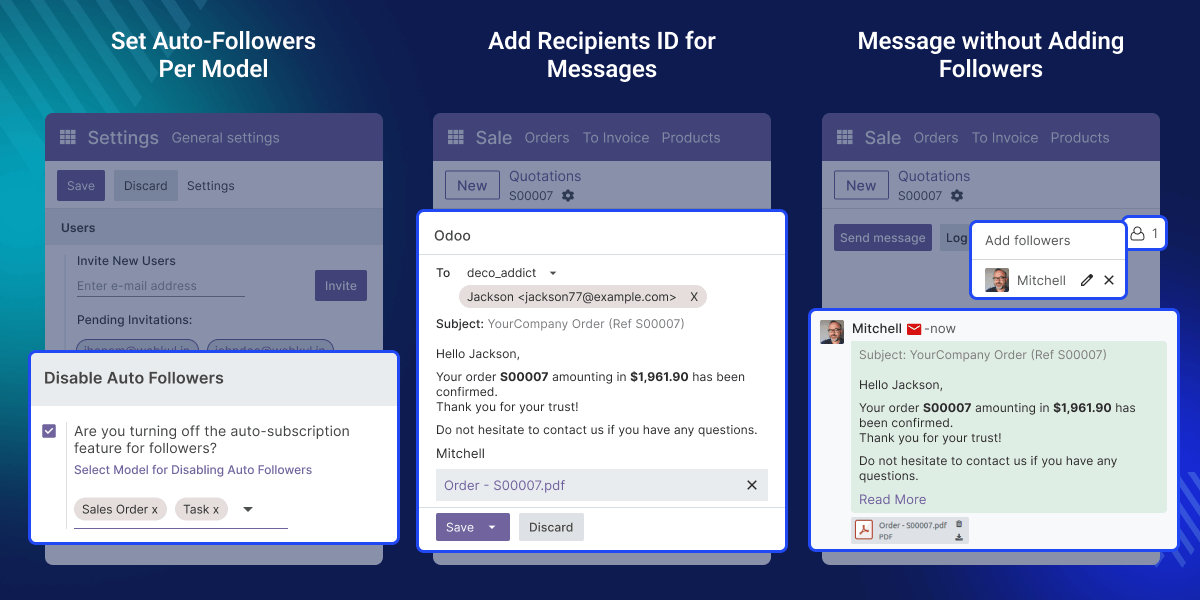
Imagine getting lots of notifications about a project you’re hardly involved in. It’s annoying and takes away your focus. Odoo Disable Auto Followers module solves this problem by making sure only the right people get updates. This helps teams stay focused and work more efficiently.
The module also improves privacy by controlling who receives updates. You can choose which parts of Odoo should stop adding followers automatically. This way, only the right users are notified, making communication clearer and the workflow smoother.
Stop users from being auto-added as followers when they are tagged or assigned a task.
Admins can choose which Odoo models should have auto-followers disabled.
Odoo Disable Auto Followers ensures that task updates are shared only with relevant users to maintain privacy.
Reduce unwanted alerts and ensure important updates reach the right users.
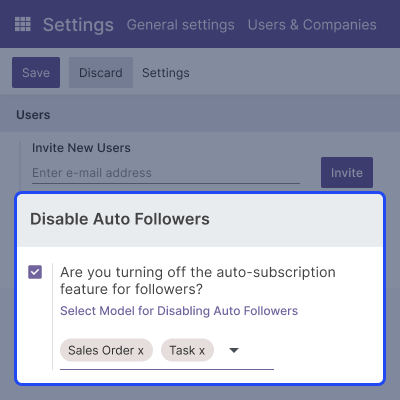
Take control over where auto-followers are disabled in Odoo. This feature helps maintain privacy by allowing updates to be shared only with selected users.
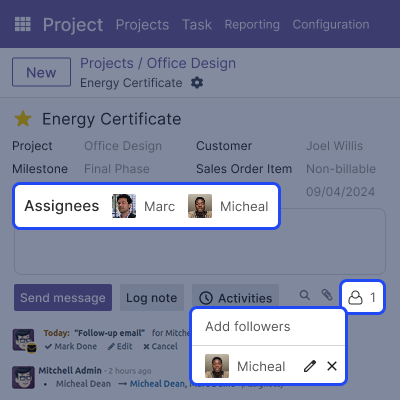
Assign tasks to team members without automatically subscribing them to future updates. This helps streamline communication and keeps follower lists focused.
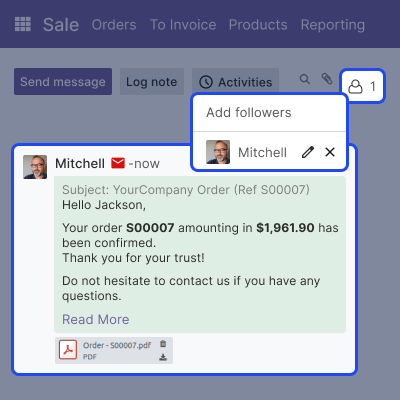
Send task-related emails to users without subscribing them to ongoing updates. This gives you control over who receives future messages.
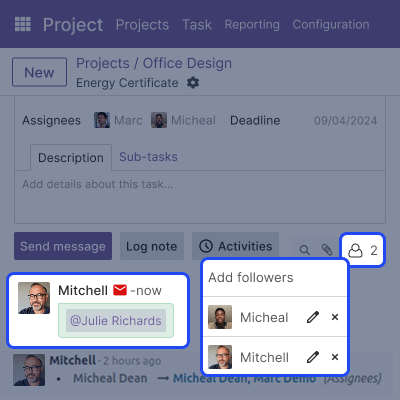
Team members can be tagged in messages without being added as followers. It makes sure updates are shared only with the right people.
For any query or issue, please create a support ticket here CREATE A TICKET HERE
You may also check our other top-quality Odoo Modules.
Author/Company is good and understanding. They also provided good service to us, the client.
Detailed technical features and requirements to help you understand the module’s capabilities and ensure smooth integration with your system.
Detailed technical features and requirements to help you understand the module’s capabilities and ensure smooth integration with your system.
We’re partnered with top-tier, trusted providers!
Want to know more how exactly we are going to power up your eCommerce Website with Cloud to fasten up your store
* Server Configuration may vary as per application requirements.



