Send Again
Close
Envia Shipping Integration helps you manage shipping tasks directly from Odoo. It securely connects your Odoo system with Envia using API credentials..
You can view live shipping rates, create shipments, labels, and track deliveries from one screen. You do not need to switch between systems.
This integration saves time, reduces errors, and manages the full delivery process from one place.
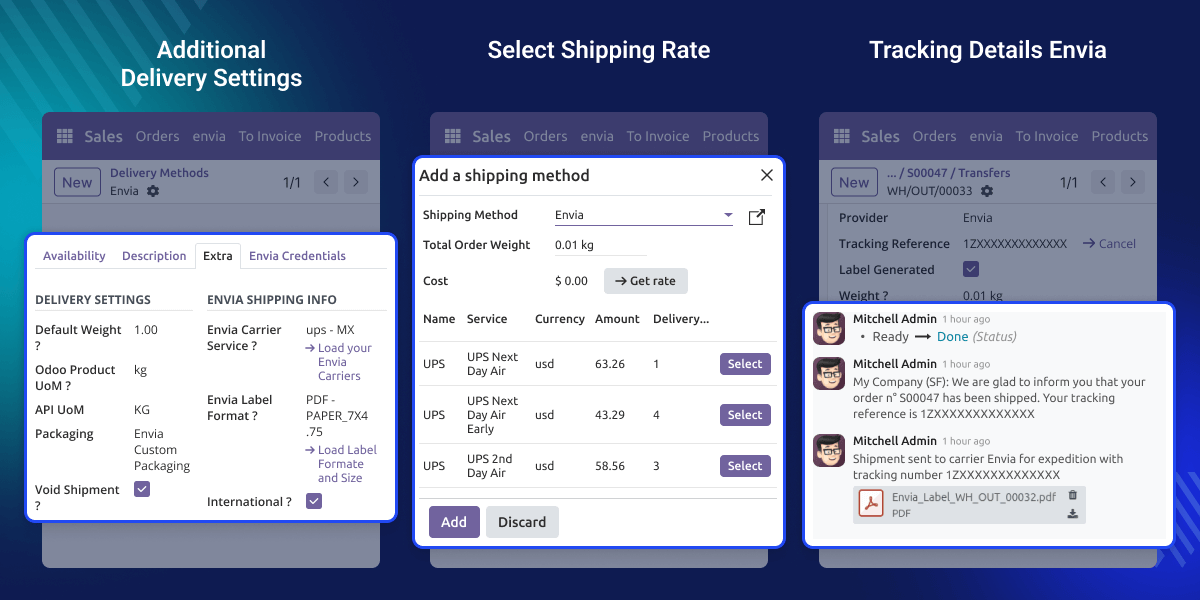
Manual shipping can cause pricing errors and delivery delays. Switching between different courier websites also increases work and slows the process.
Envia Shipping Integration brings all shipping tasks into Odoo. You can check rates, create shipments, and generate labels from one screen.
It also lets you compare carrier prices in real time. Live tracking updates build customer trust and reduce support requests.
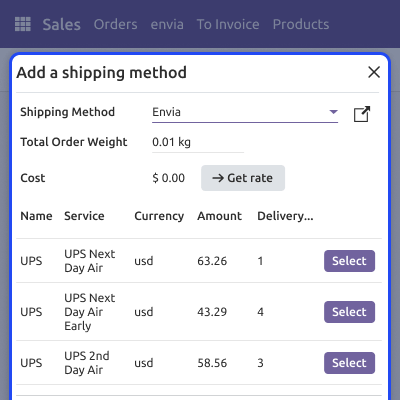
Check live shipping prices from multiple carriers before confirming the order.
Easily create shipments and generate shipping labels inside Odoo.
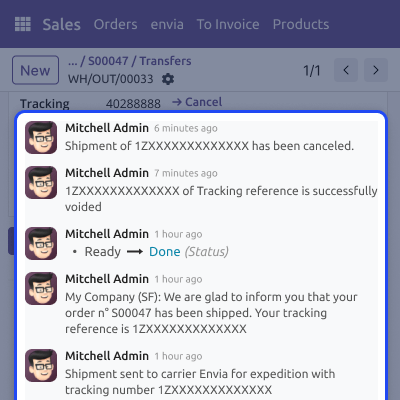
Cancel shipments easily before the carrier picks up the package.
Track shipment status in real time from the delivery screen.
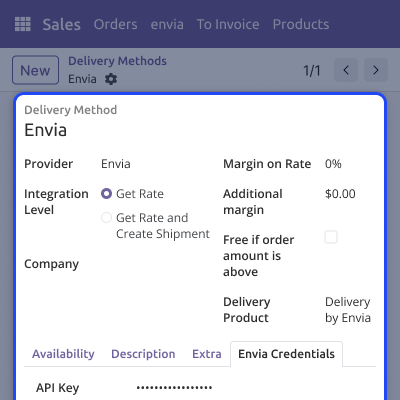
Go to Inventory >> Configuration >> Delivery Methods and select Envia for shipping setup.
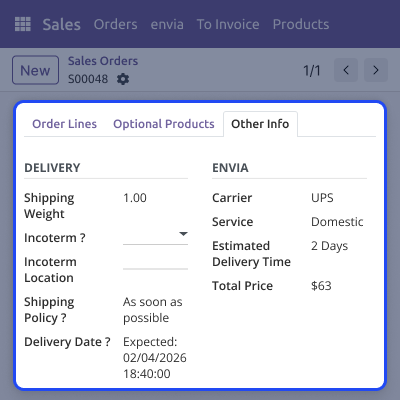
Check shipping prices while creating a sales order. Compare options before confirming the order.
Create shipments easily inside Odoo.Generate shipping labels without extra steps.
Manage shipment updates and track delivery progress from one screen. Updates happen automatically.
For any query or issue, please create a support ticket here CREATE A TICKET HERE
You may also check our other top-quality Odoo Modules.
Detailed technical features and requirements to help you understand the module’s capabilities and ensure smooth integration with your system.
Detailed technical features and requirements to help you understand the module’s capabilities and ensure smooth integration with your system.
We’re partnered with top-tier, trusted providers!
Want to know more how exactly we are going to power up your eCommerce Website with Cloud to fasten up your store
* Server Configuration may vary as per application requirements.



