Send Again
Close
Odoo Flagship Shipping Integration helps you manage all your shipping work in Odoo using Flagship. You can see live delivery prices, make shipments, print labels, and track orders all in one place.
The module performs multiple tasks independently to save time and reduce errors. It also allows you to easily handle and cancel shipments, keeping all shipping work organized and straightforward.
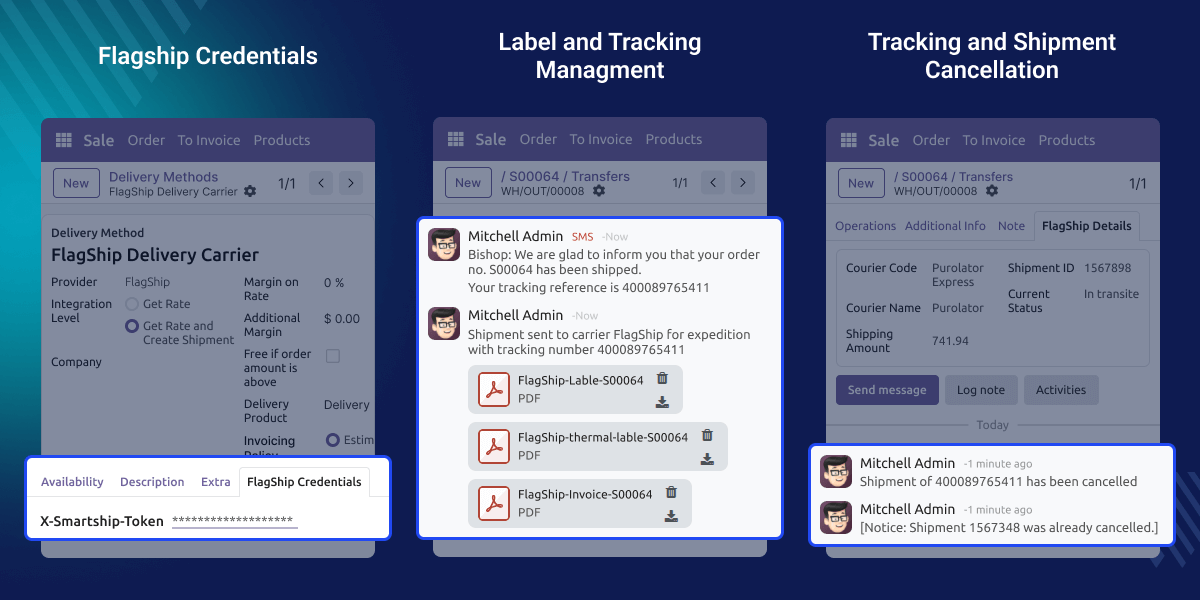
Doing shipping work on many different platforms takes more time and can cause mistakes. This module links Flagship with Odoo to make shipping easy and quick.
It shows the right delivery prices, helps send orders faster, and keeps all tracking details in one place. This helps businesses work smoothly and keeps customers happy.
Odoo FlagShip Shipping Integration works in conjunction with the following module:
You need to install the module mentioned above to use Odoo FlagShip Shipping Integration
Connect Odoo directly with Flagship to handle all shipping tasks from one place without changing platforms.
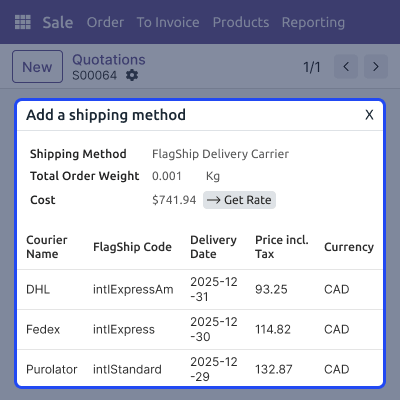
You can view live delivery prices from all available carriers. This helps you quickly know the correct shipping cost.
You can make shipments and print delivery labels right inside Odoo. No extra system is required.
Tracking numbers are automatically added to delivery orders. You can check where the package is in real time by clicking the tracking button.
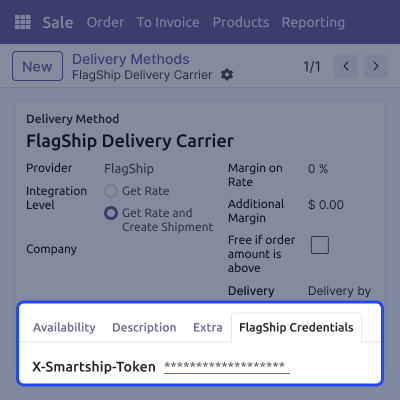
With the Odoo Flagship Shipping Integration, you can connect Flagship with Odoo in just a few easy steps. Simply add your keys and select your shipping options.
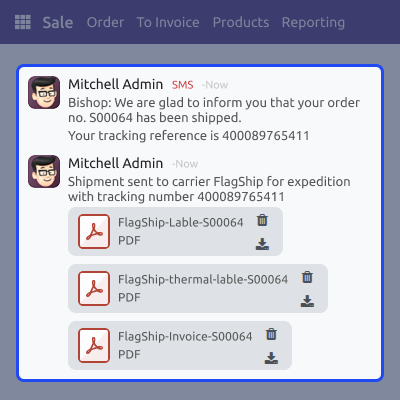
Shipping labels and tracking numbers are made automatically. This helps you easily see where each package is.
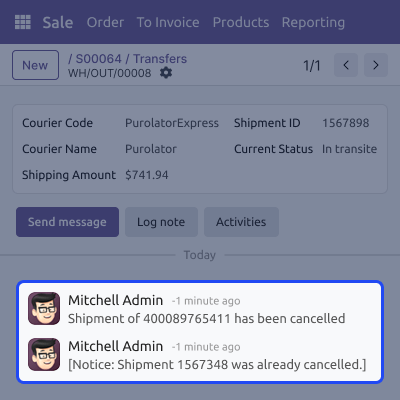
You can easily track or cancel shipments and keep all details updated in Odoo using Flagship.
For any query or issue, please create a support ticket here CREATE A TICKET HERE
You may also check our other top-quality Odoo Modules.
Detailed technical features and requirements to help you understand the module’s capabilities and ensure smooth integration with your system.
Detailed technical features and requirements to help you understand the module’s capabilities and ensure smooth integration with your system.
We’re partnered with top-tier, trusted providers!
Want to know more how exactly we are going to power up your eCommerce Website with Cloud to fasten up your store
* Server Configuration may vary as per application requirements.



