Send Again
Close
Odoo GLS ShipIT-Farm Shipping Integration lets users run all shipping tasks without leaving Odoo. Users can add GLS ShipIT-Farm as a carrier right from inventory settings.
This module sets shipping charges on sales orders using pricing rules. Users can also build shipments right from delivery orders.
Once a shipment is made, users can get its label right away. Users can see live tracking numbers and status updates directly from delivery orders.
Users can cancel a shipment before it starts. This keeps all shipment records clean and easy to manage.
Every shipping step create, track, and download stays in one place. This saves users a lot of time each day.
Businesses can manage all shipping tasks from one screen. This makes delivery management faster and much smoother.
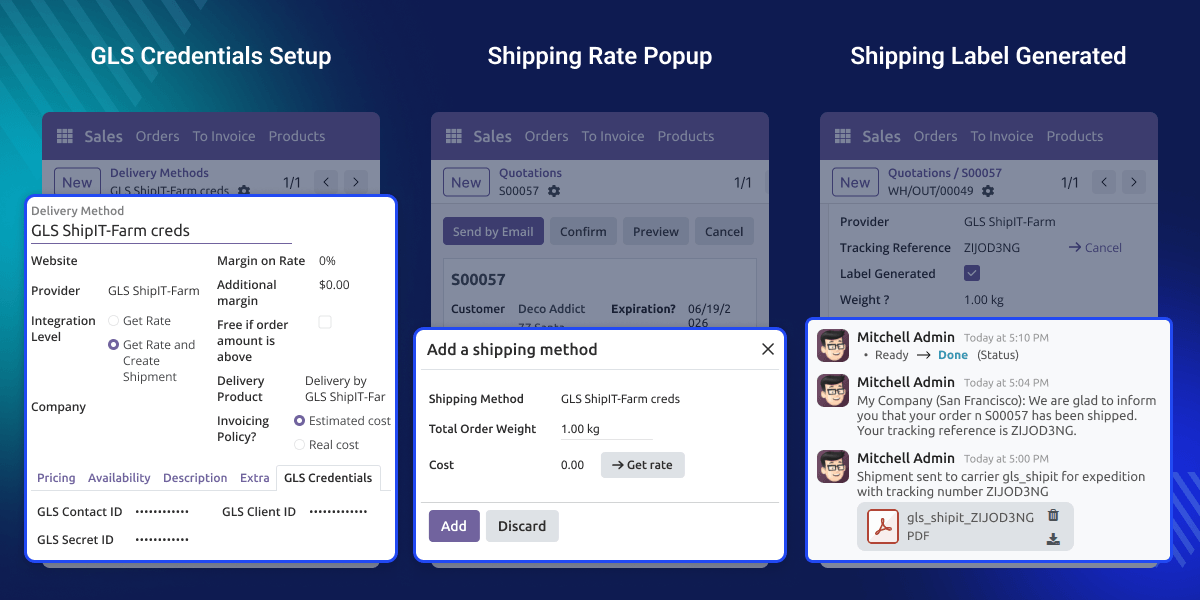
Users can add GLS ShipIT-Farm in just a few clicks from Odoo inventory shipping settings.
This module sets shipping charges automatically using delivery pricing rules in Odoo.
Users can create GLS ShipIT-Farm shipments right from delivery orders inside Odoo.
Users can quickly generate shipping labels right after a shipment is created in the system.
This module shows live tracking numbers and status updates right inside delivery orders.
Users can cancel shipments before processing starts and keep all shipment records up to date.
Managing shipments across many systems makes daily shipping slow and hard to handle. Users have to handle shipping, labels, and tracking one by one. This takes more time and adds extra work.
Most delivery workflows in Odoo do not support GLS ShipIT-Farm. This forces users to take extra steps during shipment processing.
Odoo GLS ShipIT-Farm Shipping Integration brings shipping tasks, labels, and tracking into one simple workflow, all inside Odoo.
This module is built for real shipping work where fast shipment handling and live delivery tracking matter most.
Users can create shipments straight from delivery orders- no manual steps, no extra work.
Businesses can download shipping labels fast, right after shipment creation, from the same screen.
Users can check tracking numbers and live shipment updates right inside delivery orders.
Businesses can apply shipping charges on their own using delivery pricing rules.
This feature helps users add GLS ShipIT-Farm as a shipping carrier in Odoo. Users can manage shipping settings easily from one place.
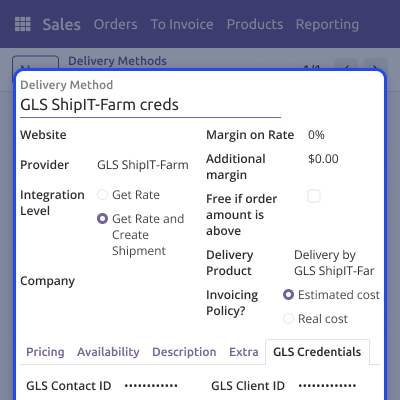
This feature helps users set shipping charges using pricing rules. It saves time and removes extra manual steps.
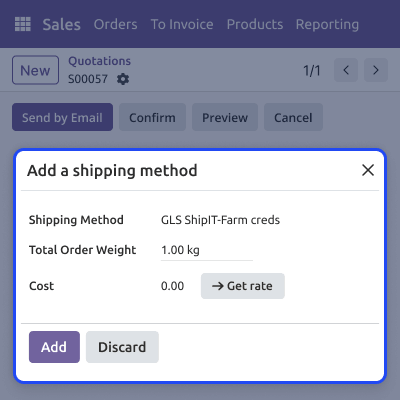
This feature helps users get shipping labels right after a shipment is made. It keeps things fast and simple.
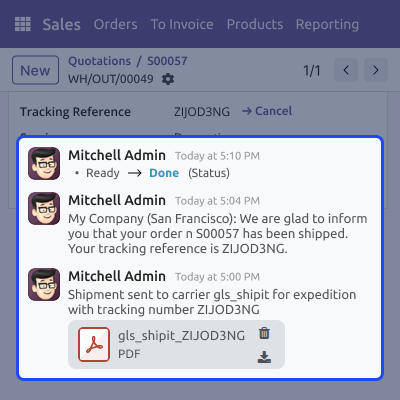
This feature helps users check shipment status from delivery orders. Live updates show up in real time.
For any query or issue, please create a support ticket here CREATE A TICKET HERE
You may also check our other top-quality Odoo Modules.
Detailed technical features and requirements to help you understand the module’s capabilities and ensure smooth integration with your system.
Detailed technical features and requirements to help you understand the module’s capabilities and ensure smooth integration with your system.
We’re partnered with top-tier, trusted providers!
Want to know more how exactly we are going to power up your eCommerce Website with Cloud to fasten up your store
* Server Configuration may vary as per application requirements.



