Send Again
Close
Odoo Google Drive Integration (Enterprise) lets you connect Google Drive with Odoo Documents, so you can easily store, access, and manage your files from one place. When you upload, rename, move, or delete a file in Odoo, the same change happens in Google Drive automatically. You do not need to do the same work twice. This module keeps the same folders in Odoo and Google Drive.
This makes it easy for everyone to find the right files. If you already have folders in Google Drive, you can import them into Odoo in just a few clicks. There is no need to create the folders again. You can upload, rename, move, update, and delete files directly from Odoo. This module updates Google Drive automatically in the background. Everyone always has the latest files because Odoo and Google Drive stay updated together.
This saves time, keeps files organized, and helps your team work better.
If you are using Odoo Community Edition, you can use our Odoo Google Drive Integration module to get the Google Drive integration features.
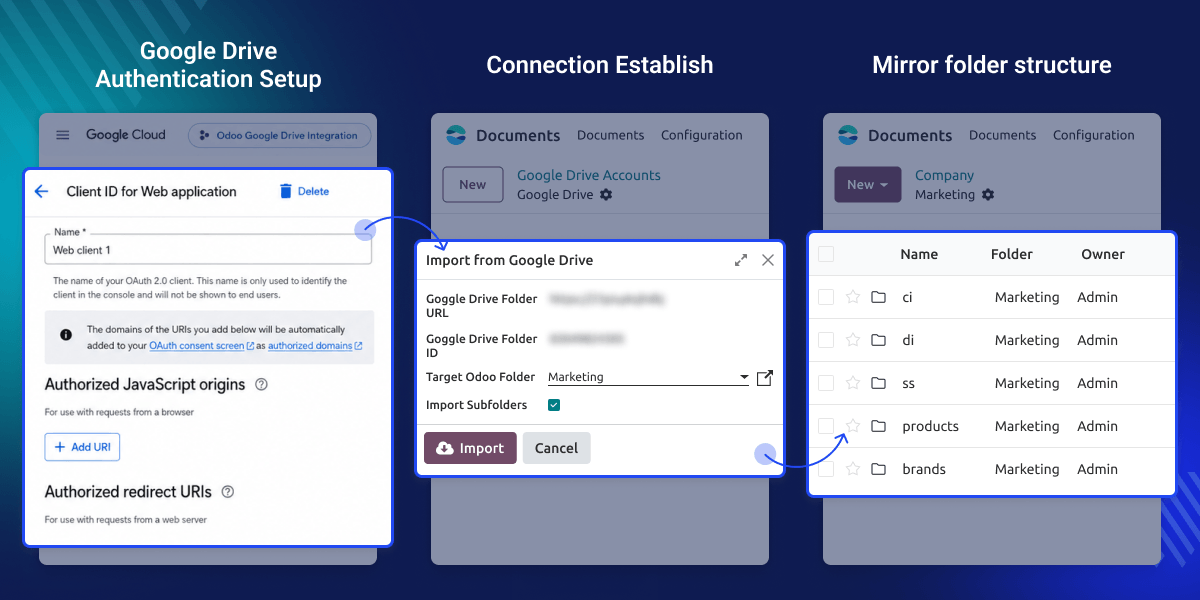
Connect Google Drive with Odoo Documents in a few easy steps. Keep all your documents in a single place.
Every file change in Odoo updates Google Drive automatically. Your files always stay updated.
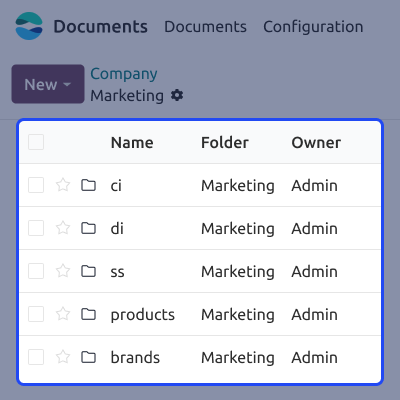
Keep the same folders in Google Drive and Odoo Documents. This makes documents easy to find.
Import your existing Google Drive folders into Odoo using a Folder URL or Folder ID.
Managing documents in different places takes extra time and creates confusion. The default Odoo Documents app does not automatically keep Google Drive updated. Users need to manage files separately.
Odoo Google Drive Integration (Enterprise) connects both platforms and keeps files and folders synchronized automatically. This saves time, reduces extra work, and helps your team always use the latest files. Built for businesses that need simple, reliable, and organized document management every day.
Additionally, if you use OneDrive for document storage, you can use our Odoo OneDrive Integration module to connect OneDrive with Odoo and manage your files easily.
Keep documents updated automatically so every team member always works with the latest files.
Store documents in Google Drive to save server storage space and access files securely anytime.
Move your current Google Drive folders into Odoo without creating them again.
Keep the same folder structure in both platforms to find documents easily.
Connect your Google Drive account with Odoo Documents in a few simple steps. Select the folder you want to sync and start managing documents easily.
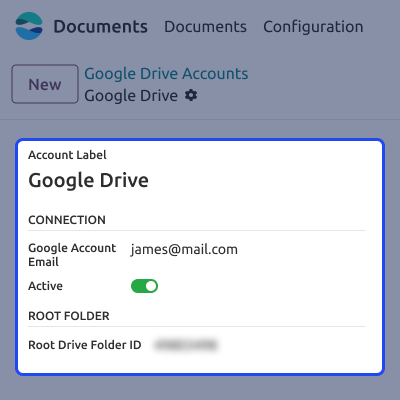
Update your documents in Odoo, and the same changes appear in Google Drive automatically. No extra work is needed.
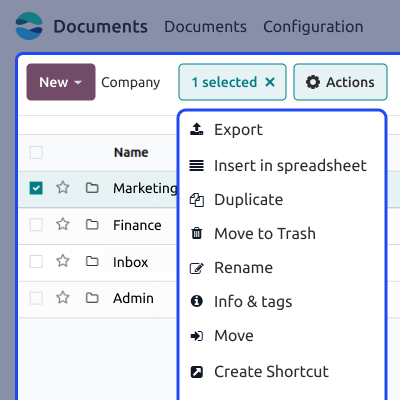
Odoo Google Drive Integration (Enterprise) brings your existing Google Drive folders into Odoo without creating everything again. Import the complete folder structure easily.
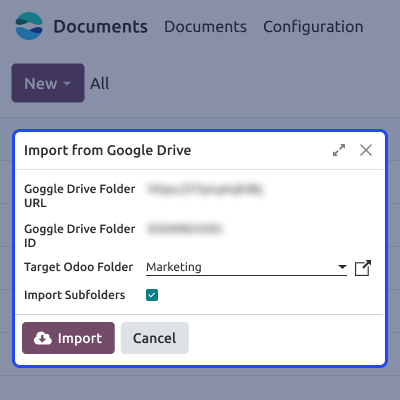
Keep the same folder names in Google Drive and Odoo Documents automatically. This helps you in finding your files easily.
Webkul's dedicated support provides you with the customizations and troubleshooting solutions for your Odoo Google Drive Integration (Enterprise) Module.
For any query or issue please CREATE A TICKET HERE
You may also check our other top-quality Odoo Plugins.
Detailed technical features and requirements to help you understand the module’s capabilities and ensure smooth integration with your system.
Detailed technical features and requirements to help you understand the module’s capabilities and ensure smooth integration with your system.
We’re partnered with top-tier, trusted providers!
Want to know more how exactly we are going to power up your eCommerce Website with Cloud to fasten up your store
* Server Configuration may vary as per application requirements.



