Send Again
Close
Odoo Image Capture By Camera helps users take live images inside Odoo using the device camera. It removes the need to upload images from storage.
Odoo Image Capture By Camera adds a camera widget to image and binary fields. Users can take photos, replace images, and save them on any device.
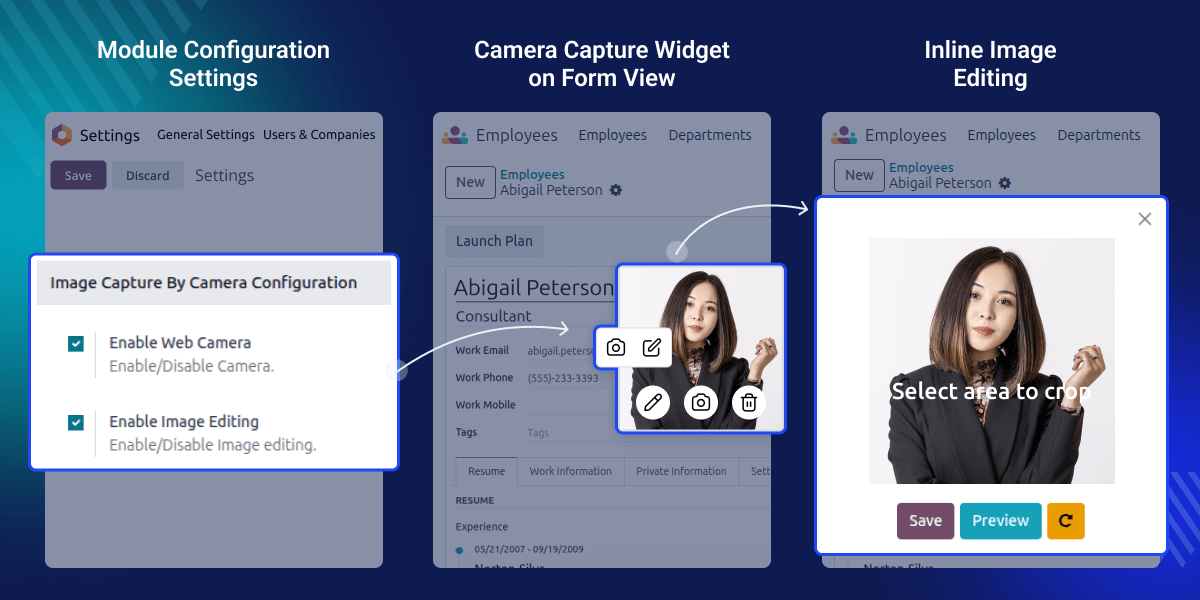
Odoo Image Capture By Camera is useful for businesses that work with images every day.
Manual uploads take time and often cause mistakes.
The module makes image capture fast and simple. It improves accuracy and saves working time.
Capture images using the device camera inside Odoo.
Replace old images using the camera in one click.
The camera works with browser permission for safe use.
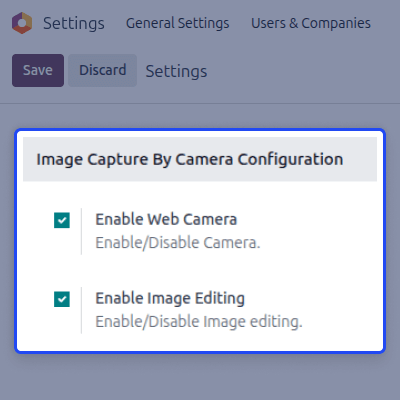
Admins can turn camera features on or off from settings.
Odoo Image Capture By Camera lets users capture, replace, and crop images directly from any image field using the device camera.

Admins can control camera features from settings, and the module works smoothly on all major devices and browsers.
For any query or issue, please create a support ticket here CREATE A TICKET HERE
You may also check our other top-quality Odoo Modules.
Detailed technical features and requirements to help you understand the module’s capabilities and ensure smooth integration with your system.
Detailed technical features and requirements to help you understand the module’s capabilities and ensure smooth integration with your system.
We’re partnered with top-tier, trusted providers!
Want to know more how exactly we are going to power up your eCommerce Website with Cloud to fasten up your store
* Server Configuration may vary as per application requirements.



