Send Again
Close
Odoo Linkly Terminal Integration helps businesses take face-to-face card payments using Linkly card terminal. Staff can start payments directly from invoices without leaving the Odoo system.
Once the payment is approved on the payment terminal, the invoice is updated automatically. This saves time, reduces mistakes, and keeps payment records accurate and up to date.
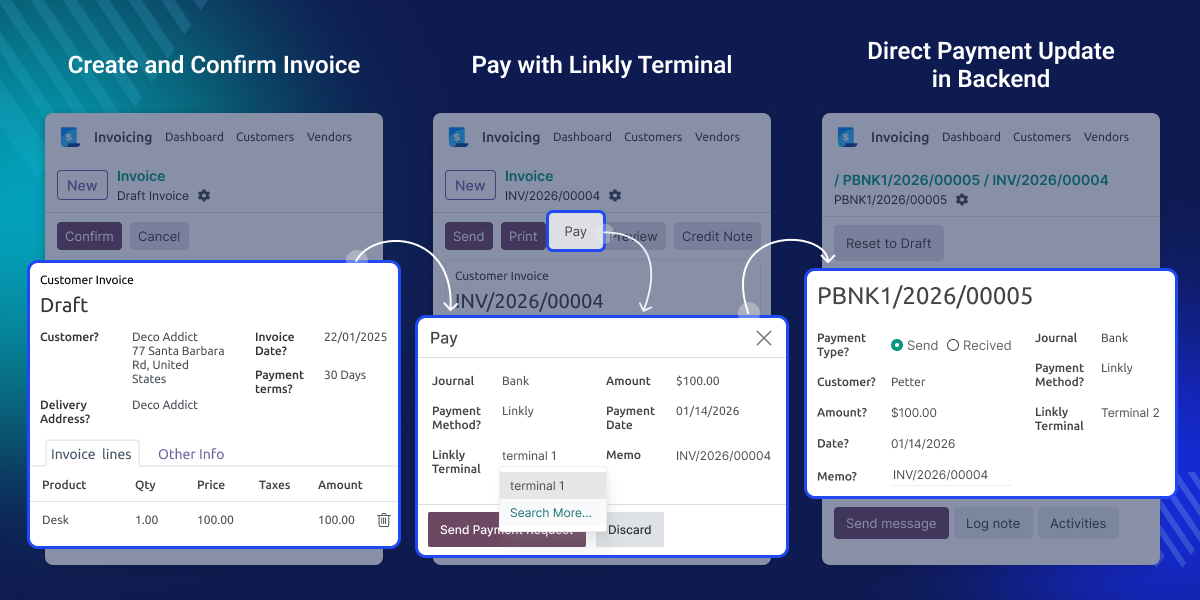
Using different systems for bills and card payments can be confusing and slow. Odoo Linkly Terminal Integration puts card payments and invoices together in one place.
Staff can take payments easily without extra steps. Invoices update by themselves, so daily payment work stays simple and stress free.
Set up and use the Linkly terminal directly inside Odoo, without any extra tools.
Take card payments directly from invoices and let Odoo update them automatically.
See what is happening with the payment while it is in progress.
Check and review all past card machine payments whenever you need.
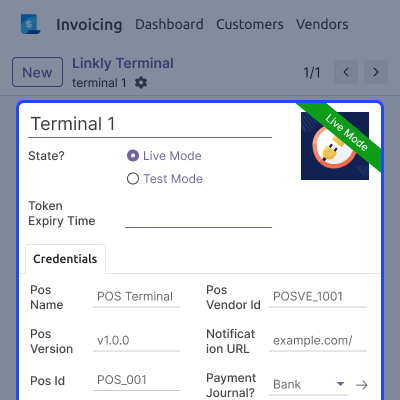
Odoo Linkly Terminal Integration adds a special menu to manage Linkly payment terminals easily. Admins can change all terminal settings directly from the Odoo backend.
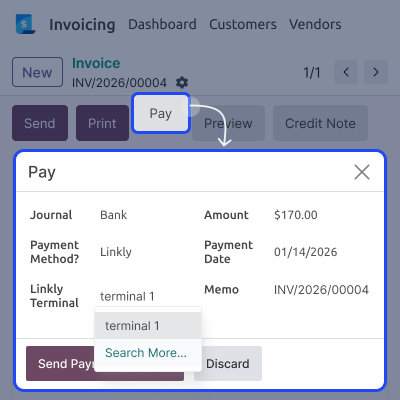
Payments can be taken directly from invoice screens or invoice lists. This helps staff complete in-store card payments quickly and smoothly.
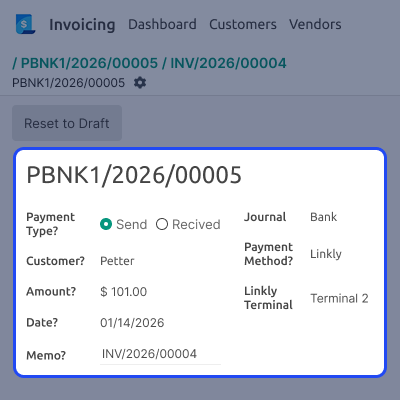
All terminal payments are saved in Odoo for easy checking. Admins can review payment history and fix issues when needed.
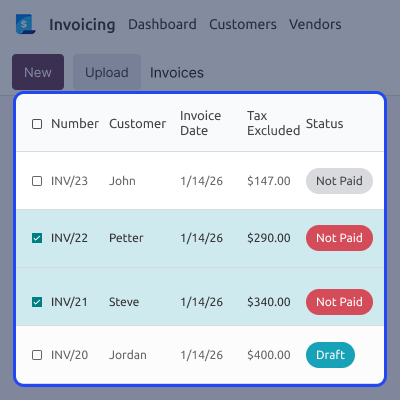
Payments can also be started from the invoice list screen. This helps businesses handle many payments faster during busy hours.
For any query or issue, please create a support ticket here CREATE A TICKET HERE
You may also check our other top-quality Odoo Modules.
Detailed technical features and requirements to help you understand the module’s capabilities and ensure smooth integration with your system.
Detailed technical features and requirements to help you understand the module’s capabilities and ensure smooth integration with your system.
We’re partnered with top-tier, trusted providers!
Want to know more how exactly we are going to power up your eCommerce Website with Cloud to fasten up your store
* Server Configuration may vary as per application requirements.



