Send Again
Close
Odoo Portal Document Downloader makes it simple for portal users to download documents like sales orders, purchase orders, and invoices. They can download files directly from a portal in Excel or PDF format.
This module also helps admins to decide what data to include in exports. They can control the field order, rename column headers, and manage the user access to download files.
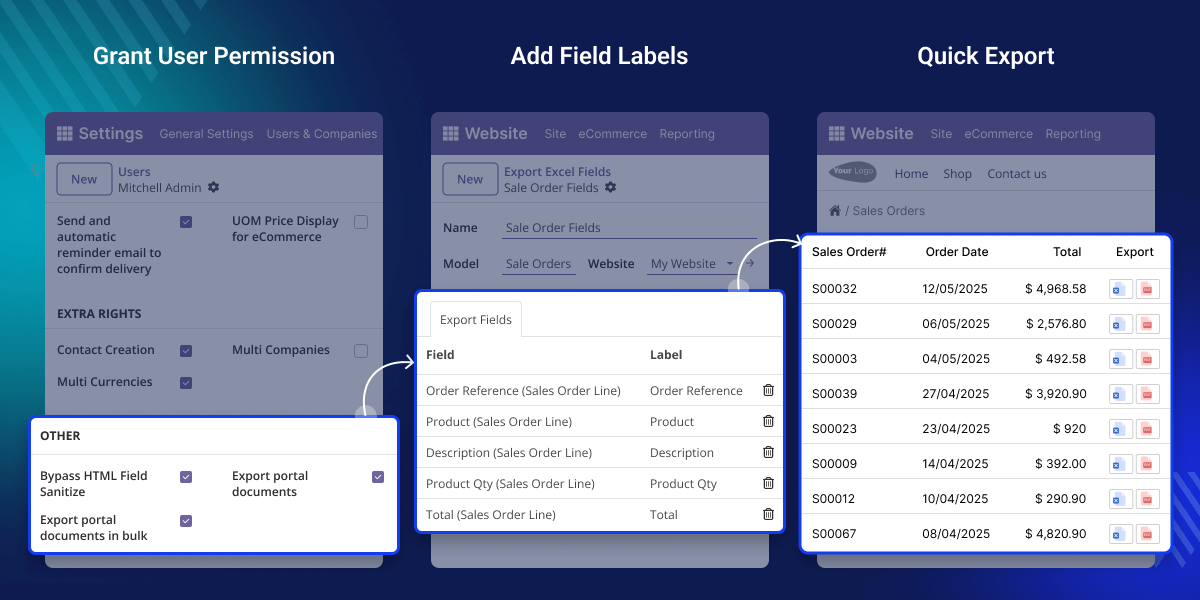
Imagine a wholesale customer preparing for a quarterly financial review. He needs all purchase orders from the last three months. Instead of contacting the sales team and waiting for a reply, he logged in to the portal, selected records, and downloaded them in an Excel file.
Odoo Portal Document Downloader is helpful because it removes the need to send documents to customers. Users can download what they need, without asking the admin team.
With Odoo Portal Document Downloader, users can download their documents in two popular formats: PDF and Excel. It gives users more flexibility in how they want to use the information.
It allows only one active setup for each document type like sales orders/ purchase orders or invoices. It keeps the download process clean and easy to manage.
It gives admins control over what information is shown in the exported files. They can choose which fields to include, change the names of column headers, and set the order.
It allows admins to decide who can download documents and how they can do it. Admins can give access to some users while keeping others restricted.
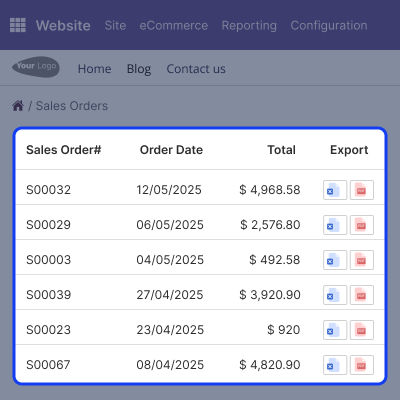
Odoo Portal Document Downloader makes it easy for users to get their documents directly from the portal with just a few clicks. Odoo portal can easily find and download their important documents, like sales orders, purchase orders, and invoices.
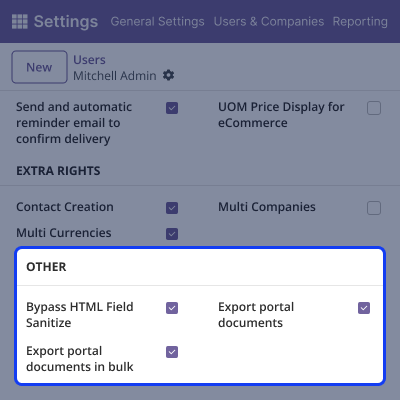
It helps admins manage who can export documents and ensures better security. Admins control who can download files, making sure only trusted users access information.
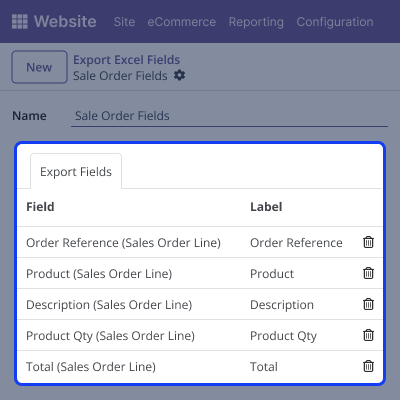
It lets you fully control how Excel files appear when downloaded. Admin can customize the layout to match your business needs and make files look clean and professional.
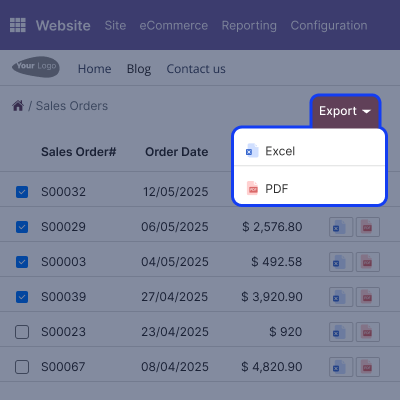
It supports bulk downloads, making it easy for users to download many documents. It is perfect for saving time during audits or regular reporting.
For any query or issue, please create a support ticket here CREATE A TICKET HERE
You may also check our other top-quality Odoo Modules.
Detailed technical features and requirements to help you understand the module’s capabilities and ensure smooth integration with your system.
Detailed technical features and requirements to help you understand the module’s capabilities and ensure smooth integration with your system.
We’re partnered with top-tier, trusted providers!
Want to know more how exactly we are going to power up your eCommerce Website with Cloud to fasten up your store
* Server Configuration may vary as per application requirements.



