USD
  • EUR
  • INR
  • USD
Cart
Cart 0
  • You have no items in your shopping cart.
    Cart
    Cart 0
    • You have no items in your shopping cart.
    Hire a Developer
    ×
    Contact Us!
    Send Again
    Close
    Please Login to Write Your Review

    Odoo POS Close Session From Backend

    Odoo POS Close Session From Backend helps users close POS sessions directly from Odoo backend. The module adds a simple close session button and updates session status instantly in both the backend and POS screens.


    • Close POS sessions directly from the backend screen

    • Use a simple button to close sessions quickly

    • See a confirmation pop-up before closing a session

    • Close and update POS sessions in one click

    • Show instant messages on the POS screen after session closure

    • Update session status automatically in the backend

    • No need to open the POS frontend to close sessions

    • Help managers handle POS sessions more easily

    • Save staff time with faster session management

    Screenshots
    $49.00

    * Required Fields

    Add To Cart
    $49.00
    Configure and Buy
    • Description
    • Reviews
    • FAQ
    • Customers ()
    • Specifications
    • Cloud Hosting
    • Changelog

    Odoo POS Close Session From Backend helps businesses close POS sessions easily from Odoo backend.

    The module adds a simple close session button in the POS session screen, so users do not need to open POS frontend to close sessions. When users click the button, a confirmation pop-up appears before closing session.

    After confirmation, the module closes POS session automatically and updates the session status instantly. A notification message is also shown on POS screen so cashiers know that session has been closed.

    This helps businesses manage POS sessions more easily, reduce manual work, and save staff time during daily operations.

    With quick backend controls and instant updates, this module makes POS session handling faster and simpler.
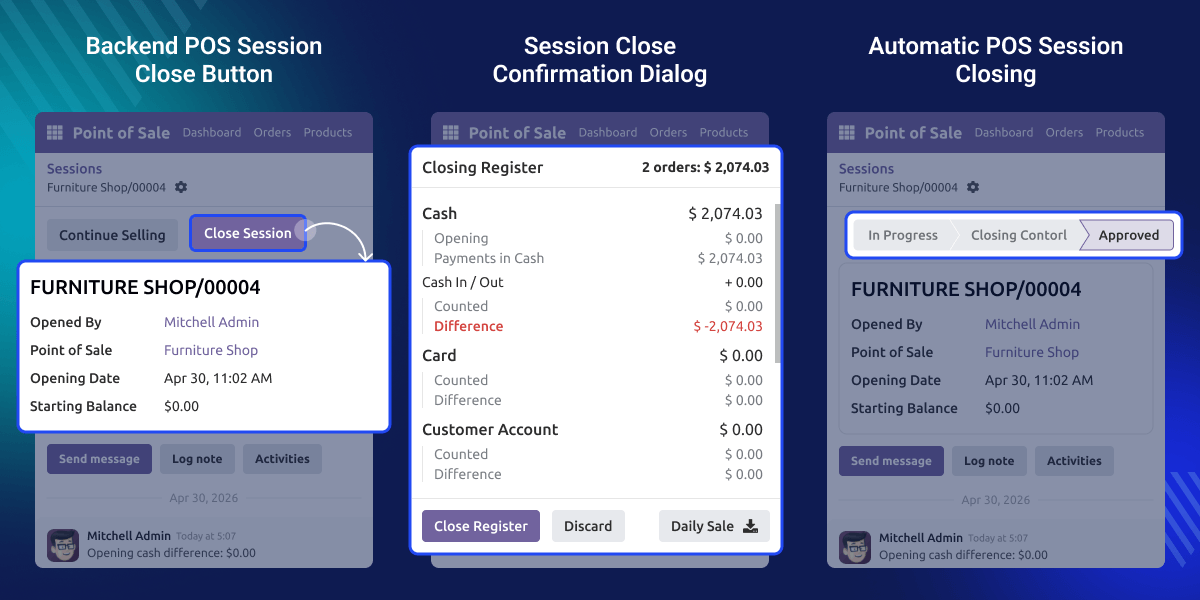
    Odoo POS Close Session From Backend

    Highlighted Features of Odoo POS Close Session From Backend

      Easy Session Closing

    Close running POS sessions directly from backend screen.

      Quick Session Handling

    Use a simple button to close POS sessions faster.

      Confirmation Popup

    A pop-up appears before closing session for better control.

      Automatic Session Updates

    The session closes automatically, and the status updates instantly.

      Instant POS Notifications

    Cashiers receive a message on POS screen after session closure.

      Simple Backend Management

    Managers can manage POS sessions easily without opening POS frontend.

    Why do we need Odoo POS Close Session From Backend?

    Closing POS sessions from POS screen can take extra time during daily work, especially in busy stores. In many businesses, managers want an easier way to close sessions directly from backend.

    By default, Odoo does not provide a simple backend option to close running POS sessions. Odoo POS Close Session From Backend solves this problem by adding a close session button in backend POS screen.

    The module helps businesses close sessions faster, update session status automatically, and show instant notifications on POS screen. This reduces manual work, saves staff time, and makes session management easier.

    Use Cases

    Odoo POS Close Session From Backend helps businesses handle POS sessions more easily during daily work.

      Retail Stores

    Managers can close POS sessions directly from backend screen.

      Supermarkets

    Close multiple POS sessions quickly during busy store hours.

      Restaurants and Cafes

    Help staff close sessions more easily at the end of shifts.

      Multi-Counter Businesses

    Manage running POS sessions easily from one backend system.

    Backend POS Session Close Button

    Odoo POS Close Session From Backend adds a dedicated close button inside POS session form view.
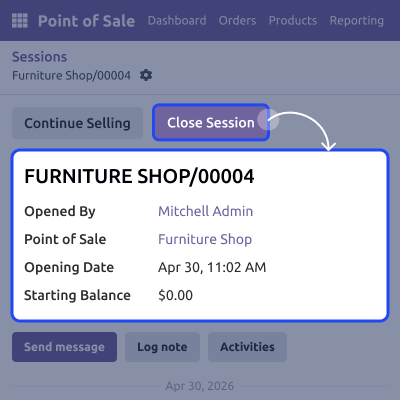
    • You can close sessions directly from the backend
    • No need to open the POS frontend manually
    • Session management becomes easier in this module
    • It helps reduce extra operational steps
    Backend POS Session Close Button

    Session Close Confirmation Dialog

    The module displays a confirmation pop-up before processing session closure.
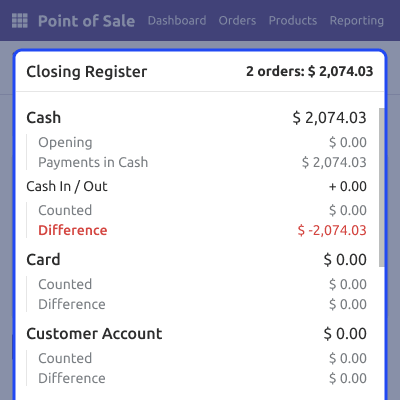
    • You can verify the close action before proceeding
    • It helps prevent accidental session closure
    • Session handling becomes safer in this module
    • Users receive a simple confirmation interface
    Session Close Confirmation Dialog

    Automatic POS Session Closing

    It automatically validates and closes session after confirmation.
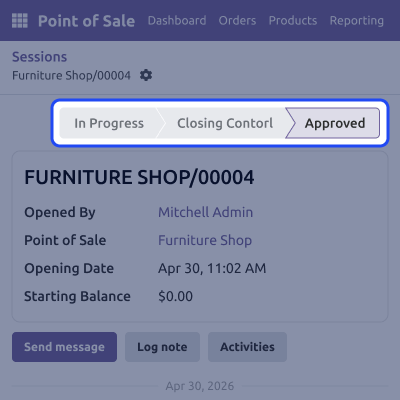
    • You can close sessions in a single process
    • Session status updates automatically
    • Backend operations become faster in this module
    • It helps staff manage sessions more efficiently
    Automatic POS Session Closing

    POS Screen Notification Message

    The module sends a notification message to POS screen after session closure.
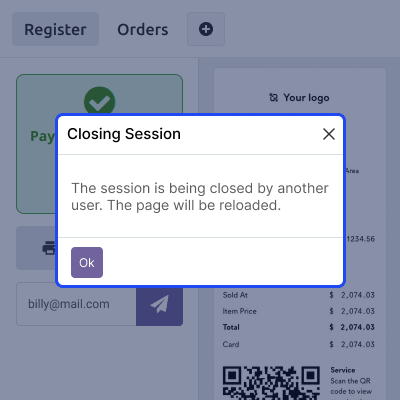
    • Cashiers receive instant session closure alerts
    • POS users stay informed automatically
    • Communication becomes smoother in this module
    • It helps improve backend and POS coordination
    POS Screen Notification Message

    Support

    For any query or issue, please create a support ticket here CREATE A TICKET HERE

    You may also check our other top-quality Odoo Modules.

    Specifications

    Product Version1.0.0
    ReleasedToday
    Last UpdatedJune 9, 2026 (Today)
    Supported VersionsOdoo  17.x  18.x  19.x  
    Write a review

    FAQ’s

     Can I close POS sessions from backend?
    Yes, you can close running POS sessions directly from Odoo backend.
     Will I see a confirmation pop-up before closing session?
    Yes, the module shows a confirmation pop-up before session is closed.
     Does the session status update automatically?
    Yes, the session status updates automatically after closure.
     Will cashiers receive any message after session closure?
    Yes, a notification message appears on POS screen instantly.
     Do I need to open POS screen to close sessions?
    No, you can complete full process from backend.
     Can I manage multiple POS sessions easily?
    Yes, the module helps businesses handle multiple POS sessions more easily.
     Can managers control sessions from backend?
    Yes, managers can manage and close POS sessions directly from backend screens.

    Move to Cloud Today

    AWS Free tier hosting for one year by amazon web services, for more details please visit AWS Free Tier.

    GCP Free tier hosting for one year with 300 credit points by google cloud platform, for more details please visit GCP Free Tier.

    Azure free tier hosting for one year with 25+ always free services, for more details please visit Azure Free Tier.

    In our default configuration we will provide tremendous configuration for your eCommerce Website which is fast to load and response.

    Default Configuration Details of Server

    • 1 GB RAM
    • 1 Core Processor
    • 30 GB Hard Disk
    • DB with 1 GB RAM and 1 Core Processor

    * Server Configuration may vary as per application requirements.

    Want to know more how exactly we are going to power up your eCommerce Website with Cloud to fasten up your store. Please visit the Cloudkul Services.

    Get Started with Cloud
    Not Available


