Send Again
Close
Odoo POS Delivery Screen helps you track and manage deliveries easily from your POS. It makes order handling simple, no matter what you’re delivering.
With custom screens, time limits, and POS integration, you can stay organized and work smoothly. Color-coded stages like "Accepted," "Dispatched," and "Delayed" help you track multiple orders at the same time.
Whether you run a restaurant, store, or service business, Odoo POS Delivery Screen makes deliveries easier and keeps customers happy.
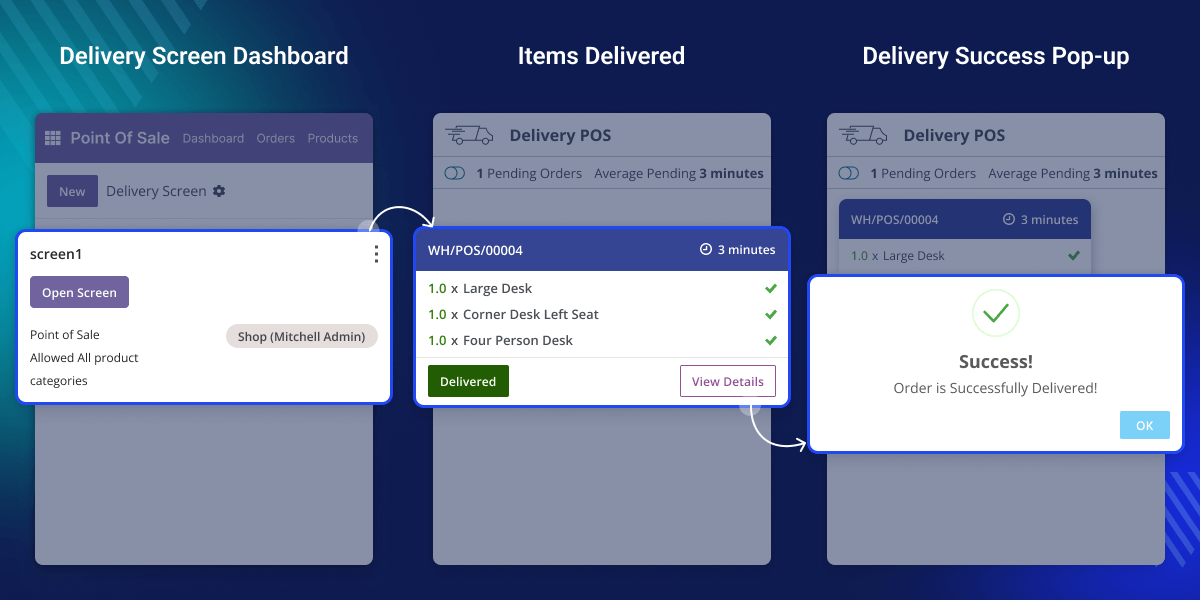
Delivering on time keeps customers happy. The Odoo POS Delivery Screen helps businesses track orders, save time, and avoid delays.
For example, restaurants can monitor food deliveries during rush hours to keep operations running smoothly. Retail stores can manage shipments more efficiently, preventing stock issues and customer complaints.
Create and organize delivery screens to match your business needs.
Set time limits for each order to ensure deliveries are always on time.
Use color codes to track order progress and easily spot delays.
Manage and track deliveries directly from your POS system.
Analyze delivery times, reduce delays, and improve efficiency.
Restrict access to delivery screens with secure IP settings.
This feature lets you create delivery screens that fit your business. It helps you keep orders organized and makes tracking them easier.
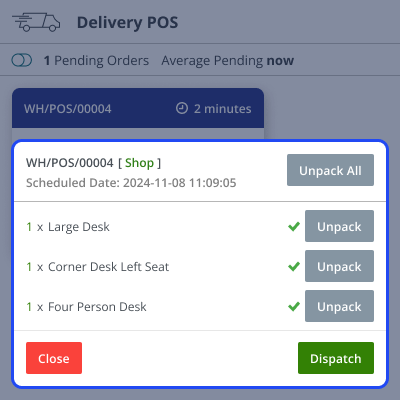
Setting time limits for deliveries ensures that orders are completed on time. This feature helps businesses stay on schedule and improve customer satisfaction.
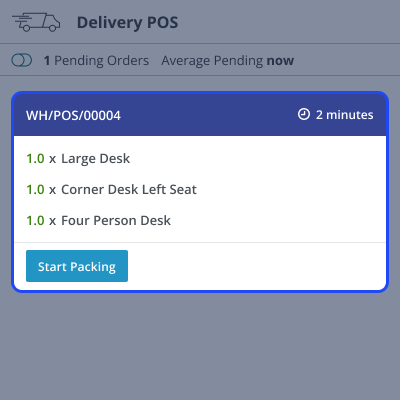
Color coding helps you track orders at a glance. You can see which orders are accepted, dispatched, or delayed without extra effort.

Odoo POS Delivery Screen works with Odoo POS, so you can handle deliveries without switching screens. It keeps everything in one place for a smooth workflow.

For any query or issue, please create a support ticket here CREATE A TICKET HERE
You may also check our other top-quality Odoo Modules.
Detailed technical features and requirements to help you understand the module’s capabilities and ensure smooth integration with your system.
Detailed technical features and requirements to help you understand the module’s capabilities and ensure smooth integration with your system.
We’re partnered with top-tier, trusted providers!
Want to know more how exactly we are going to power up your eCommerce Website with Cloud to fasten up your store
* Server Configuration may vary as per application requirements.



