Send Again
Close
Odoo POS Paystack Terminal Integration helps businesses accept card payments through Paystack terminals in Odoo POS. This module allows users to add Paystack API details, configure terminal settings, and connect Paystack terminals with POS payment methods. When a customer chooses Paystack during checkout, Odoo sends the payment request directly to the connected terminal.
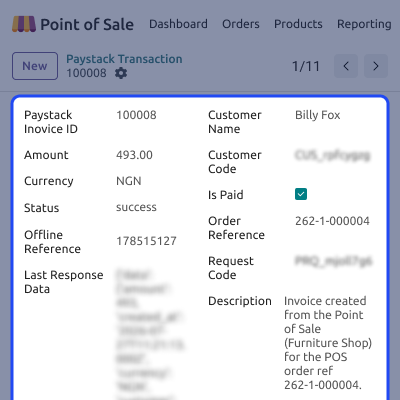
The customer completes the payment on the Paystack device while Odoo waits for the payment result. Once the payment is completed, Paystack sends the status update to Odoo automatically through webhooks. Odoo POS Paystack Terminal Integration also creates dedicated Paystack transaction records in Odoo.
This helps businesses track payments, review transaction history, and manage terminal payments more efficiently. With automatic payment updates, simple terminal setup, and real-time transaction tracking, this module helps staff complete payments faster and improve the checkout experience.
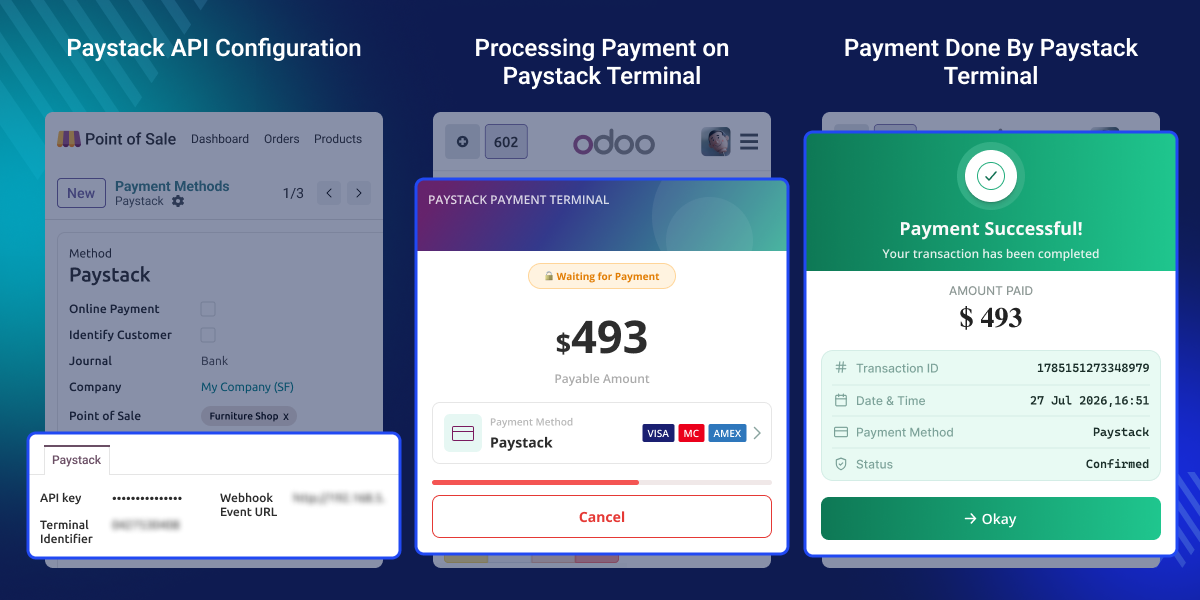
Connect Paystack payment terminals with Odoo POS in a simple way.
Connect Odoo POS with Paystack using API credentials.
Send payment requests directly from the POS screen.
Payment status updates automatically in Odoo POS.
Receive payment updates from Paystack instantly.
Store and manage Paystack transaction records in Odoo.
Taking card payments without a direct terminal connection can slow down the checkout process. Staff may need to check payment results manually or switch between different systems during a sale. By default, Odoo POS does not connect directly with Paystack payment terminals.
This can create extra work and increase the chance of payment errors. Odoo POS Paystack Terminal Integration solves this problem by connecting Paystack terminals with Odoo POS. Payment requests and payment results are handled automatically.
This helps businesses process payments faster, reduce manual work, and provide a better checkout experience for customers.
Odoo POS Paystack Terminal Integration helps businesses handle card payments more efficiently during daily POS operations.
Accept customer card payments directly from the POS screen.
Reduce checkout time with automatic payment updates.
Help staff process customer payments more quickly.
Manage Paystack terminals across multiple POS counters.
Odoo POS Paystack Terminal Integration provides a simple setup process for connecting Odoo POS with Paystack payment terminals.
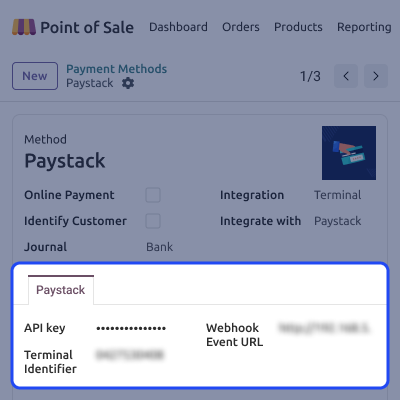
This module allows businesses to process card payments directly through connected Paystack terminals from Odoo POS screen.
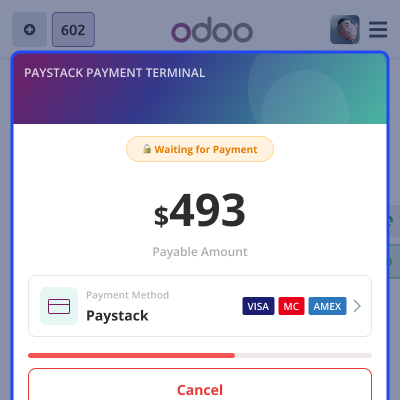
This module keeps payment information updated by receiving payment status updates directly from Paystack.
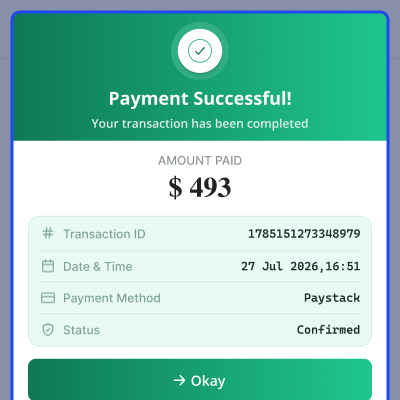
Odoo POS Paystack Terminal Integration creates dedicated transaction records for all Paystack payments processed through Odoo POS.
For any query or issue, please create a support ticket here CREATE A TICKET HERE
You may also check our other top-quality Odoo Modules.
Detailed technical features and requirements to help you understand the module’s capabilities and ensure smooth integration with your system.
Detailed technical features and requirements to help you understand the module’s capabilities and ensure smooth integration with your system.
We’re partnered with top-tier, trusted providers!
Want to know more how exactly we are going to power up your eCommerce Website with Cloud to fasten up your store
* Server Configuration may vary as per application requirements.



