Send Again
Close
Odoo POS Pre-Order improves your Point of Sale system by letting you take pre-orders right from the POS. It makes it easy to collect advance orders for new or out-of-stock items.
Users can turn on pre-orders for all products or just specific ones. Odoo POS Pre-Order allows customers to collect partial payments, set minimum order amounts, and track everything from the backend.
All pre-orders are treated like regular sales orders and linked to the Sales app, so managing and fulfilling orders is simple and smooth.
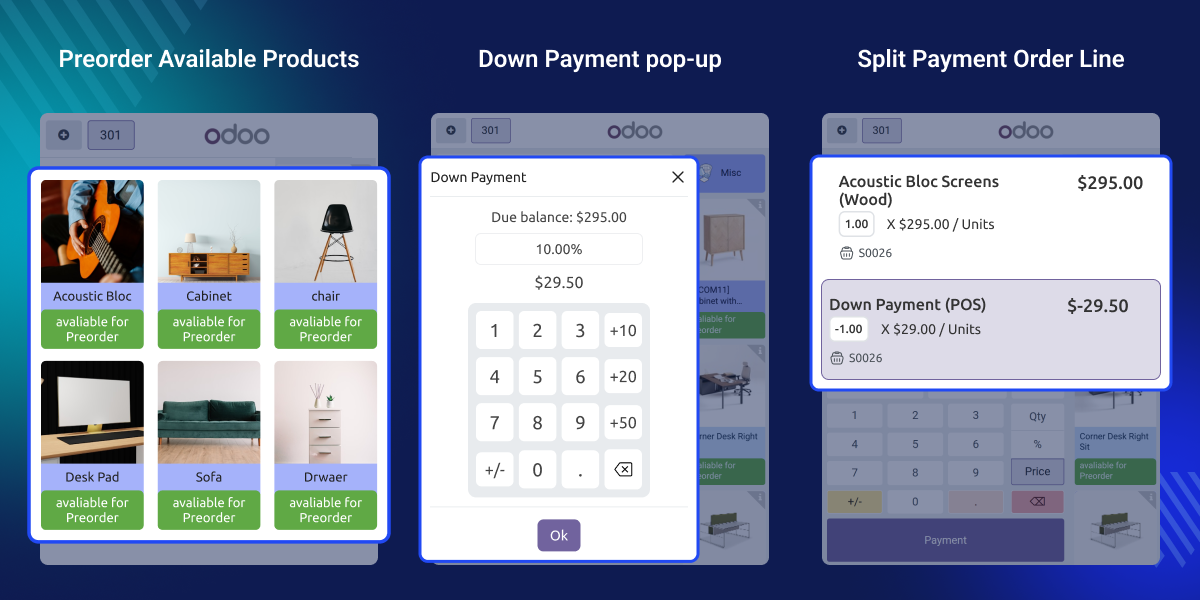
Many businesses miss out on sales because products run out of stock, or they can’t take orders for new items early enough.
This module helps by letting you take orders in advance, which boosts your cash flow and keeps customers happy.
For example, in industries like electronics or fashion, popular products often sell out quickly. With Odoo POS Pre Order, you can keep taking orders and deliver them once the stock is back.
Enable pre-orders globally or only for selected products, with minimum quantity and advance payment settings.
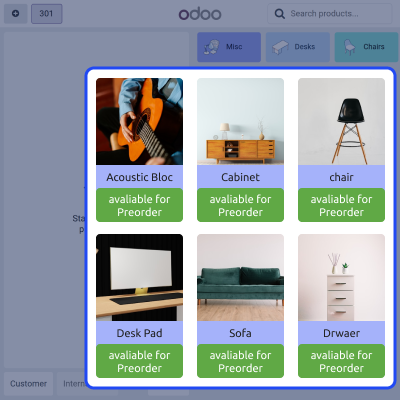
Cashiers can take pre-orders from the POS screen using an easy-to-use pop-up form.
Every pre-order is linked with the Sales module and includes smart buttons for easy tracking and management.
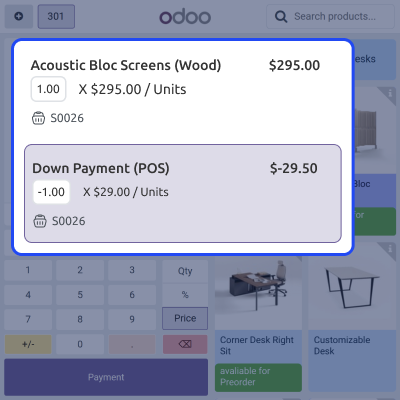
Collect a partial payment upfront while taking the pre-order, and settle the remaining amount later.
Odoo POS Pre-Order allows users to enable pre-orders globally or for specific products with minimum quantity and advance payment settings.
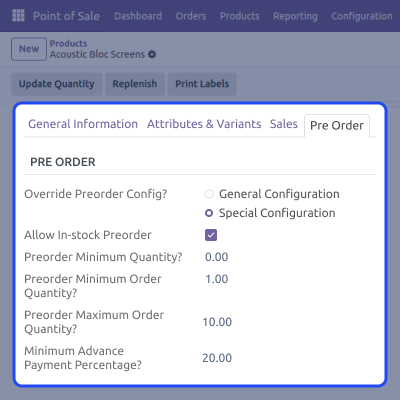
Odoo POS Pre-Order works natively within the POS interface, allowing cashiers to handle pre-orders without leaving the POS screen.
Track and manage pre-orders from the backend via dedicated menus and smart buttons in the Sales Orders section.

POS Pre-Order enables smooth preordering by splitting advance and remaining payments into separate order lines under the same Sale Order.
For any query or issue, please create a support ticket here CREATE A TICKET HERE
You may also check our other top-quality Odoo Modules.
Detailed technical features and requirements to help you understand the module’s capabilities and ensure smooth integration with your system.
Detailed technical features and requirements to help you understand the module’s capabilities and ensure smooth integration with your system.
We’re partnered with top-tier, trusted providers!
Want to know more how exactly we are going to power up your eCommerce Website with Cloud to fasten up your store
* Server Configuration may vary as per application requirements.



