Send Again
Close
Odoo POS Pre-Sale Receipt lets customers view the full order before payment and confirm items, prices, and taxes.
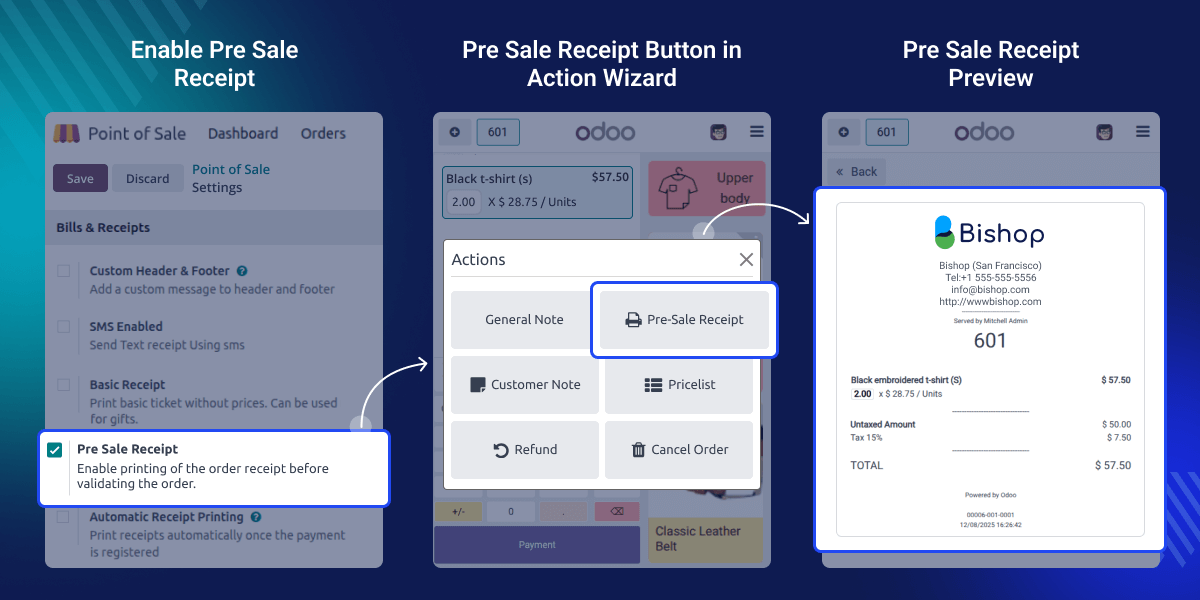
This reduces mistakes and builds trust during checkout. With this feature, staff can preview and print a pre-sale order receipt by simply clicking the “Pre-Sale Order Receipt” button.
This helps speed up the workflow and keeps order processing accurate. This feature makes the POS process clearer by showing all details before paying. It ensures a smooth and error-free experience for customers and staff.
Businesses want to avoid mistakes at the POS, and this feature helps by showing the whole order before payment. This keeps things clear for customers and reduces confusion.
In shops or restaurants, people like checking their order again before paying. Odoo POS Pre-Sale Receipt lets staff print a clean preview quickly, making the process clear and fast.
Shows the whole order before payment so customers can easily check all items and totals.
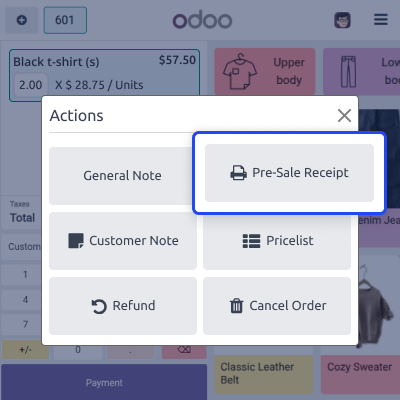
Provides a special button in the action wizard that lets users open the pre-sale receipt quickly.
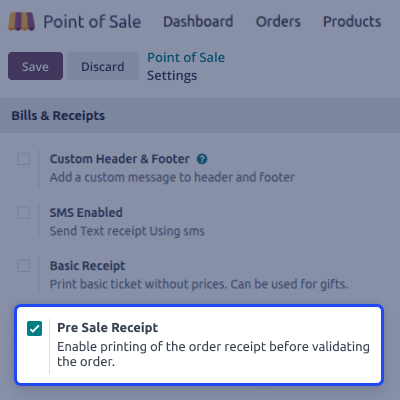
Admins can enable or disable the feature easily from POS settings.
Helps customers understand the order fully before paying, reducing confusion and improving clarity at checkout.
Odoo POS Pre-Sale Receipt lets you print the order before paying so people can see items, totals, quantities, and taxes clearly.

The module adds a special button in the actions menu that lets users print the order preview anytime before finishing the sale.
The module provides a simple enable/disable toggle in POS settings. Staff members can activate it without technical skills.
For any query or issue, please create a support ticket here: CREATE A TICKET HERE
You may also check our other top-quality Odoo Modules.
Detailed technical features and requirements to help you understand the module’s capabilities and ensure smooth integration with your system.
Detailed technical features and requirements to help you understand the module’s capabilities and ensure smooth integration with your system.
We’re partnered with top-tier, trusted providers!
Want to know more how exactly we are going to power up your eCommerce Website with Cloud to fasten up your store
* Server Configuration may vary as per application requirements.



