Send Again
Close
Odoo POS Table Reservation for Waiters helps make restaurant work easier. The system automatically updates the table status when food is added or paid for. Each waiter can only manage their own tables, so there’s no mix-up.
Admins can see all tables in one place and make quick changes. This keeps things running smoothly without having to reload anything or keep track of table statuses manually.
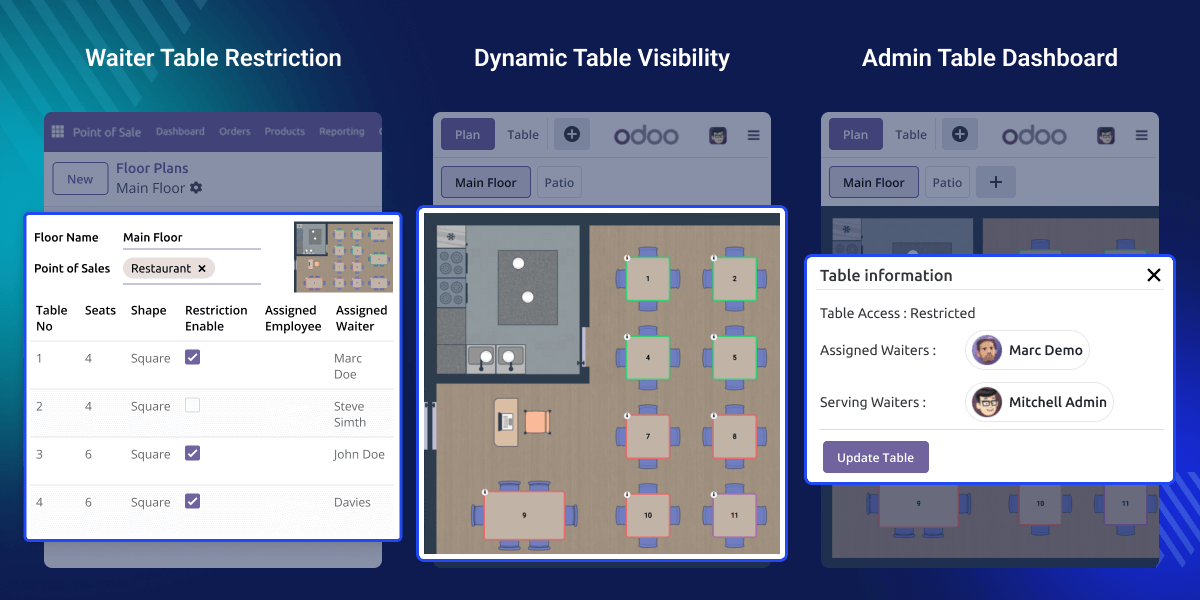
Odoo POS Table Reservation for Waiters helps restaurants manage tables easily by letting waiters work only on their assigned tables. Table statuses update in real time, making it easy to see which tables are free, reserved, or occupied.
Admins can see and control all table reservations from one place in the POS system. This makes it easy to know who is handling each table and keeps everything simple and organized.
Odoo POS Table Reservation for Waiters automatically updates tables between Free, Reserved, and Occupied without any manual intervention.
Each waiter can only view and manage the tables assigned to them, preventing any confusion and improving service efficiency.
Admins can instantly reassign tables to different waiters without the need for a session reload, ensuring smooth and immediate changes during service.
Tables are automatically reserved as soon as items are added to the POS cart, reducing manual steps and speeding up the booking process.
This feature allows admins to enable table access control so waiters can only interact with permitted tables. It ensures structured table handling and avoids unauthorized access.
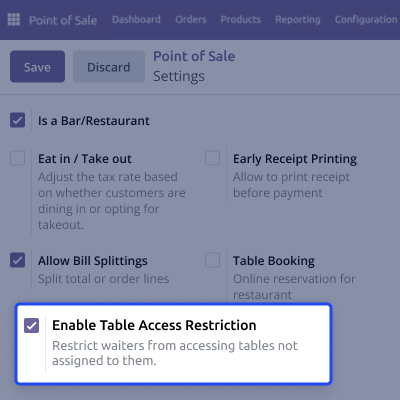
Odoo POS Table Reservation for Waiters makes sure waiters can only see and work with the tables the admin gives them. This helps stop mistakes and makes the work easier during service.
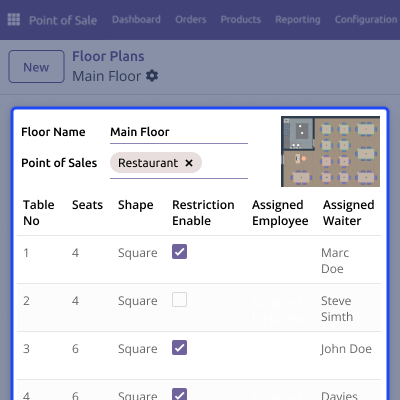
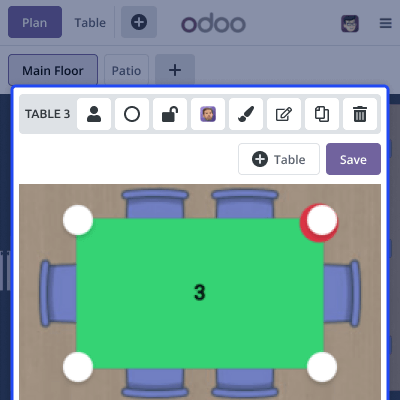
Admins can choose who can see tables and can move tables between waiters anytime. Everything updates in real time, so waiters always see the correct tables while working.
For any query or issue, please create a support ticket here CREATE A TICKET HERE
You may also check our other top-quality Odoo Modules.
Detailed technical features and requirements to help you understand the module’s capabilities and ensure smooth integration with your system.
Detailed technical features and requirements to help you understand the module’s capabilities and ensure smooth integration with your system.
We’re partnered with top-tier, trusted providers!
Want to know more how exactly we are going to power up your eCommerce Website with Cloud to fasten up your store
* Server Configuration may vary as per application requirements.



