Send Again
Close
Odoo POS Tamara Payment helps you to accept Tamara Pay directly in Odoo system. Users can enable Tamara Pay as a payment method in Odoo Backend. Once done, customers can choose Tamara Pay during checkout.
All transactions are saved in one place where the user can view details like order ID, amount, and status. It manages payments better and keeps POS workflow simple.
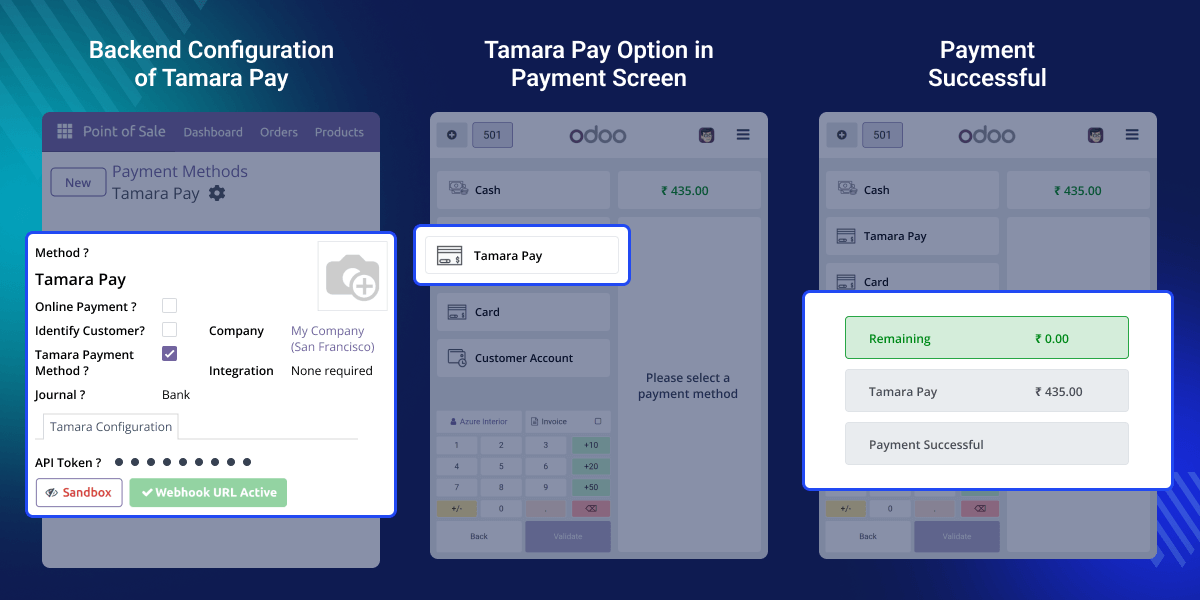
Imagine a retail store that uses Odoo POS Tamara Payment to handle customer payments. A customer wants to pay using Tamara Pay. At checkout, the customer selects Tamara Pay, enters their phone number, and receives a confirmation SMS. The payment gets processed instantly, and the users can see the transaction stored under Tamara Payment Transactions.
This module improves the customer experience with instant payment confirmation and a simple, easy-to-use interface. Businesses that want to offer more ways to pay can give customers more flexibility at checkout.
Odoo POS Tamara Payment makes the checkout process fast and simple. Customers can complete their payment in a few clicks, without delays or complex steps.
Add Tamara Pay by entering the unique API token to connect your account safely. This simple step makes sure your Odoo and Tamara accounts are linked.
Users can see updates for each Tamara Pay transaction right after checkout. It is easy to track the payment status, making it simple to take fast and smart actions.
The module focuses on a customer-friendly payment experience by prompting users to enter their mobile number during checkout.
Odoo POS Tamara Payment is easy to set up with little effort. Users can enable Tamara Pay in the settings and add an API token to start payments.
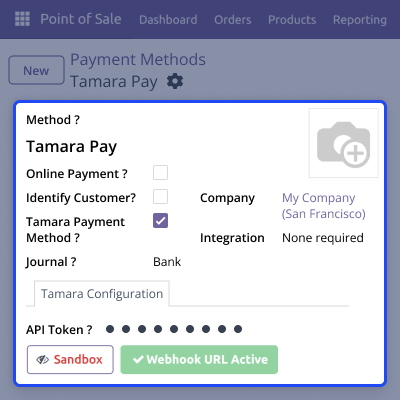
This module displays Tamara Pay on the checkout screen. Customers can select it and complete the payment smoothly, with a mobile-friendly experience.
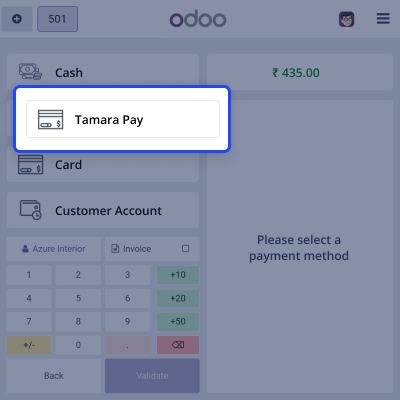
It gives easy payment tracking. Admins can see all Tamara Pay transactions in one place, making it simple to check, review, and report.
Webkul's dedicated support provides you with the customizations and troubleshooting solutions for Odoo POS Tamara Payment
For any query or issue please CREATE A TICKET HERE
You may also check our other top-quality Odoo Plugins.
Detailed technical features and requirements to help you understand the module’s capabilities and ensure smooth integration with your system.
Detailed technical features and requirements to help you understand the module’s capabilities and ensure smooth integration with your system.
We’re partnered with top-tier, trusted providers!
Want to know more how exactly we are going to power up your eCommerce Website with Cloud to fasten up your store
* Server Configuration may vary as per application requirements.



