Send Again
Close
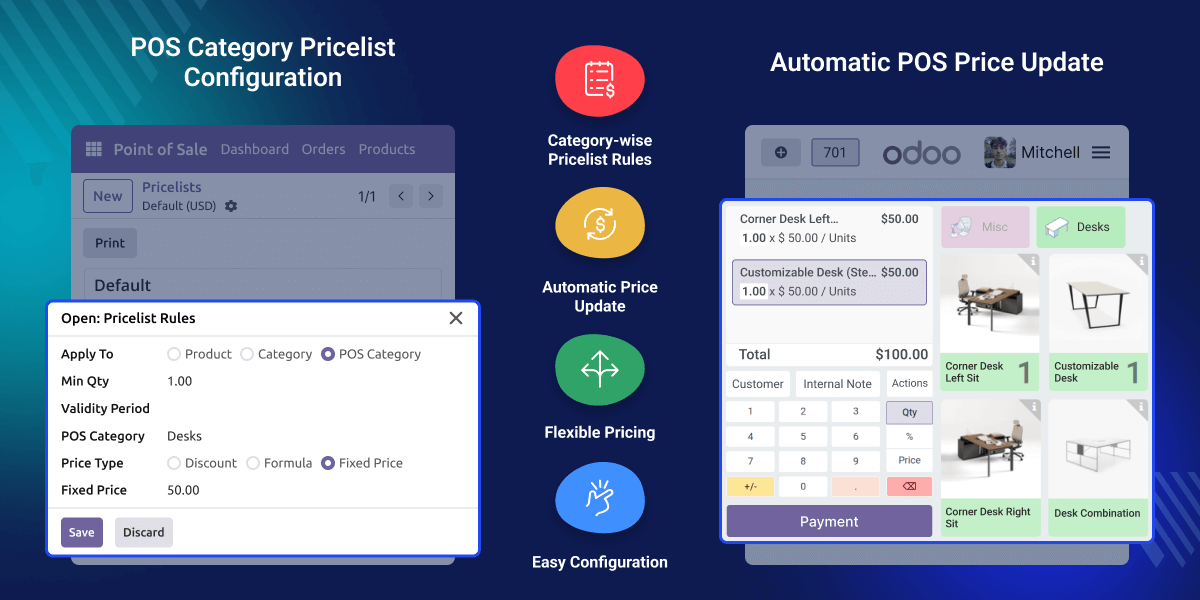
Odoo Pricelist For POS Category enhances Odoo’s POS pricing system by allowing businesses to create pricing rules based on POS categories. By default, Odoo does not support applying pricelist rules specifically on POS categories.
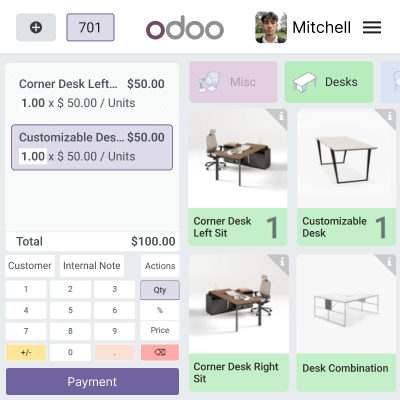
Once configured, the system automatically applies the defined pricing rules to products belonging to the selected POS category. Prices are updated instantly in the POS interface without modifying individual products.
Retail businesses often need different pricing strategies for different product categories. Managing this manually can be time-consuming and error-prone.
Odoo Pricelist For POS Category simplifies this process by enabling category-based pricing directly from the pricelist configuration. It improves pricing flexibility and ensures accurate price updates during POS transactions.
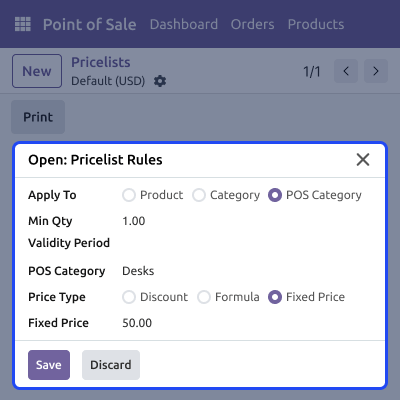
Allows you to add POS Category as a rule condition inside the pricelist configuration for category-based pricing control.
Automatically updates product prices in the POS frontend when they belong to the configured POS category.
Supports fixed price, percentage discounts, and formula-based pricing using standard Odoo pricelist rules.
Configure POS category-based pricing directly from the pricelist rule wizard without complex setup.
Lets you configure pricing rules based on POS categories directly from the backend pricelist settings.
Ensures prices are automatically updated in the POS frontend based on configured category rules.
For any query or issue, please create a support ticket here CREATE A TICKET HERE
You may also check our other top-quality Odoo Modules.
Detailed technical features and requirements to help you understand the module’s capabilities and ensure smooth integration with your system.
Detailed technical features and requirements to help you understand the module’s capabilities and ensure smooth integration with your system.
We’re partnered with top-tier, trusted providers!
Want to know more how exactly we are going to power up your eCommerce Website with Cloud to fasten up your store
* Server Configuration may vary as per application requirements.



